You Might Also Like
Learn Coding Visually
Learn to code with interactive, live-preview playgrounds — HTML, CSS, JavaScript, React & more.
 HTML Playground42 lessons · Click-based · Live preview
 CSS PlaygroundLearn CSS with a live editor
 JavaScript Playground60 lessons · DOM · Async · Canvas
 React PlaygroundLearn React with a live code editor
 GSAP PlaygroundLearn GSAP animation interactively
 SVG Playground44 lessons · shapes · paths · animation
 SCSS Playground45 lessons · Sass modules · tokens
 Tailwind PlaygroundLearn Tailwind CSS with a live editor
 Bootstrap 5 Playground50 lessons · live preview
SVG Logo Draw-In Loader — Stroke-Dashoffset Wordmark Loading Animation
SVG Logo Draw-In Loader · Loaders · Plain HTML & CSS · Live preview
What's included
Features
About this UI Snippet
SVG Logo Draw-In Loader — The Outline Itself Is the Loading Animation
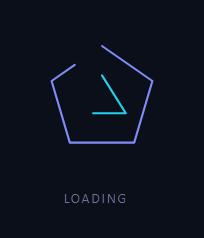
Most loading indicators are generic — a spinner or bar that could belong to any product. A logo draw-in loader instead uses the brand's own mark as the animation: its outline draws itself stroke by stroke, holds fully formed for a beat, then draws back out and repeats, so the wait itself reinforces the brand rather than showing an interchangeable spinner borrowed from any other site. This snippet builds the technique with an abstract geometric mark (a triangle-and-diamond outline, standing in for a real logo shape) in plain HTML, CSS, and SVG — no JavaScript required, the whole animation is stroke-dashoffset keyframes.
The stroke-dasharray / stroke-dashoffset trick
Each <path> is given a stroke-dasharray equal to its own total path length (measured by inspecting the rendered path, or approximated), which turns the stroke into one dash exactly as long as the path with no gap. Setting stroke-dashoffset to that same length shifts the entire dash out of view, so nothing is visible — the path is present in the DOM but invisible. Animating stroke-dashoffset from that full length down to 0 slides the dash back into view along the path, which reads as the line drawing itself in real time, tip to tail. This is the same fundamental technique used for animated SVG checkmarks and signature effects, applied here as a continuously looping loader instead of a one-shot reveal.
Draw in, hold, draw out — not just a fade
The keyframes don't stop at a drawn-in state; ldDrawOuter and ldDrawInner animate to stroke-dashoffset: 0 by roughly 40% of the loop, hold there until about 60%, and then continue past 0 to a negative offset equal to the path length — which slides the dash back out the far end, undrawing the line in the same direction it was drawn, rather than reversing the draw motion backward. That three-phase shape (draw in, hold, draw out) is what makes the loop read as a deliberate, repeating gesture instead of a shape that merely fades or flickers.
Two paths, gently offset
The inner diamond's keyframes are nudged so it begins drawing slightly after the outer shape and finishes its hold slightly earlier, giving the two strokes a small independent rhythm rather than animating in perfect lockstep — a subtlety that keeps a two-part mark from reading as one flat, single-timed animation.
Why an abstract mark here
The shape in this snippet is a simple interlocking geometric outline, deliberately generic so the pattern is obviously a demonstrable technique rather than tied to any specific company. Swap the <path> data for your own logo's outline (most vector logo files export as SVG path data directly, or can be traced from one), recompute stroke-dasharray to match the new path's length, and the draw-in mechanics carry over unchanged.
A no-JavaScript, CSS-only loader
Because the entire effect is expressed as CSS @keyframes on stroke-dashoffset, there's no JavaScript driving the animation at all — it's as lightweight and dependency-free as a spinner, but branded. Pair it with a top loading bar for a route transition underneath, or an orbit loader as a non-branded fallback where a wordmark doesn't fit.
Build with AI
Build, Understand, Optimize, and Extend It With AI
Paste this snippet's HTML and CSS into an AI coding assistant like Claude and ask it to explain exactly how setting stroke-dasharray to a path's own length and animating stroke-dashoffset from that length down to 0 makes the stroke appear to draw itself in, and why the keyframes continue past 0 into negative dashoffset values to undraw the line in the same direction rather than reversing the animation. It's worth asking for help adapting it too: how to correctly measure a real logo's path length with getTotalLength() so the dasharray value isn't just approximated, and how the outer and inner shapes' slightly offset keyframe percentages create a subtle two-part rhythm instead of both paths moving in perfect lockstep. For extending it, ask for a one-shot (non-looping) version suitable for a page's first paint only, a variant where the stroke color shifts partway through the draw, or a script that swaps in a real uploaded SVG's path data and computes its dasharray automatically. Treat the code less like a finished artifact and more like a starting point for a conversation.
Prompt to recreate it
Copy this into your AI assistant of choice to build the effect from scratch, or as a jumping-off point for your own variant:
Build a looping "logo draw-in" loading animation using an SVG outline shape in plain HTML and CSS only — no JavaScript, no spinner element layered on top of the shape.

Requirements:
- An SVG containing at least one path element forming a simple abstract geometric outline (not a real company logo), with stroke-dasharray set to a value matching that path's total rendered length so the stroke forms exactly one dash equal to the whole path with no visible gap.
- Animate stroke-dashoffset via a CSS keyframe from a starting value equal to the full dash length (the path fully hidden) down to 0 (the path fully drawn and visible), so the stroke visibly draws itself in along the path from one end to the other.
- The keyframe must not stop at the fully-drawn state: after holding briefly at stroke-dashoffset: 0, continue animating dashoffset to a negative value equal to the path's length, so the stroke appears to retract and undraw itself out the same end it finished drawing toward, before the loop resets to fully hidden and repeats continuously.
- If the SVG contains more than one path (for example an outer and an inner shape), give each path's keyframe animation a slightly different timing offset so the two shapes don't draw and undraw in perfect synchrony, producing a subtle layered rhythm.
- No JavaScript may drive any part of the drawing animation — it must be achievable purely with CSS keyframes on stroke-dasharray and stroke-dashoffset.
- Add a prefers-reduced-motion media query that disables the draw animation and leaves the path rendered fully visible (dashoffset at 0) for users who have that preference set.
Want to tighten it up first? Run this prompt through the AI Prompt Studio to score it across 8 quality dimensions, catch anti-patterns, and tune the wording for Claude, ChatGPT, or Gemini before you paste it in.
Step by step
How to Use
- 1Paste HTML, CSS, and JSThe outline mark begins invisible and starts drawing itself in immediately.
- 2Watch the full cycleIt draws in, holds fully formed for a moment, then draws back out and repeats.
- 3Swap in your own logoReplace the path "d" data with your logo's outline (export as SVG path data).
- 4Recompute the dash lengthSet stroke-dasharray/stroke-dashoffset to match your new path's total length.
- 5Tune the timingAdjust the keyframe percentages to change how long it holds versus draws.
- 6Restyle itChange the stroke colors and width to match your brand.
Real-world uses
Common Use Cases
Got questions?
Frequently Asked Questions
Each path's stroke-dasharray is set to its own total length, turning the stroke into one dash exactly as long as the path with no visible gap. Setting stroke-dashoffset to that same length shifts the dash entirely out of view. Animating dashoffset down to 0 slides the dash back into view along the path, which reads as the line drawing itself in from start to end.
Render the path in a browser and read its length via the DOM API: document.querySelector('path').getTotalLength(). Use that number for both stroke-dasharray and the starting stroke-dashoffset. Since this snippet is CSS-only, you would either hardcode the measured value or add a small script that sets it from getTotalLength() once on load.
The keyframes continue past stroke-dashoffset: 0 to a negative value equal to the path length, which slides the dash out the far end in the same direction it drew in, undrawing the line rather than reversing the draw motion. This keeps the loop reading as one continuous directional gesture rather than a draw-then-fade that would look like two different effects stitched together.
Yes — export your logo as an SVG and use its path data directly in the path d attribute (most vector logo files, including ones from Illustrator or Figma, export cleanly to SVG paths). This snippet uses an abstract geometric mark specifically so the pattern reads as a demonstrable technique rather than being tied to any one company's branding.
Render the SVG markup as-is inside a component — the animation is pure CSS with no JavaScript dependency, so it needs no lifecycle hooks or state. If your logo path length varies per instance, compute it once with getTotalLength() in a mount effect and set the dasharray/dashoffset as inline styles or CSS custom properties instead of hardcoding them.