Source Code
<section class="ifc-hero">
  <div class="ifc-copy">
    <span class="ifc-eyebrow">Project management, simplified</span>
    <h1 class="ifc-h1">Everything your team<br>needs, nothing it doesn't</h1>
    <p class="ifc-sub">One board for tasks, docs, and conversations — so your team stops switching between five different tools to get one thing done.</p>

    <ul class="ifc-checklist" id="ifcChecklist">
      <li class="ifc-item"><span class="ifc-check">✓</span>Unlimited projects and boards</li>
      <li class="ifc-item"><span class="ifc-check">✓</span>Real-time collaboration, no lag</li>
      <li class="ifc-item"><span class="ifc-check">✓</span>Automations that replace busywork</li>
      <li class="ifc-item"><span class="ifc-check">✓</span>Works with tools you already use</li>
    </ul>

    <a href="#" class="ifc-cta">Start free trial</a>
  </div>

  <div class="ifc-visual">
    <div class="ifc-mock">
      <div class="ifc-mock-bar"><span></span><span></span><span></span></div>
      <div class="ifc-mock-row"><div class="ifc-mock-pill w1"></div><div class="ifc-mock-pill w2"></div></div>
      <div class="ifc-mock-card"><div class="ifc-mock-line l1"></div><div class="ifc-mock-line l2"></div><div class="ifc-mock-avatars"><span></span><span></span><span></span></div></div>
      <div class="ifc-mock-card"><div class="ifc-mock-line l1"></div><div class="ifc-mock-line l3"></div></div>
    </div>
    <div class="ifc-badge">✓ 14-day free trial</div>
  </div>
</section>*{box-sizing:border-box;margin:0;padding:0}
body{font-family:system-ui,-apple-system,sans-serif;background:#f8fafc;color:#0f172a}
.ifc-hero{min-height:100vh;display:grid;grid-template-columns:1fr 1fr;gap:48px;align-items:center;padding:48px 60px;max-width:1180px;margin:0 auto}
@media (max-width:860px){.ifc-hero{grid-template-columns:1fr;padding:32px 22px;text-align:center}}
.ifc-eyebrow{display:inline-block;font-size:12px;font-weight:700;letter-spacing:.06em;text-transform:uppercase;color:#6366f1;margin-bottom:12px}
.ifc-h1{font-size:clamp(30px,4.4vw,46px);font-weight:800;line-height:1.14;letter-spacing:-.02em;margin-bottom:14px}
.ifc-sub{font-size:15.5px;color:#475569;line-height:1.7;max-width:460px;margin-bottom:22px}
@media (max-width:860px){.ifc-sub{margin-left:auto;margin-right:auto}}
.ifc-checklist{list-style:none;display:flex;flex-direction:column;gap:11px;margin-bottom:28px}
.ifc-item{display:flex;align-items:center;gap:10px;font-size:14.5px;font-weight:600;color:#1e293b;opacity:0;transform:translateX(-10px);transition:opacity .4s ease,transform .4s ease}
@media (max-width:860px){.ifc-item{justify-content:center}}
.ifc-item.in{opacity:1;transform:translateX(0)}
.ifc-check{flex-shrink:0;width:20px;height:20px;border-radius:50%;background:#dcfce7;color:#16a34a;font-size:12px;font-weight:800;display:flex;align-items:center;justify-content:center}
.ifc-cta{display:inline-block;background:#6366f1;color:#fff;font-weight:700;font-size:15px;padding:13px 28px;border-radius:10px;text-decoration:none;box-shadow:0 10px 26px rgba(99,102,241,.28);transition:transform .15s}
.ifc-cta:hover{transform:translateY(-2px)}
.ifc-visual{position:relative}
.ifc-mock{background:#fff;border-radius:18px;padding:20px;box-shadow:0 24px 60px rgba(15,23,42,.12);border:1px solid #e2e8f0}
.ifc-mock-bar{display:flex;gap:6px;margin-bottom:16px}
.ifc-mock-bar span{width:9px;height:9px;border-radius:50%;background:#e2e8f0}
.ifc-mock-row{display:flex;gap:10px;margin-bottom:14px}
.ifc-mock-pill{height:26px;border-radius:8px;background:linear-gradient(135deg,#eef2ff,#e0e7ff)}
.ifc-mock-pill.w1{flex:1.3}
.ifc-mock-pill.w2{flex:1}
.ifc-mock-card{background:#f8fafc;border-radius:12px;padding:14px;margin-bottom:10px;border:1px solid #eef2f7}
.ifc-mock-line{height:9px;border-radius:5px;background:#e2e8f0;margin-bottom:8px}
.ifc-mock-line.l1{width:70%}
.ifc-mock-line.l2{width:45%}
.ifc-mock-line.l3{width:55%}
.ifc-mock-avatars{display:flex;gap:-4px;margin-top:6px}
.ifc-mock-avatars span{width:22px;height:22px;border-radius:50%;background:linear-gradient(135deg,#818cf8,#6366f1);border:2px solid #fff;margin-left:-6px}
.ifc-mock-avatars span:first-child{margin-left:0}
.ifc-badge{position:absolute;bottom:-16px;right:14px;background:#0f172a;color:#fff;font-size:12px;font-weight:700;padding:9px 16px;border-radius:999px;box-shadow:0 10px 24px rgba(15,23,42,.25)}
@media (max-width:860px){.ifc-badge{position:static;display:inline-block;margin-top:14px}}// Staggers the checklist items into view with a real, incremental delay per item —
// not a CSS-only animation, so the delay stays easy to tune from one place.
var items = document.querySelectorAll('.ifc-item');
items.forEach(function (item, index) {
window.setTimeout(function () {
item.classList.add('in');
}, 150 + index * 130);
});Learn Coding Visually
Learn to code with interactive, live-preview playgrounds — HTML, CSS, JavaScript, React & more.
 HTML Playground42 lessons · Click-based · Live preview
 CSS PlaygroundLearn CSS with a live editor
 JavaScript Playground60 lessons · DOM · Async · Canvas
 React PlaygroundLearn React with a live code editor
 GSAP PlaygroundLearn GSAP animation interactively
 SVG Playground44 lessons · shapes · paths · animation
 SCSS Playground45 lessons · Sass modules · tokens
 Tailwind PlaygroundLearn Tailwind CSS with a live editor
 Bootstrap 5 Playground50 lessons · live preview
Hero with Image and Feature Checklist — Free Snippet
Hero with Image and Feature Checklist · Heroes · Plain HTML, CSS & JS · Live preview
What's included
Features
About this UI Snippet
Hero with Image and Feature Checklist — Two-Column Layout with Staggered Checkmarks
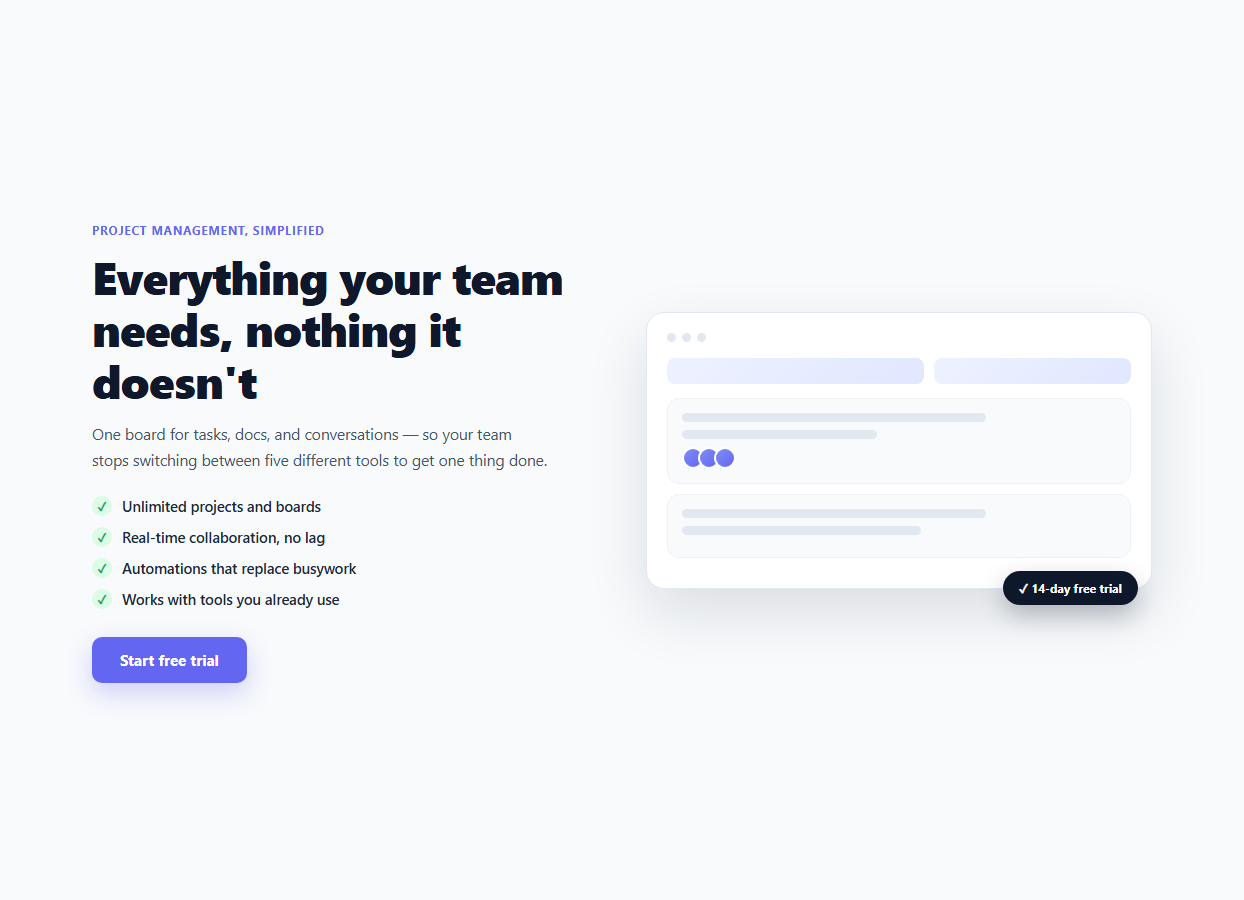
Most heroes make one promise ("the fastest way to X") and leave the visitor to infer what that means in practice. Pairing the headline with a short checklist of concrete capabilities — "unlimited projects," "real-time collaboration," "works with tools you already use" — closes that gap immediately, without forcing the visitor to scroll to a features section to find out what the product actually does.
The two-column grid
The hero uses display: grid; grid-template-columns: 1fr 1fr to place the copy column and the visual column side by side, collapsing to a single stacked column under 860px via a media query. This is the standard SaaS hero composition: copy that explains, paired with a visual that shows.
The CSS-drawn product mockup
Rather than depending on a real screenshot (which this snippet obviously cannot bundle), .ifc-mock is a small self-contained fake app window built entirely from divs — a three-dot title bar, two header pills, and two "card" blocks with line placeholders and stacked avatar circles. It is deliberately abstract rather than pretending to be a specific real product, so it drops in cleanly as a placeholder for your actual product screenshot: swap .ifc-mock's contents for a real <img> or an embedded <iframe> of your app once you have one.
The staggered checklist animation
The four .ifc-item list items start at opacity: 0 and transform: translateX(-10px). On load, JavaScript walks querySelectorAll('.ifc-item') and calls setTimeout for each one with an increasing delay — 150 + index * 130 milliseconds — adding an .in class that resets both properties with a CSS transition. The result is each checkmark line sliding and fading in slightly after the previous one, drawing the eye down the list in reading order rather than having all four items appear in one flat instant.
Why JavaScript drives the stagger instead of CSS `animation-delay`
A pure-CSS approach (nth-child(n) { animation-delay: ... }) works but hardcodes the delay math per item and is awkward to keep in sync if items are added or removed. Computing the delay as index * 130 in a single loop means adding a fifth .ifc-item to the list automatically staggers correctly with no CSS changes — the JavaScript scales with however many .ifc-item elements exist in the DOM.
The floating trial badge
.ifc-badge is positioned with position: absolute; bottom: -16px; right: 14px, deliberately overlapping the bottom-right corner of the mockup panel. This "escaping" element is a common trust-signal placement — it reads as an annotation on top of the product rather than another line of body copy, and its dark background makes it pop against the light mockup card beneath it. On mobile, the media query switches it back to static, centered positioning so it doesn't get clipped when the layout stacks.
Customizing the checklist items
Each .ifc-item is a plain <li> with a .ifc-check circle and a text node. Add, remove, or reorder items freely — the JavaScript staggers whatever it finds via querySelectorAll, so no index needs to be kept in sync by hand.
Swapping in a real product screenshot
Replace the entire .ifc-mock div's contents with an <img src="/your-screenshot.png" alt="Product screenshot"> sized to fill the same rounded container, or drop the CSS mockup panel and .ifc-badge overlay technique around a real <iframe> embed if you want a live, interactive product preview rather than a static image.
Build with AI
Build, Understand, Optimize, and Extend It With AI
Rather than hand-tuning stagger delays by trial and error, paste this snippet's HTML, CSS, and JS into an AI coding assistant like Claude and ask it to explain why the checklist uses a JavaScript setTimeout loop with an index-based delay instead of hardcoded CSS animation-delay values on each list item, and what breaks about the CSS-only approach when items are added or removed. The same assistant is useful for adapting the mockup — ask it to swap the CSS-drawn product panel for a real screenshot with a subtle Ken Burns zoom, or to convert the fixed pixel delays into a stagger driven by an IntersectionObserver so the checklist only animates once it scrolls into view rather than immediately on page load. It can also help restructure the two-column grid into a three-column layout that adds a secondary proof panel, or generate the equivalent React version with the stagger driven by useEffect and per-item inline transition-delay styles instead of imperative setTimeout calls. Treat the code less like a finished artifact and more like a starting point for a conversation.
Prompt to recreate it
Copy this into your AI assistant of choice to build the effect from scratch, or as a jumping-off point for your own variant:
Build a two-column hero section in plain HTML, CSS, and vanilla JavaScript: a headline, subheading, and a checklist of feature bullets with checkmark icons on the left, and a self-contained CSS-drawn product mockup panel with a floating badge on the right — no external images, no library.

Requirements:
- A CSS grid with two equal columns on desktop that collapses to a single stacked column on narrow screens via a media query.
- A checklist of 4 short feature bullets, each with a small circular checkmark icon, that starts hidden (opacity 0, slightly offset horizontally) and staggers into view on page load — each item appearing a fixed amount of time after the previous one, computed from its index in a single loop rather than hardcoded per-item CSS animation-delay values, so the JavaScript scales automatically if items are added or removed.
- A right-column "product mockup" built entirely from styled div elements (a title bar with three dots, a couple of header pill shapes, and one or two card blocks with line placeholders and overlapping circular avatar shapes) meant as an abstract placeholder that can later be swapped for a real screenshot.
- A small badge element that overlaps the bottom corner of the mockup panel on desktop (absolute positioning) but becomes a normal, centered, static element once the layout stacks on mobile.
- A primary call-to-action button below the checklist with a hover lift effect.
Want to tighten it up first? Run this prompt through the AI Prompt Studio to score it across 8 quality dimensions, catch anti-patterns, and tune the wording for Claude, ChatGPT, or Gemini before you paste it in.
Step by step
How to Use
- 1Paste HTML, CSS, and JSThe four checklist items fade and slide in one after another on load.
- 2Edit the headline and checklist textChange the .ifc-h1, .ifc-sub, and the text inside each .ifc-item in the HTML panel.
- 3Add or remove checklist itemsCopy or delete an .ifc-item <li> — the stagger timing recalculates automatically from however many items exist.
- 4Swap in a real screenshotReplace the .ifc-mock div contents with a real <img> or <iframe> of your product.
- 5Adjust the stagger speedChange the 150 base delay or the 130 per-item increment in the JS panel.
- 6Export in your formatClick "HTML" for a standalone file, "JSX" for a React component, or "Tailwind" for a React + Tailwind version.
Real-world uses
Common Use Cases
Got questions?
Frequently Asked Questions
On load, JavaScript selects every .ifc-item and calls setTimeout for each one with a delay of 150 + index * 130 milliseconds. Each callback adds an .in class that resets the item from opacity: 0 / translateX(-10px) to its normal state via a CSS transition, so later items in the list visibly animate in slightly after earlier ones.
A self-contained snippet cannot bundle a real product screenshot. The .ifc-mock panel is an abstract placeholder — a title bar, header pills, and card blocks with line and avatar placeholders — designed to convey "this is a product screenshot" at a glance while remaining trivial to delete and replace with a real <img> or <iframe>.
Copy an existing .ifc-item <li> in the HTML (including its .ifc-check span and text) and paste it into the .ifc-checklist list. The JavaScript re-queries every .ifc-item on load, so the new item automatically gets staggered in with the correct incremental delay — no index needs to be updated by hand.
On desktop, .ifc-badge is positioned absolutely so it overlaps the bottom-right corner of the mockup panel for a floating annotation effect. Once the layout stacks into a single column under 860px, absolute positioning risks the badge overlapping or clipping against other stacked content, so a media query resets it to static, centered flow instead.
Yes. Delete the .ifc-mock div\u2019s internal placeholder markup and replace it with an <iframe> pointing at a real embeddable demo or a video, keeping the same rounded-corner .ifc-mock container and .ifc-badge overlay for visual consistency.
No. The delay for each item is computed from its index at the moment the DOM is queried (querySelectorAll(".ifc-item")), which reflects the current DOM order. Reordering the <li> elements in the HTML automatically produces the correct new stagger order with no JavaScript changes.