You Might Also Like
Learn Coding Visually
Learn to code with interactive, live-preview playgrounds — HTML, CSS, JavaScript, React & more.
 HTML Playground42 lessons · Click-based · Live preview
 CSS PlaygroundLearn CSS with a live editor
 JavaScript Playground60 lessons · DOM · Async · Canvas
 React PlaygroundLearn React with a live code editor
 GSAP PlaygroundLearn GSAP animation interactively
 SVG Playground44 lessons · shapes · paths · animation
 SCSS Playground45 lessons · Sass modules · tokens
 Tailwind PlaygroundLearn Tailwind CSS with a live editor
 Bootstrap 5 Playground50 lessons · live preview
Footnote Hover Preview — Free Accessible Popover Footnotes HTML CSS JS
Footnote Hover Preview · Layouts · Plain HTML, CSS & JS · Live preview
What's included
Features
About this UI Snippet
Footnote Hover Preview — Popover Footnotes That Work on Hover and Keyboard Focus
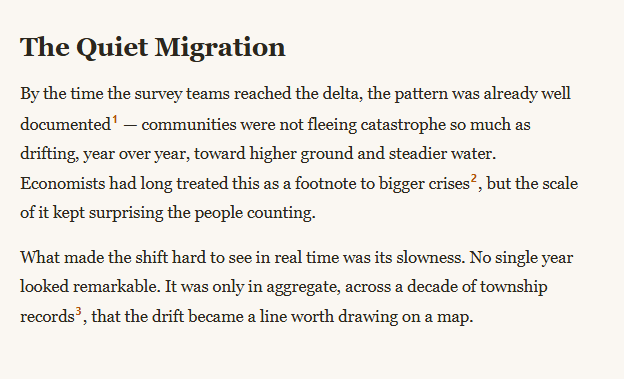
Jumping to the bottom of a page to read a footnote and then scrolling back is the single worst part of footnotes on the web. This snippet fixes it with a preview popover that appears right next to the superscript marker on hover *or* keyboard focus, built in plain HTML, CSS, and vanilla JavaScript — no library, and no loss of the semantic footnote list at the bottom of the article.
One popover element, reused for every marker
Rather than creating a hidden popover per footnote, a single .fhp-popover div is created once and appended to document.body. Every reference marker's hover or focus event repositions and refills that one element with the relevant note's content — cheaper than managing dozens of individual popovers, and it means only one can ever be visible at a time.
The real footnote text lives in a real, visible list
The popover's content isn't duplicated data — noteTextFor() reads the innerHTML straight from the corresponding <li> in the semantic <ol class="fhp-notes"> at the bottom of the article. That list stays in the DOM and readable on its own (for print, for search engines, for anyone who prefers scrolling to the reference section), so the popover is a genuine enhancement, not a replacement for accessible markup.
Positioned near the marker, flips when it would run off-screen
positionPopover() centers the popover horizontally over the marker and places it above by default — but checks whether that would push the popover above the viewport's top edge, and flips it to appear below the marker instead when there isn't room, swapping which edge carries the little triangle pointer via the .fhp-above class. The horizontal position also clamps to stay within the viewport so a marker near the page edge never causes the popover to overflow off-screen.
Genuinely keyboard accessible, not hover-only
Every marker carries tabindex="0", and the exact same showFor()/scheduleHide() functions fire on focus/blur as on mouseenter/mouseleave — so a keyboard user tabbing through the article gets the identical preview experience a mouse user does, and Escape dismisses it and returns focus cleanly. The popover also carries role="tooltip" for assistive tech.
A short hide delay prevents flicker
scheduleHide() waits 120ms before actually hiding the popover, and that timer is cleared if the pointer or focus lands back on the reference (or on the popover itself) in that window — so briefly moving the mouse doesn't cause an annoying flash-hide-flash-show if the user is just repositioning within the same marker's area.
Customizing it
Make the popover itself scrollable-interactive content (a link inside it, say) since the mouseenter/mouseleave handlers on the popover already keep it open while hovered; adjust the vertical offset, colors, or add a small delay before showing to avoid popovers firing on quick mouse passes. Pair it with a pull quote or table of contents for a complete long-form article layout.
Build with AI
Build, Understand, Optimize, and Extend It With AI
Rather than tracing the positioning math by hand, paste this snippet's HTML, CSS, and JS into an AI coding assistant like Claude and ask it to explain exactly how positionPopover() decides whether to flip the popover above or below the marker, and why the footnote text is read from a visible <ol> rather than duplicated inline as data attributes. The same assistant can help optimize it — for example asking whether the 120ms hide delay is long enough for users with motor impairments, or whether horizontal clamping should also account for the marker being very close to the left edge, not just the right. It's also useful for extending the pattern: ask it to make the popover content itself focusable and scrollable for very long footnotes, add a small show-delay to avoid triggering on fast mouse passes, or support footnotes that contain links or citations formatted with something like the citation-formatter snippet. Treat the code less like a finished artifact and more like a starting point for a conversation.
Prompt to recreate it
Copy this into your AI assistant of choice to build the effect from scratch, or as a jumping-off point for your own variant:
Build a "footnote hover preview" pattern for long-form article text in plain HTML, CSS, and JavaScript with no library.

Requirements:
- An article body containing several superscript footnote reference markers, each keyboard-focusable (tabindex="0") and linked by a data attribute to a real, visible, semantic ordered list of footnote text at the bottom of the article — the popover must read its content from that visible list rather than duplicating the footnote text elsewhere.
- A single popover element, created once and reused for every marker (not one hidden element per footnote), that is shown and repositioned whenever any marker is hovered or keyboard-focused, and hidden after a short cancelable delay when the pointer leaves or focus moves away, so quick pointer movements near the marker don't cause the popover to flicker open and closed.
- Positioning logic that centers the popover horizontally over the currently active marker, clamps its horizontal position so it never overflows past the left or right edge of the viewport, defaults to appearing above the marker, and automatically flips to appear below the marker instead when there isn't enough vertical room above it in the viewport.
- The popover's visibility, hover, and focus behavior must be identical for mouse and keyboard users — the exact same show/hide logic must fire on focus and blur events as on mouseenter and mouseleave, and pressing Escape while a marker is focused must dismiss the popover.
- If the page is scrolled while a popover is open, its position must update to stay anchored correctly to its marker.
- The popover element should carry an appropriate ARIA role indicating it is a tooltip/preview, and the underlying footnote list must remain fully readable and navigable without any JavaScript.
Want to tighten it up first? Run this prompt through the AI Prompt Studio to score it across 8 quality dimensions, catch anti-patterns, and tune the wording for Claude, ChatGPT, or Gemini before you paste it in.
Step by step
How to Use
- 1Paste HTML, CSS, and JSAn article with three superscript footnote markers renders, plus a real footnote list below it.
- 2Hover a markerA popover appears near it, pulling its text from the matching list item.
- 3Tab to a marker with the keyboardThe same popover appears on focus, and Escape dismisses it.
- 4Hover a marker near the top of the viewportWatch the popover flip below the marker instead of overflowing upward.
- 5Scroll while a popover is openIts position updates to stay anchored to the marker.
- 6Edit the footnote listAdd or edit <li> items — the popovers read their content automatically via matching IDs.
Real-world uses
Common Use Cases
Got questions?
Frequently Asked Questions
A single .fhp-popover div is created once and appended to the document body, then repositioned and refilled with content on every hover or focus event. This is both cheaper than managing a separate hidden element for every footnote and guarantees only one popover can ever be visible at a time, since there is only one element to show or hide.
positionPopover() defaults to placing the popover above the marker, but first checks whether the popover\'s height would push its top edge above the viewport (rect.top - popover height - offset < 0). If so, it repositions the popover below the marker instead and adds an fhp-above class that also flips which edge the pointer triangle appears on, so the popover never gets clipped by the top of the browser window.
Yes. Every marker has tabindex="0" so it is reachable by Tab, and the same showFor()/scheduleHide() functions that respond to mouseenter/mouseleave are also wired to focus/blur, so keyboard users get an identical preview experience. The popover carries role="tooltip", and pressing Escape while a marker is focused explicitly hides the popover and blurs the marker.
scheduleHide() sets a 120ms timeout before actually removing the visible class, and that timeout is cleared if focus or the pointer returns to the reference marker (or the popover itself) within that window. Without the delay, a slightly imprecise mouse movement while reading the popover's content could cause it to flicker closed and reopen.
Keep a single popover component mounted once (e.g. via a portal in React, or a teleport in Vue) and drive its visible state, content, and position from whichever reference marker is currently hovered or focused, held in shared component state. The positioning math in positionPopover() is plain DOM geometry and ports unchanged; only the mounting and state-management mechanics change per framework.