You Might Also Like
Learn Coding Visually
Learn to code with interactive, live-preview playgrounds — HTML, CSS, JavaScript, React & more.
 HTML Playground42 lessons · Click-based · Live preview
 CSS PlaygroundLearn CSS with a live editor
 JavaScript Playground60 lessons · DOM · Async · Canvas
 React PlaygroundLearn React with a live code editor
 GSAP PlaygroundLearn GSAP animation interactively
 SVG Playground44 lessons · shapes · paths · animation
 SCSS Playground45 lessons · Sass modules · tokens
 Tailwind PlaygroundLearn Tailwind CSS with a live editor
 Bootstrap 5 Playground50 lessons · live preview
Stopwatch with Laps — Free HTML CSS JS Snippet
Stopwatch · Dashboards · Plain HTML, CSS & JS · Live preview
What's included
Features
About this UI Snippet
Stopwatch — Centisecond Precision, Lap Splits & Best/Slowest Highlighting
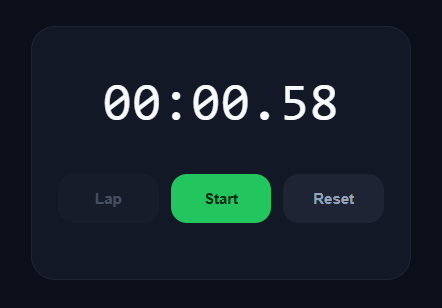
A stopwatch is a deceptively simple component that exposes a lot of subtle timing engineering when built correctly. This snippet provides a precise stopwatch with a centisecond (hundredths-of-a-second) display, Start/Stop/Reset controls, lap recording, and automatic highlighting of the fastest and slowest laps — mirroring the behaviour of the iOS stopwatch.
Accurate timing with performance.now()
The stopwatch measures elapsed time using performance.now(), a high-resolution monotonic clock that is immune to system clock changes and far more precise than Date.now(). Rather than incrementing a counter each frame (which would accumulate drift), it stores the start timestamp and computes elapsed = accumulated + (performance.now() − startTime) on every frame. This means the displayed time is always derived from the real clock, so it stays accurate no matter how irregular the frame timing is.
requestAnimationFrame instead of setInterval
The display updates via requestAnimationFrame rather than a setInterval. This syncs updates to the browser's paint cycle (typically 60fps), giving a smooth centisecond readout without the visual tearing or wasted renders of a fixed-interval timer. When stopped, the animation frame loop is cancelled so no work happens in the background.
The pause/resume accumulator
Stopping the watch adds the current run's duration into an elapsed accumulator and cancels the frame loop. Starting again records a fresh startTime and resumes. Because the total is always elapsed + current-run, pausing and resuming any number of times never loses or double-counts time — a classic bug in naive stopwatch implementations that reset startTime without accumulating.
Lap splits and total time
Each lap records two values: the lap time (the split since the previous lap) and the cumulative total. lastLapTime tracks the running total at the last lap so the next split is just now − lastLapTime. Laps render newest-first, matching standard stopwatch convention.
Best and slowest lap highlighting
Once there are at least two laps, the renderer computes the minimum and maximum lap times and tags them green (BEST) and red (SLOW). This gives instant performance feedback for interval training, lap racing, or any repeated-timing task. New laps animate in with a subtle slide.
Time formatting
The format function converts milliseconds to MM:SS.CC by extracting centiseconds, seconds, and minutes with modulo arithmetic and padding each to two digits. A monospace font and tabular-nums keep every digit the same width so the rapidly changing centiseconds never shift the layout.
Build with AI
Build, Understand, Optimize, and Extend It With AI
You don't have to work through the timing math on your own. Paste this snippet's HTML, CSS, and JS into an AI coding assistant like Claude and ask it to explain exactly why elapsed is computed as an accumulator plus performance.now() minus startTime rather than incrementing a counter every frame, and how that avoids the drift a naive setInterval-based stopwatch would accumulate over a long run. The same assistant can help optimize it — for instance whether recalculating best and worst lap times with Math.min.apply and Math.max.apply over the full laps array on every single lap becomes wasteful with hundreds of laps, or whether rebuilding the entire laps list's innerHTML on each lap could be replaced with appending just the new row. It's also useful for extending the stopwatch: ask it to add keyboard shortcuts for start, stop, and lap, persist an in-progress session to localStorage so a refresh doesn't lose it, or export the recorded laps as CSV. Treat the code less like a finished artifact and more like a starting point for a conversation.
Prompt to recreate it
Copy this into your AI assistant of choice to build the effect from scratch, or as a jumping-off point for your own variant:
Build a precision "stopwatch with laps" in plain HTML, CSS, and JavaScript using performance.now() and requestAnimationFrame — no Date.now(), no setInterval for the timing loop.

Requirements:
- Maintain the elapsed time as the sum of an accumulator variable (time from all previous completed runs) plus, while running, the difference between performance.now() and the timestamp recorded when the current run started — never reset that accumulator when pausing, and never let a paused/resumed cycle lose or double-count time.
- Drive the visible time display from a requestAnimationFrame loop (not setInterval), formatting milliseconds into MM:SS.CC (minutes, seconds, centiseconds) using Math.floor and modulo arithmetic, zero-padded and rendered in a monospace font with tabular numeric spacing so digits don't shift the layout as they change.
- A Start/Stop toggle button that starts the animation frame loop and enables the Lap button when running, and on stop folds the current run's duration into the accumulator, cancels the animation frame, and enables the Reset button (which must stay disabled while running).
- A Lap function that records both the split time since the previous lap and the cumulative total time at the moment of the tap, storing each lap as an object, and renders the full lap list newest-first.
- After there are at least two recorded laps, automatically compute and visually tag the single fastest lap (e.g. green, labeled BEST) and the single slowest lap (e.g. red, labeled SLOW) by comparing all recorded lap times, recalculating this tagging every time a new lap is added.
- A Reset function, enabled only while stopped, that zeroes the accumulator, clears all recorded laps, and restores the display and buttons to their initial state.
Want to tighten it up first? Run this prompt through the AI Prompt Studio to score it across 8 quality dimensions, catch anti-patterns, and tune the wording for Claude, ChatGPT, or Gemini before you paste it in.
Step by step
How to Use
- 1Start the stopwatchClick Start to begin timing. The display updates smoothly in hundredths of a second and the button turns red, reading Stop.
- 2Record lapsWhile running, click Lap to record a split. Each lap shows its own time and the cumulative total. The list grows newest-first.
- 3Stop and resumeClick Stop to pause. Click Start again to resume from exactly where you left off — paused time is never lost or double-counted.
- 4See best and slowest lapsOnce you have two or more laps, the fastest is tagged BEST in green and the slowest is tagged SLOW in red.
- 5ResetWhen stopped, click Reset to clear the time and all laps back to zero. Reset is disabled while running to prevent accidental data loss.
- 6Export for your frameworkClick "JSX" for a React component using useRef for timing values and requestAnimationFrame. Click "Vue" for a Vue 3 SFC with the same high-resolution timing.
Real-world uses
Common Use Cases
Got questions?
Frequently Asked Questions
performance.now() is a monotonic high-resolution clock: it always moves forward, is unaffected by the user changing their system clock or NTP adjustments, and offers sub-millisecond precision. Date.now() can jump backward if the clock is corrected, corrupting elapsed time. setInterval is also unreliable for timing because browsers throttle and delay it — accumulated drift can reach seconds over a long run. Deriving elapsed time from performance.now() on each frame keeps the display exact.
The total elapsed time is always computed as a stored accumulator plus the current run: elapsed + (performance.now() − startTime). When you stop, the current run's duration is folded into the accumulator and the start timestamp is discarded. When you start again, a fresh startTime is recorded. Because the accumulator preserves all previous runs, you can pause and resume any number of times without losing or double-counting a single millisecond.
After each lap, the renderer collects all lap times into an array and finds the minimum and maximum with Math.min and Math.max. The lap matching the minimum gets the BEST tag and green styling; the maximum gets SLOW and red. The highlighting only appears once there are at least two laps, since a single lap cannot be compared. If multiple laps tie for fastest, the first match is highlighted. This per-lap comparison is exactly how the native iOS stopwatch flags your quickest and slowest splits, giving instant pacing feedback during interval training or lap racing.
Bind keys with a document keydown listener for hands-free control: map the spacebar to toggle() for start/stop, the L key to lap(), and the R key to reset(). Call e.preventDefault() on space so the page does not scroll. Because the timing runs on performance.now() and requestAnimationFrame independently of input, keyboard control adds no timing overhead — the shortcuts simply call the same functions the buttons do, keeping a single source of truth for each action.
Keep timing values (startTime, elapsed, raf id) in useRef so updating them does not trigger re-renders. Store the displayed time string and laps array in useState. Run the update loop with requestAnimationFrame inside the toggle handler, reading the refs and calling setDisplay(format(now)). Clean up with cancelAnimationFrame on stop and in a useEffect cleanup. This separation keeps timing precise while React only re-renders the visible output.