You Might Also Like
Learn Coding Visually
Learn to code with interactive, live-preview playgrounds — HTML, CSS, JavaScript, React & more.
 HTML Playground42 lessons · Click-based · Live preview
 CSS PlaygroundLearn CSS with a live editor
 JavaScript Playground60 lessons · DOM · Async · Canvas
 React PlaygroundLearn React with a live code editor
 GSAP PlaygroundLearn GSAP animation interactively
 SVG Playground44 lessons · shapes · paths · animation
 SCSS Playground45 lessons · Sass modules · tokens
 Tailwind PlaygroundLearn Tailwind CSS with a live editor
 Bootstrap 5 Playground50 lessons · live preview
Loot Box Reveal Animation — Free HTML CSS JS Snippet
Loot Box Reveal Animation · Animations · Plain HTML, CSS & JS · Live preview
What's included
Features
About this UI Snippet
Loot Box Reveal Animation — Weighted Rarity Randomness, Burst Reveal & Opening History
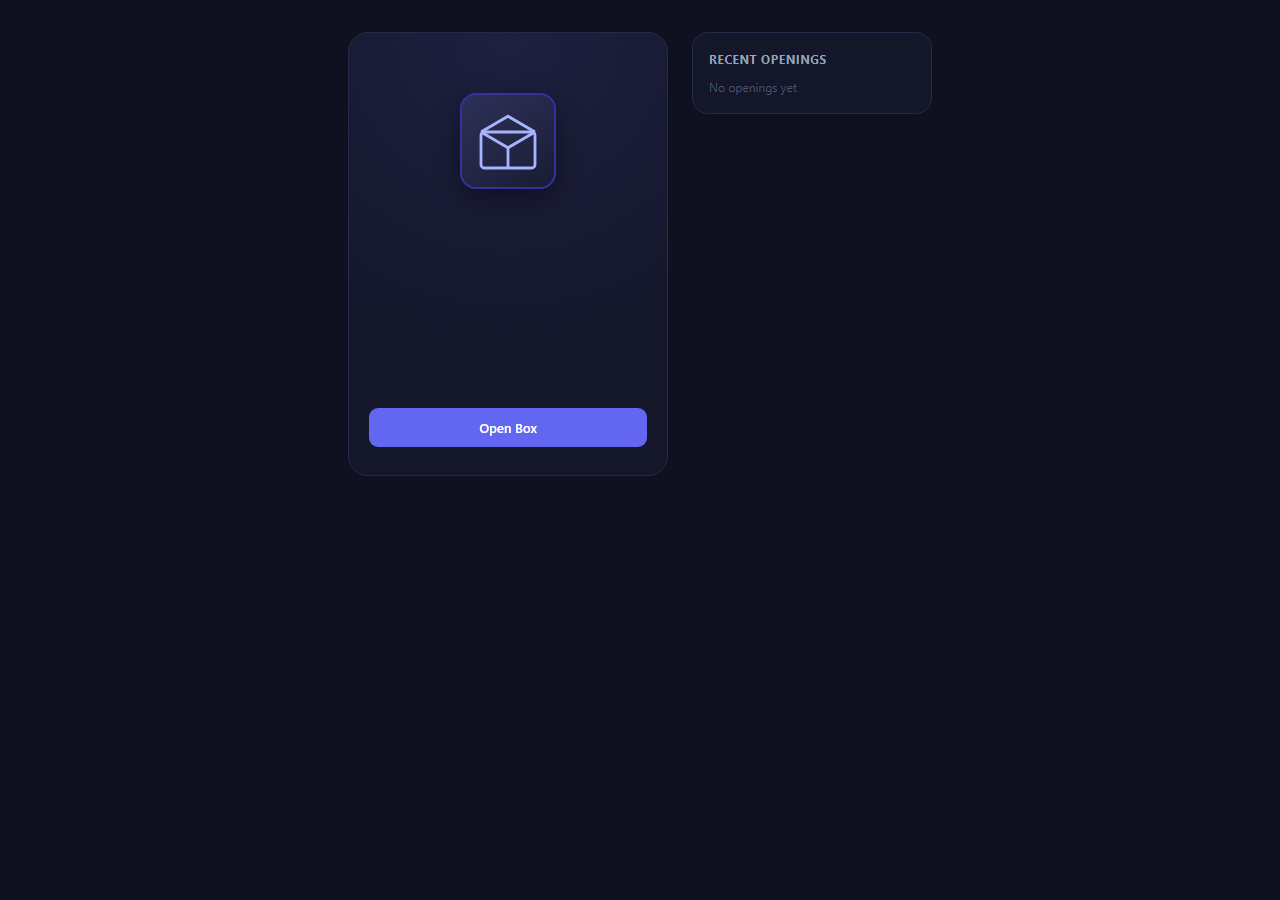
Reward-reveal animations are one of the most requested gamification patterns in mobile games, live-service titles, and loyalty apps: the player taps a box, the box builds suspense with a shake and glow, then bursts open to reveal a prize whose visual drama scales with how rare it is. This snippet builds the full interaction with real weighted randomness behind it rather than a fake animation over a hard-coded prize.
Weighted rarity, not uniform randomness
The naive way to "randomise" a reward is items[Math.floor(Math.random() * items.length)], which gives every entry an equal 1-in-N chance regardless of how rare it is meant to feel. That is wrong for a rarity system where Legendary should be dramatically less likely than Common. The weightedPick() function instead assigns each prize a numeric weight (Common items weigh 60, Rare 25, Epic 12, Legendary 3), sums the total weight across all prizes, and draws one uniform random number in the range [0, totalWeight). It then walks the prize list subtracting each item's weight from that roll until the running total drops to zero or below — the item where that happens is the winner. This is the standard cumulative-distribution technique used by real gacha and loot systems: the probability of landing on any given prize is exactly weight / totalWeight, which for the two Legendary entries at weight 3 each out of a total of 197 works out to roughly 3% combined, matching the brief's target odds precisely.
Suspense sequencing with setTimeout, not a single CSS animation
The reveal is staged in three phases driven by chained setTimeout calls rather than one long animation, because each phase needs to react to information (the chosen rarity) that is not known until the roll happens. Phase one adds a .shaking class to the crate icon, triggering a CSS shake keyframe animation (alternating translateX/rotate) alongside a pulsing radial-gradient .glow-ring, both looping for about 1.4 seconds to build tension. Phase two, once the weighted prize has already been rolled internally, swaps .shaking for .burst, a cubic-bezier keyframe that scales the crate up and then down to zero — a satisfying "pop" exit. Phase three, timed to land as the burst finishes, reveals the .prize-card with an opacity and translateY/scale transition, and its border colour, box-shadow glow intensity, and heading text all switch based on the rolled rarity string via a rarity-{tier} CSS class.
Rarity-scaled particle burst
At the moment of burst, spawnParticles() generates a small set of absolutely positioned .particle divs distributed evenly around a circle using trigonometry (Math.cos(angle) * distance, Math.sin(angle) * distance) and animates each one outward and fading via a CSS custom property pair (--dx, --dy) consumed by the particle-fly keyframe. The particle count scales directly with rarity — 8 for Common up to 36 for Legendary — and the particle colour matches the rarity's accent colour, so a Legendary reveal visibly explodes with far more motion than a Common one. This scaling reinforces the rarity hierarchy without needing separate animation code per tier.
Opening history as a bounded array
Every completed reveal is unshifted onto a history array and the array is immediately sliced to its first five entries, giving an always-current "last five openings" feed rendered as a list with each prize's name and a coloured rarity tag. This is a simple but common state-management pattern worth internalising: keep the freshest N results by combining unshift with slice, rather than manually tracking indices or splicing from the end.
A note on responsible use
This pattern is genuinely fun to build and to use, but reward-reveal mechanics with randomised rarity sit adjacent to gambling psychology, and several jurisdictions now regulate loot boxes in games marketed to minors (disclosure requirements in Belgium, the Netherlands, and proposed UK and US legislation). Use this component for free, cosmetic-only rewards — daily login bonuses, achievement unlocks, non-purchasable skins — never as a mechanic players pay real money to open, and always disclose the actual odds if you ship anything resembling it in a live product.
Build with AI
Build, Understand, Optimize, and Extend It With AI
Paste this snippet's HTML, CSS and JS into an AI coding assistant like Claude and ask it to trace exactly how weightedPick() turns the PRIZES array's weight values into real probabilities — it's a good way to build intuition for cumulative-distribution sampling beyond just this one game mechanic. You can also ask it to walk through the three-phase setTimeout sequence (shake, burst, reveal) and explain why the timings are chained the way they are rather than driven by animationend listeners. Worth asking it to extend the component too: request a sound-effect hook keyed to rarity tier, a localStorage-backed history so openings survive a page reload, or a "pity timer" that guarantees an Epic-or-better prize after a configurable number of Common results in a row, which is a common real-world refinement to loot mechanics that keeps players from feeling unlucky for too long.
Prompt to recreate it
Copy this into your AI assistant of choice to build the effect from scratch, or as a jumping-off point for your own variant:
Build a loot box reward-reveal animation in plain HTML, CSS, and JavaScript with genuine weighted-rarity randomness — no frameworks, no libraries.

Requirements:
- A prize table of at least 6 items across 4 rarity tiers (Common, Rare, Epic, Legendary) where each item has an explicit numeric weight, and a selection function that uses cumulative weight subtraction against a single random draw (not Math.random() * array.length) so the actual odds match weight / totalWeight.
- A three-phase reveal sequence: a shake-and-glow suspense phase on a box icon lasting roughly 1-1.5 seconds, a burst/pop exit animation once the prize has been internally rolled, then a prize card fade/scale-in styled according to the rolled rarity.
- Each rarity tier must have visually distinct treatment — different border colour, glow/box-shadow intensity, and particle burst count/colour — so Legendary reveals are obviously more dramatic than Common ones.
- A particle burst effect at the moment of reveal, with particles distributed radially outward from the box and fading out, scaled in count by rarity tier.
- A bounded "recent openings" history list showing the last 5 results with their rarity, implemented by trimming an array rather than an unbounded log.
- An "Open Again" action that resets all animation state cleanly and can be triggered repeatedly without visual glitches or stacked timers.
- Disable the open button during the animation sequence so users cannot trigger overlapping reveals.
- In a comment, note that this pattern should only be used for free/cosmetic rewards, not real-money loot mechanics, given regulatory scrutiny in several jurisdictions.
Want to tighten it up first? Run this prompt through the AI Prompt Studio to score it across 8 quality dimensions, catch anti-patterns, and tune the wording for Claude, ChatGPT, or Gemini before you paste it in.
Step by step
How to Use
- 1Open a boxClick "Open Box" to start the sequence. The crate shakes and glows for about 1.4 seconds while the weighted roll runs internally, then it bursts and the prize card fades in with rarity-specific colour and glow intensity.
- 2Read the rarity tierThe prize card header ("Common", "Rare", "Epic", "Legendary") and border colour tell you the rolled tier. Legendary prizes get a gold border, the strongest box-shadow glow, and the largest particle burst; Common prizes get a muted grey border and a small burst.
- 3Check the opening historyThe right-hand panel keeps a running list of your last five openings with each prize's name and a coloured rarity tag, generated by unshifting onto the history array and slicing it to length 5 in addToHistory().
- 4Open againAfter a reveal, the button switches to "Open Again", which calls the same openBox() function and resets the crate and glow classes via resetStage() before starting a fresh shake-burst-reveal cycle.
- 5Tune the oddsIn the JS panel, edit the weight field on any entry in the PRIZES array. Weights do not need to sum to 100 — weightedPick() normalises against the actual total, so you can add or remove prizes freely without recalculating percentages by hand.
- 6Add new prizes or rarity tiersPush a new object with name, rarity, weight, and icon into PRIZES, then add matching CSS rules for .rarity-{tier}, .tag-{tier}, and entries in RARITY_LABEL, RARITY_PARTICLES, and RARITY_COLORS so the new tier gets its own visual treatment.
Real-world uses
Common Use Cases
Got questions?
Frequently Asked Questions
weightedPick() sums every prize's weight into a total, draws one uniform random number between 0 and that total, then walks the prize list subtracting each weight until the running value drops to zero or below. Because the draw is uniform across the full weight range, the probability of landing inside any given prize's slice is mathematically exactly weight / totalWeight — with the given weights that works out to roughly 60% Common, 25% Rare, 12% Epic and 3% Legendary combined across their entries, matching the brief's target tier percentages.
Not as-is, and we'd recommend against it generally. Randomised-rarity reward mechanics tied to real-money purchases are increasingly regulated as gambling-adjacent in games aimed at minors — Belgium and the Netherlands have restricted or banned them outright, and other jurisdictions require odds disclosure. This snippet is designed and intended for genuinely free, cosmetic-only rewards (login bonuses, achievement unlocks). If you do adapt it for a paid context, you must disclose exact odds and check your local regulations first.
Yes — edit the RARITY_PARTICLES object to change the particle count per tier, and adjust the box-shadow blur/spread values in the .rarity-{tier} CSS rules to change glow intensity. The particle distance is randomised per particle (60 to 120px) inside spawnParticles(), so you can also widen or narrow that range for a tighter or wider burst spread.
The reveal needs to react to the already-known prize rarity partway through the sequence — the burst timing and prize-card styling both depend on a value chosen before any animation starts. Chained setTimeout calls keep that logic simple and readable; animationend listeners would work too but add event-binding overhead for no real benefit at this scale, since the durations are fixed and known in advance.
The history array currently lives in memory only and resets on reload. To persist it, call localStorage.setItem('loot-history', JSON.stringify(history)) at the end of addToHistory(), and on load read it back with JSON.parse(localStorage.getItem('loot-history') || '[]') before the first renderHistory() call.