You Might Also Like
Learn Coding Visually
Learn to code with interactive, live-preview playgrounds — HTML, CSS, JavaScript, React & more.
 HTML Playground42 lessons · Click-based · Live preview
 CSS PlaygroundLearn CSS with a live editor
 JavaScript Playground60 lessons · DOM · Async · Canvas
 React PlaygroundLearn React with a live code editor
 GSAP PlaygroundLearn GSAP animation interactively
 SVG Playground44 lessons · shapes · paths · animation
 SCSS Playground45 lessons · Sass modules · tokens
 Tailwind PlaygroundLearn Tailwind CSS with a live editor
 Bootstrap 5 Playground50 lessons · live preview
GSAP Scroll Text Scramble — Free Decode-In Headline Snippet
GSAP Scroll Text Scramble · Scroll · Plain HTML, CSS & JS · Live preview
What's included
Features
About this UI Snippet
GSAP Scroll Text Scramble — Headlines That Decode as You Scroll
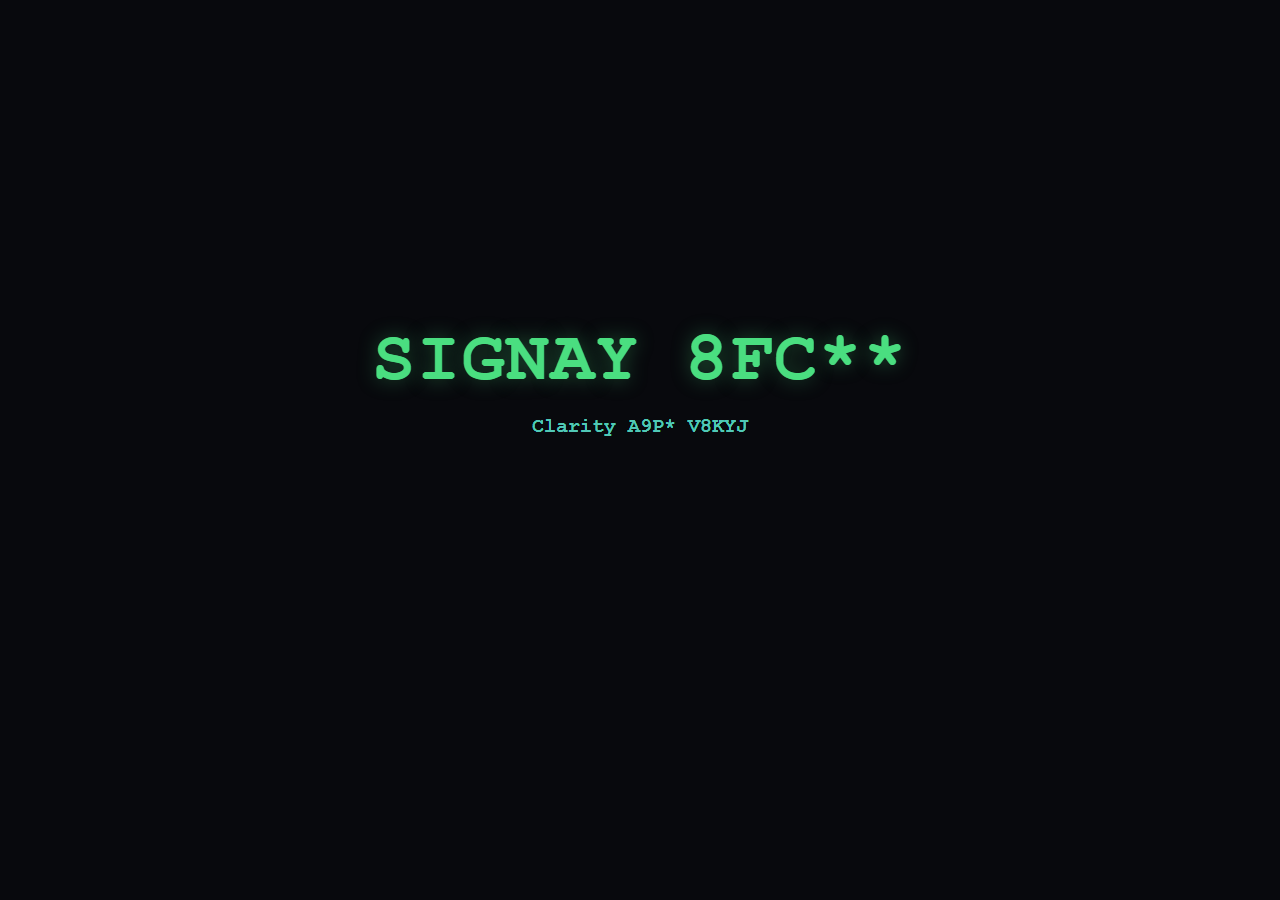
The scroll text scramble snippet gives a headline a hacker-terminal decode effect — random characters flicker across the text and resolve into the real words left to right, timed to when the headline scrolls into view. It's built with a small hand-rolled scramble function driven by a GSAP tween, plus ScrollTrigger from a CDN — no paid text plugin required.
A tweened proxy drives the scramble
Instead of animating the DOM text directly (which GSAP can't tween as a number), the function tweens a plain object's progress value from 0 to 1 with gsap.to(obj, { progress: 1, onUpdate: ... }). Every onUpdate tick, that progress value determines how many characters from the left are "resolved" versus how many are still random — Math.floor(obj.progress * len) gives the cutoff index.
Left-to-right resolution, not a flat swap
For each character position, resolved indices (i < revealCount) show the real final character; everything after it is replaced with a random pick from a character pool on every single frame, so unresolved letters keep visibly flickering rather than sitting static. That per-frame re-randomization of only the *unresolved* tail is what produces the classic "decoding" look rather than a simple crossfade.
Reusable across elements
scramble(el) reads the target text from a data-final attribute rather than hardcoding it, so the same function decodes both the headline and the subheading with their own independent ScrollTrigger instances and timings — you can call it on any element that has a data-final value.
Gated by scroll, replays on reverse
Each scramble has its own scrollTrigger: { start: 'top 80%', toggleActions: 'play none none reverse' }, so the decode begins only once the element is nearly in view, and scrolling back out reverses the tween — since the scramble re-randomizes on every update, reversing doesn't look like rewinding footage, it just looks like the text scrambling again, which reads correctly either direction.
Customizing it
Swap the character pool, change duration for a faster or slower decode, or resolve characters from the center outward instead of left to right by changing which index check gates revealCount. Pair it with text scramble or scramble text links for hover-triggered variants, or a scroll reveal grid for the surrounding layout.
Build with AI
Build, Understand, Optimize, and Extend It With AI
Paste this snippet's HTML, CSS, and JS into an AI coding assistant like Claude and ask it to explain why tweening a plain numeric progress object rather than the text itself is the technique that makes a scramble animation possible with GSAP, and how the revealCount cutoff produces the left-to-right decode instead of a flat all-at-once resolve. It can also help extend the effect — ask for a center-out or random-order reveal pattern, a version that scrambles on hover in addition to on scroll, or a variant using a themed character set (binary, glitch symbols, a different alphabet) for a different visual tone. Use the conversation to make sure you understand the onUpdate-driven approach before reusing it elsewhere.
Prompt to recreate it
Copy this into your AI assistant of choice to build the effect from scratch, or as a jumping-off point for your own variant:
Build a "scroll text scramble" headline effect in plain HTML, CSS, and JavaScript using GSAP with its ScrollTrigger plugin (load both from a CDN) — do not use any paid/club GSAP text plugin.

Requirements:
- A headline element (and at least one secondary text element) whose final text is stored in a data attribute, so the scramble function is generic and reusable across elements rather than hardcoding the target string.
- Implement the scramble by tweening a plain JavaScript object's numeric progress property from 0 to 1 with GSAP (not by tweening the DOM text directly), and use that tween's onUpdate callback to rebuild the element's rendered text on every frame.
- On each onUpdate tick, compute how many characters (counting from the left) are considered "resolved" based on the current progress value; resolved characters must show their real final character, while every character after the resolve cutoff must be replaced with a freshly random character from a defined character pool on every single frame, so unresolved characters visibly flicker rather than sitting static.
- Preserve literal spaces in the final string as spaces rather than scrambling them.
- Gate the scramble with a ScrollTrigger on the element so it only starts once the element scrolls to roughly 80% down the viewport, and set toggleActions so scrolling back out of view reverses the tween (letting it re-scramble) rather than leaving the text permanently resolved.
- On tween completion, force the element's text to exactly the final string to avoid any last-frame randomness lingering.
Want to tighten it up first? Run this prompt through the AI Prompt Studio to score it across 8 quality dimensions, catch anti-patterns, and tune the wording for Claude, ChatGPT, or Gemini before you paste it in.
Step by step
How to Use
- 1Add the GSAP CDNsInclude gsap and ScrollTrigger from the CDN panel.
- 2Paste HTML, CSS, and JSA headline and subheading with data-final text render.
- 3Scroll toward the stageText starts as random characters near the trigger point.
- 4Keep scrollingCharacters resolve left to right into the real words.
- 5Scroll back upThe scramble reverses instead of staying resolved.
- 6Change data-finalAny element with that attribute can be scrambled.
Real-world uses
Common Use Cases
Got questions?
Frequently Asked Questions
It doesn't tween the text directly — it tweens a plain object's progress property from 0 to 1, which is a normal numeric tween GSAP handles natively. The onUpdate callback reads that progress value on every tick and rebuilds the element's textContent from it, so the visible "animation" is really a side effect of a simple number tween.
Because on every single frame, every character to the right of the current reveal cutoff is replaced with a fresh random pick from the character pool, not just displayed once. That continuous re-randomization of the unresolved tail is what creates the flicker, and only the resolved left portion stays stable — a typewriter effect just adds characters, it doesn't scramble them first.
No. It only uses GSAP core and the free ScrollTrigger plugin. The scramble behavior itself is plain JavaScript inside an onUpdate callback, not a specialized text plugin, so there's no licensing consideration beyond standard GSAP core and ScrollTrigger, which are free.
Yes — that's why the target text comes from a data-final attribute rather than being hardcoded in the function. Call scramble(el) on any element that has data-final set, and each call creates its own independent tween and ScrollTrigger, so elements can decode at different scroll positions with different timings.
Keep the scramble function outside your component (or in a utility module), and call it on the DOM node via a ref inside a mount effect once the element exists. Register ScrollTrigger once at the app level, and kill the created tween/ScrollTrigger in the cleanup function to avoid duplicates on re-render.