You Might Also Like
Learn Coding Visually
Learn to code with interactive, live-preview playgrounds — HTML, CSS, JavaScript, React & more.
 HTML Playground42 lessons · Click-based · Live preview
 CSS PlaygroundLearn CSS with a live editor
 JavaScript Playground60 lessons · DOM · Async · Canvas
 React PlaygroundLearn React with a live code editor
 GSAP PlaygroundLearn GSAP animation interactively
 SVG Playground44 lessons · shapes · paths · animation
 SCSS Playground45 lessons · Sass modules · tokens
 Tailwind PlaygroundLearn Tailwind CSS with a live editor
 Bootstrap 5 Playground50 lessons · live preview
Locomotive Scroll Sections — Free Inertia Smooth-Scroll Snippet
Locomotive Scroll Sections · Scroll · Plain HTML, CSS & JS · Live preview
What's included
Features
About this UI Snippet
Locomotive Scroll Sections — Inertia Scrolling With Per-Element Speed
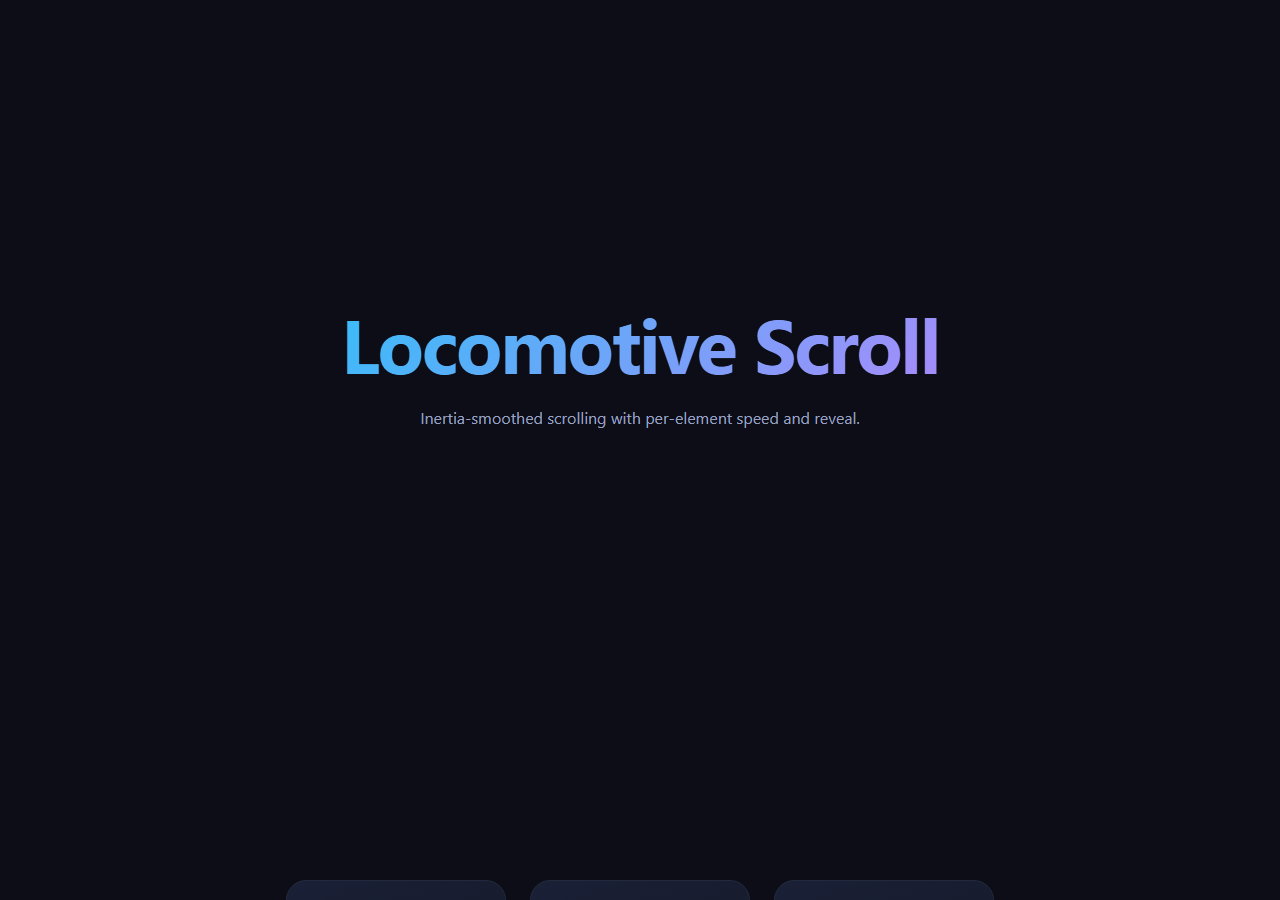
Locomotive Scroll replaces the browser's native scroll with a smoothed, momentum-based one and layers a small declarative API on top: add data-scroll-speed to any element and it drifts faster or slower than the page as you scroll, add data-scroll-class and it toggles that class in and out of view. This snippet wires up a five-section page — a hero, two card rows with different drift speeds, and a reveal panel — entirely through data attributes, no per-element JavaScript.
The scroll container is the whole page
Locomotive works by taking over one container (data-scroll-container, here #lsContainer) and driving its transform manually with lerp-smoothed interpolation toward the real scroll position, rather than letting the browser scroll it natively — that's what produces the inertia feel. new LocomotiveScroll({ el, smooth: true, lerp: 0.08 }) is the entire setup; a lower lerp value feels heavier and more viscous, a higher one feels snappier and closer to native scroll.
Speed as a single attribute
Every card in the two .ls-row sections has a different data-scroll-speed, from -1 (drifts backward against scroll direction) up to 4 (drifts noticeably faster than the page). Locomotive reads the attribute per element and applies its own parallax transform, so the same markup pattern that works for a hero title (speed="2") works identically for a whole row of cards — no manual scroll-position math.
Class-toggle reveals, not opacity animation in JS
The panel section uses data-scroll-class="ls-in" with data-scroll-repeat, so Locomotive simply adds and removes the ls-in class as the heading and paragraph cross into and out of the viewport. All of the actual animation — the fade and translate — lives in plain CSS transitions on .ls-in, keeping the JS-driven part limited to attaching a class name, which is easy to restyle or extend.
Where this fits vs. other scroll effects
For a stagger-triggered card grid rather than a full inertia scroller, see scroll reveal grid; for text that types itself in as you scroll, see scroll typewriter. Locomotive is the right tool specifically when you want the whole page's scroll feel changed, not just individual elements animated on entry.
Customizing it
Adjust multiplier to change overall scroll speed, tune lerp for more or less smoothing, or add data-scroll-direction="horizontal" on a section for horizontal scroll panels. Call scroll.update() any time content height changes dynamically (images loading, accordions expanding) so speed offsets stay correctly calculated.
Build with AI
Build, Understand, Optimize, and Extend It With AI
You don't have to trace through Locomotive's internals to understand why the scroll feels different from native. Paste this snippet's HTML, CSS, and JS into an AI coding assistant like Claude and ask it to explain exactly how the lerp-based interpolation in LocomotiveScroll's render loop produces the inertia feel, or how data-scroll-speed on individual elements gets translated into per-frame transform offsets without any scroll-event listeners in this file's own JS. The same assistant can help optimize it — asking whether a lerp of 0.08 is too heavy for a fast-scrolling audience, or whether calling scroll.update() on every dynamic content change versus a debounced version matters for performance. It's also useful for extending the effect: ask it to add a horizontal-scrolling section, wire data-scroll-speed values to respond to viewport width, or combine the reveal classes with a stagger so multiple children animate in sequence rather than together. Treat the code less like a finished artifact and more like a starting point for a conversation.
Prompt to recreate it
Copy this into your AI assistant of choice to build the effect from scratch, or as a jumping-off point for your own variant:
Build a multi-section page with inertia-smoothed scrolling using Locomotive Scroll (load its CSS and JS from a CDN, no build step).

Requirements:
- A single outer container marked as the Locomotive scroll container, holding at least five sections marked as individual scroll sections, including a hero, two rows of card elements, a text reveal panel, and an outro.
- Initialize Locomotive Scroll once against that container with smooth scrolling enabled and a lerp (interpolation) value configured explicitly rather than left at its default, so the smoothing weight is visibly intentional.
- On at least six different elements across the two card rows, set a data attribute controlling per-element scroll speed with a mix of values: some slower than the page, some faster, and at least one negative value so it drifts opposite to the scroll direction — do not implement this parallax with your own scroll listener, rely entirely on the library's attribute-driven API.
- In the reveal panel section, use the library's class-toggle data attribute (not a custom IntersectionObserver) on a heading and a paragraph so a CSS class gets added as they scroll into view, with the corresponding fade/translate transition defined purely in CSS keyed off that class, and make the reveal repeatable so scrolling back up and down toggles it again rather than only firing once.
- After the page loads, call the library's update/recalculate method (and again after a short delay) to guard against stale position measurements from fonts or images finishing after initialization.
- Confirm the visual result: scrolling the page should feel weighted and continue briefly after input stops, not track the mouse wheel 1:1 like native scrolling.
Want to tighten it up first? Run this prompt through the AI Prompt Studio to score it across 8 quality dimensions, catch anti-patterns, and tune the wording for Claude, ChatGPT, or Gemini before you paste it in.
Step by step
How to Use
- 1Add the Locomotive CSS and JS CDNsInclude locomotive-scroll.min.css and .min.js.
- 2Paste HTML, CSS, and JSA scroll container with five sections renders.
- 3Scroll the previewMotion feels smoothed with inertia, not native.
- 4Watch the card rowsEach card drifts at its own data-scroll-speed.
- 5Scroll to the reveal panelHeading and text fade in via a toggled class.
- 6Tune lerp and multiplierAdjust the smoothing weight and scroll speed.
Real-world uses
Common Use Cases
Got questions?
Frequently Asked Questions
Locomotive Scroll takes over the designated container and drives it with a transform that interpolates toward the real scroll position using a lerp (linear interpolation) factor each frame, rather than letting the browser jump directly. That interpolation is what produces the momentum, weighted feel — the page keeps "catching up" to where you scrolled instead of moving there instantly.
Locomotive reads the attribute off every element inside a scroll section on each frame and applies its own transform offset proportional to that value relative to the section's scroll progress — a value of 2 moves roughly twice as far as native scroll, -1 moves backward. You never compute scrollY or write a transform yourself; the attribute is the entire API.
Locomotive adds the class named in the attribute to the element when it crosses into the configured viewport threshold, and removes it when the element leaves — by default only once unless data-scroll-repeat is also present, which makes it toggle every time the element re-enters or exits. All the visual animation of that class change (fade, translate, etc.) is ordinary CSS transitions, not JS-driven.
Locomotive calculates each element's position and scroll bounds when it initializes, but if fonts, images, or dynamic content change the page's height after that (a very common timing issue), those cached measurements go stale and speed offsets or reveal thresholds drift. Calling update() after load, and again after any dynamic layout change, forces it to remeasure.
Yes. Locomotive supports data-scroll-direction="horizontal" on an individual data-scroll-section, which converts vertical scroll input into horizontal movement for the content inside that section only, while the rest of the page continues scrolling vertically as normal — useful for a horizontal project gallery embedded in an otherwise vertical page.