You Might Also Like
Learn Coding Visually
Learn to code with interactive, live-preview playgrounds — HTML, CSS, JavaScript, React & more.
 HTML Playground42 lessons · Click-based · Live preview
 CSS PlaygroundLearn CSS with a live editor
 JavaScript Playground60 lessons · DOM · Async · Canvas
 React PlaygroundLearn React with a live code editor
 GSAP PlaygroundLearn GSAP animation interactively
 SVG Playground44 lessons · shapes · paths · animation
 SCSS Playground45 lessons · Sass modules · tokens
 Tailwind PlaygroundLearn Tailwind CSS with a live editor
 Bootstrap 5 Playground50 lessons · live preview
Rellax Parallax Layers — Free data-rellax-speed Parallax Hero Snippet
Rellax Parallax Layers · Scroll · Plain HTML, CSS & JS · Live preview
What's included
Features
About this UI Snippet
Rellax Parallax Layers — Depth Through data-rellax-speed Attributes
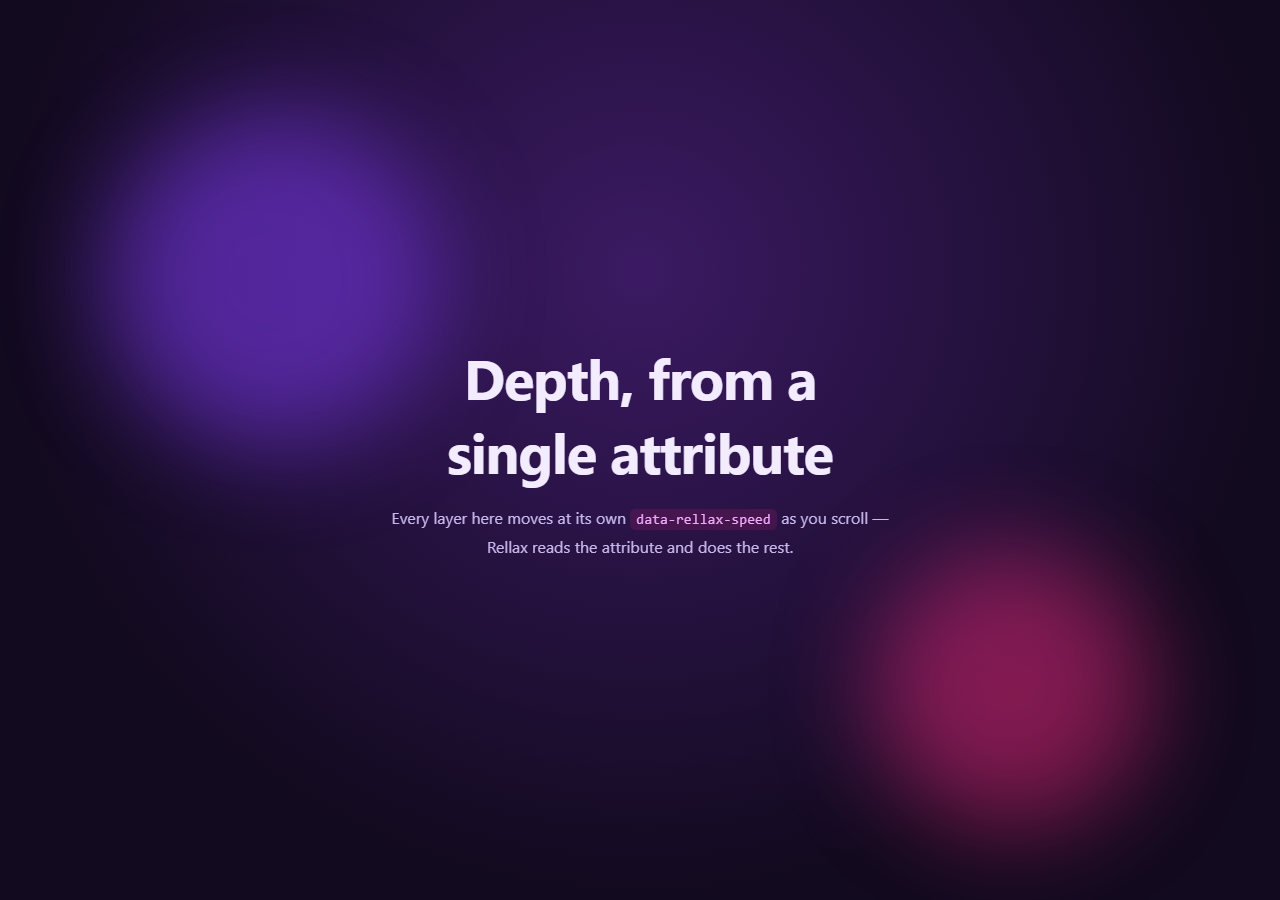
Rellax is a dependency-free parallax library built around one idea: instead of writing scroll-math for every layer by hand, you tag elements with data-rellax-speed and let the library translate them proportionally as the page scrolls. This snippet builds a three-layer hero — a gradient backdrop, a pair of blurred color blobs, and an anchored content layer — where the entire depth effect is expressed through three attribute values.
Speed as depth
Each .rlx-layer carries a data-rellax-speed value: -8 on the back gradient, -4 on the mid blob layer, and 2 on the front content. Rellax interprets negative speeds as moving slower than natural scroll (so the element appears to lag behind and read as farther away) and positive speeds as moving faster than natural scroll (so the element appears to rush ahead and read as closer to the viewer). This mirrors the same depth logic used in Parallax Hero Section, but where that snippet computes per-layer factors from mouse position in hand-written JavaScript, Rellax computes them from scroll position automatically once you call new Rellax(...).
One constructor call, many layers
new Rellax('.rlx-layer', { speed: -2, center: false, round: true }) is the entire JavaScript integration — Rellax queries every matching element, reads its own data-rellax-speed (falling back to the speed option when absent), and attaches a single shared scroll listener that updates all of them together. Adding a fourth layer means adding a new element with its own data-rellax-speed attribute — no changes to the JS at all.
round: true and performance
Rellax uses transform: translate3d under the hood so layer movement is GPU-composited, and the round: true option rounds computed pixel offsets to whole numbers, which avoids sub-pixel blurring on layers with sharp edges or text. Because there's a single scroll listener shared across every tagged element rather than one listener per layer, the library stays cheap even with many layers on a busy page.
Rellax versus a custom parallax script
Compared to hand-rolling parallax with lerp smoothing (as in Parallax Hero Section), Rellax trades fine-grained control (easing curves, mouse-driven input, device tilt) for simplicity — it's scroll-only, attribute-driven, and requires no per-project math. It's the right tool when you want several elements drifting at different rates purely from scroll position and don't need mouse interactivity.
Customizing it
Adjust each layer's data-rellax-speed to taste (Rellax typically expects values roughly between -10 and 10), add more blobs or shapes as additional layers, or call rellax.refresh() after dynamic content changes so offset calculations stay accurate. Pair this hero with Hero Section copy patterns or a Gradient Progress indicator below the fold.
Build with AI
Build, Understand, Optimize, and Extend It With AI
You don't have to guess at reasonable speed values by hand. Paste this snippet's HTML, CSS, and JS into an AI coding assistant like Claude and ask it to explain exactly how a negative versus a positive data-rellax-speed value changes an element's motion relative to normal scroll, and why Rellax only needs one scroll listener no matter how many layers are tagged. The same assistant can help you tune the depth — asking whether -8/-4/2 is a natural-feeling spread of speeds for a three-layer hero, or how to add a fourth layer that reads as even farther in the background. It's also useful for comparing tools: ask it when Rellax's scroll-only, attribute-driven approach is preferable to a hand-rolled mouse-driven parallax like the one in Parallax Hero Section, and when you'd want the extra control of a custom script instead. Treat the code less like a finished artifact and more like a starting point for a conversation.
Prompt to recreate it
Copy this into your AI assistant of choice to build the effect from scratch, or as a jumping-off point for your own variant:
Build a multi-layer parallax hero section in plain HTML, CSS, and JavaScript using the Rellax.js library loaded from a CDN — depth must be expressed entirely through data-rellax-speed attributes, not custom scroll math.

Requirements:
- A full-height hero container with at least three stacked, absolutely-positioned layers: a background gradient/decorative layer, a middle layer containing one or more soft blurred color shapes, and a front layer containing the actual heading and paragraph content.
- Each layer element must carry its own data-rellax-speed attribute with a distinct value — the background layer should have the most negative speed (appears farthest and slowest), the middle layer a smaller negative speed, and the front content layer a positive speed (appears closest and moves slightly faster than normal scroll).
- Initialize the effect with a single new Rellax(selector, options) call targeting a shared class name on all parallax layers, passing a sensible default speed, center: false, and round: true for crisp pixel values — do not write any custom scroll event listener or manual transform math.
- Call the Rellax instance's refresh() method after the window's load event so cached layer offsets stay accurate if fonts or other async content shift the page's layout height.
- Add a tall spacer section below the hero so there's enough scroll distance to clearly observe each layer moving at its own rate.
- Ensure the front content layer remains legible and doesn't get obscured by the background/middle layers at any scroll position within the hero's height.
Want to tighten it up first? Run this prompt through the AI Prompt Studio to score it across 8 quality dimensions, catch anti-patterns, and tune the wording for Claude, ChatGPT, or Gemini before you paste it in.
Step by step
How to Use
- 1Add the Rellax CDN scriptInclude rellax.min.js from the CDN panel.
- 2Paste HTML, CSS, and JSA three-layer hero with a gradient, blobs, and content renders.
- 3Scroll down slowlyThe back layer drifts slower, the front content drifts slightly faster.
- 4Compare layer speedsNotice the blobs and headline separate visually as you scroll.
- 5Change data-rellax-speed valuesIncrease or invert them to intensify or reverse the depth effect.
- 6Add a new layerAdd an element with its own data-rellax-speed — no JS changes needed.
Real-world uses
Common Use Cases
Got questions?
Frequently Asked Questions
It's a rate relative to normal scroll. A speed of 0 would scroll with the page exactly like any other element. Negative values move the element slower than the page scrolls, so it visually lags behind and reads as farther away; positive values move it faster than the page scrolls, so it visually rushes ahead and reads as closer to the viewer. Rellax typically expects values roughly between -10 and 10 for a natural-looking effect.
The selector passed to new Rellax(selector, options) — '.rlx-layer' in this snippet — is queried once on initialization. Every matching element is then read for its own data-rellax-speed attribute; if an element doesn't have one, it falls back to the speed value in the options object. All matched elements are then updated together on every scroll event via a single shared listener.
Rellax calculates each layer's scroll range based on its position and the document's height at initialization time. If images, web fonts, or other async content change the page's layout height after that initial calculation, the cached offsets can drift out of sync with actual scroll position — calling refresh() recalculates everything against the current, fully-loaded layout.
Rellax works on touch scrolling the same way it works on mouse-wheel scrolling, since it responds to actual scroll position rather than pointer movement — unlike mouse-driven parallax such as Parallax Hero Section. That said, heavy parallax can feel unusual on mobile, so consider reducing speed magnitudes or disabling the effect below a breakpoint for smaller screens.
Install the rellax npm package (or keep the CDN script), import it, and instantiate new Rellax(selector, options) inside a mount effect (useEffect, onMounted, or ngAfterViewInit) after your layered elements have rendered. Keep the data-rellax-speed attributes directly on your JSX/template elements. Call rellax.destroy() in the cleanup function to remove Rellax's scroll listener when the component unmounts.