You Might Also Like
Learn Coding Visually
Learn to code with interactive, live-preview playgrounds — HTML, CSS, JavaScript, React & more.
 HTML Playground42 lessons · Click-based · Live preview
 CSS PlaygroundLearn CSS with a live editor
 JavaScript Playground60 lessons · DOM · Async · Canvas
 React PlaygroundLearn React with a live code editor
 GSAP PlaygroundLearn GSAP animation interactively
 SVG Playground44 lessons · shapes · paths · animation
 SCSS Playground45 lessons · Sass modules · tokens
 Tailwind PlaygroundLearn Tailwind CSS with a live editor
 Bootstrap 5 Playground50 lessons · live preview
View Timeline Image Reveal — Native CSS view() Per-Element Scroll Reveal
View Timeline Image Reveal · Scroll · Plain HTML, CSS & JS · Live preview
What's included
Features
About this UI Snippet
View Timeline Image Reveal — animation-timeline: view() Without IntersectionObserver
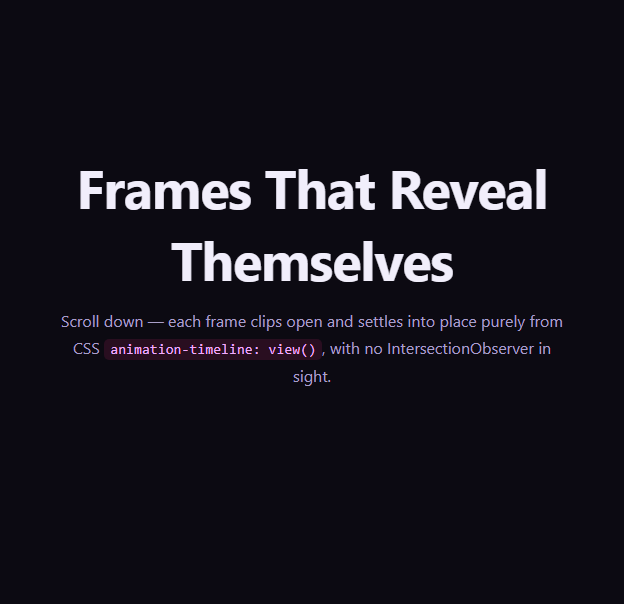
Revealing elements as they scroll into view is one of the most common scroll effects on the web, and until recently it always meant JavaScript — an IntersectionObserver watching each element, toggling a class, letting CSS transitions take over. This snippet replaces that entire pattern with a single native CSS primitive: a per-element view timeline, where each frame's own position relative to the viewport drives its own animation, with zero JavaScript observing anything.
A timeline per element, not per page
The previous scroll-driven snippets in this series (CSS Scroll-Driven Progress Bar, Scroll Timeline Nav Progress Indicator) both used scroll(root) — a single timeline representing the whole document's scroll range. view() timelines are different: each element gets view-timeline-name and view-timeline-axis set on itself, creating an independent timeline whose 0%–100% range corresponds to that specific element's transit through the viewport — from first becoming visible to fully exiting. Every .vtr-frame in the gallery has its own named timeline (--frame-in), so six frames animate on six independent schedules, purely because each one's geometry is different.
Shaping exactly when the animation plays
animation-range: entry 0% cover 40% narrows the portion of the view timeline that the keyframes actually play across — starting the moment the frame begins entering the viewport and finishing once it's 40% covered, rather than stretching the reveal across the frame's entire scroll transit. This is the CSS equivalent of an IntersectionObserver's rootMargin and threshold tuning, but declared directly in the animation itself.
The reveal keyframes
Each frame animates clip-path from inset(0 100% 0 0) (fully clipped from the right) to inset(0 0% 0 0) (fully visible), alongside opacity and a subtle scale. Because clip-path and transform are both compositor-friendly properties, the reveal stays smooth even with several frames animating independently during a fast scroll — the browser doesn't need to run any JavaScript callback per frame to know which elements are currently intersecting.
Why this replaces IntersectionObserver for simple reveals
An IntersectionObserver-based reveal (the technique behind libraries like AOS Fade-Up Gallery) needs a JS observer instance, a callback that toggles classes, and CSS transitions that key off those classes — three moving parts kept in sync by hand. A view-timeline reveal needs one CSS block per element type and nothing else; the browser is the observer. For codebases already leaning on scroll-driven CSS elsewhere, this collapses a common JS dependency into pure styling.
Customizing it
Change view-timeline-axis to inline for horizontally-scrolling galleries, adjust animation-range to reveal earlier or later, or swap the clip-path direction for a top-down or centered iris reveal. Pair this technique with a Photo Gallery layout or a Portfolio Filter Grid for a CSS-only entrance across a real image set.
Build with AI
Build, Understand, Optimize, and Extend It With AI
You don't have to puzzle out per-element scroll timelines by hand. Paste this snippet's HTML, CSS, and JS into an AI coding assistant like Claude and ask it to explain exactly how giving every .vtr-frame the same view-timeline-name still lets each individual frame animate on its own independent schedule, and what animation-range: entry 0% cover 40% is actually narrowing compared to the element's full view timeline. The same assistant is useful for extending the effect: ask it to change the reveal direction to a vertical or diagonal clip-path, add a horizontal-scrolling variant using view-timeline-axis: inline, or make frames further down the page reveal with a slightly different animation-range so the pacing feels varied rather than mechanical. It's also worth asking whether a fallback using IntersectionObserver would be a reasonable belt-and-suspenders addition for browsers where the @supports block currently just disables the effect outright. Treat the code less like a finished artifact and more like a starting point for a conversation.
Prompt to recreate it
Copy this into your AI assistant of choice to build the effect from scratch, or as a jumping-off point for your own variant:
Build a scroll-triggered image/frame reveal gallery using only native CSS scroll-driven animations with per-element view timelines (animation-timeline: view() via view-timeline-name and view-timeline-axis) — no IntersectionObserver, no scroll event listeners for the core effect.

Requirements:
- A vertical stack of several frame elements (cards or figures), each containing a visual (a gradient swatch or image) and a caption.
- Every frame must declare its own view-timeline-name (they can share the same custom-ident name since each element gets an independent timeline instance) and view-timeline-axis: block, then reference that timeline via animation-timeline on a keyframe animation applied to the same element.
- The keyframe animation must reveal each frame using a compositor-friendly combination of properties — for example animating clip-path from a fully-clipped inset() state to a fully-visible inset() state, combined with opacity from 0 to 1 and a subtle scale from slightly-below-1 to 1.
- Use animation-range (for example entry 0% cover 40%) to narrow the portion of each frame's view timeline that the reveal actually plays across, so the animation completes shortly after the frame starts entering the viewport rather than stretching across its entire scroll transit.
- Set the animation's fill mode to both so frames correctly reverse their reveal when scrolled back out of view and re-play it when scrolled back in, entirely driven by the live timeline with no JavaScript re-triggering.
- Add an @supports not (animation-timeline: view()) fallback that removes the clip-path/opacity/transform animation entirely so frames render fully visible in unsupported browsers instead of being stuck clipped or invisible.
- Keep any JavaScript limited to a feature-support check (CSS.supports('animation-timeline: view()')) for a status message — it must not drive or trigger the reveal itself.
Want to tighten it up first? Run this prompt through the AI Prompt Studio to score it across 8 quality dimensions, catch anti-patterns, and tune the wording for Claude, ChatGPT, or Gemini before you paste it in.
Step by step
How to Use
- 1Paste the HTML, CSS, and JSAn intro, a six-frame gallery, and an outro render — no CDN needed.
- 2Scroll down slowlyEach frame clip-path reveals independently as it enters the viewport.
- 3Scroll back upFrames animate in reverse as they re-enter from below (animation both).
- 4Compare timing between framesNotice each frame starts its own reveal on its own schedule.
- 5Inspect animation-rangeTune entry/cover percentages to reveal earlier or later.
- 6Swap the clip-path directionChange inset() values for a top-down or diagonal reveal instead.
Real-world uses
Common Use Cases
Got questions?
Frequently Asked Questions
A scroll() timeline represents a single scroll container's overall scroll range — 0% to 100% across the whole scrollable distance. A view() timeline is per-element: it represents that specific element's own transit through the viewport, from first entering to fully exiting. Because each element defines its own view-timeline-name, multiple elements can animate on entirely independent schedules with no shared coordinate system.
It restricts which portion of the element's view timeline the animation actually plays across. entry 0% is the moment the element starts entering the viewport; cover 40% is the point at which 40% of the element is covered by (has passed into) the viewport. Narrowing the range like this makes the reveal finish quickly after the element appears, rather than stretching it across the element's entire scroll transit.
Yes. Because the animation is set to both (fill-mode both) and driven by the live view timeline rather than a one-shot trigger, scrolling a frame back out of view and then back in re-plays the same keyframe range in the corresponding direction — there's no manual reset needed, unlike a class-toggling IntersectionObserver approach.
The @supports not (animation-timeline: view()) block removes the animation and clip-path entirely, leaving frames fully opaque, unclipped, and at normal scale — so unsupported browsers simply see a static, fully visible gallery rather than frames stuck invisible or half-clipped.
Since the entire effect is CSS, the .vtr-frame rules (including view-timeline-name, view-timeline-axis, animation, and animation-range) port directly into a component stylesheet or CSS module — just make sure each repeated frame in a list gets the same class so they all pick up independent named timelines. No JavaScript lifecycle hooks are required for the reveal itself.