Source Code
<div class="nca-page">
<main class="nca-content"><p>Page content above the footer</p></main>
<footer class="nca">
<div class="nca-inner">
<div class="nca-col">
<p class="nca-brand">Fieldnote</p>
<p class="nca-copy">© 2026 Fieldnote Media. All rights reserved.</p>
<nav class="nca-links">
<a href="#">About</a>
<a href="#">Archive</a>
<a href="#">Contact</a>
</nav>
</div>
<div class="nca-signup">
<div class="nca-form-state" id="ncaFormState">
<p class="nca-title">Join 24,000+ readers</p>
<p class="nca-sub">One good essay a week. No spam, unsubscribe anytime.</p>
<form class="nca-form" id="ncaForm">
<input class="nca-input" id="ncaEmail" type="email" placeholder="you@example.com" required>
<button class="nca-submit" type="submit">Subscribe</button>
</form>
<p class="nca-error" id="ncaError" hidden>Please enter a valid email address.</p>
</div>
<div class="nca-success-state" id="ncaSuccessState" hidden>
<svg class="nca-check" width="46" height="46" viewBox="0 0 52 52">
<circle class="nca-check-circle" cx="26" cy="26" r="23" fill="none"/>
<path class="nca-check-mark" fill="none" d="M14 27l7 7 16-16"/>
</svg>
<p class="nca-success-title">You are subscribed!</p>
<p class="nca-success-sub">Confirmation sent to <b id="ncaSuccessEmail"></b> — you are reader <b id="ncaCounter">24,001</b></p>
<button class="nca-undo" id="ncaUndo">Wrong email? Undo</button>
</div>
</div>
</div>
</footer>
</div>*{box-sizing:border-box;margin:0;padding:0}
body{font-family:system-ui,-apple-system,sans-serif;background:#fafaf9}
.nca-page{min-height:100vh;display:flex;flex-direction:column}
.nca-content{flex:1;display:flex;align-items:center;justify-content:center;color:#a8a29e;font-size:13px;padding:50px 20px}
.nca{background:#fff;border-top:1px solid #e7e5e4}
.nca-inner{max-width:900px;margin:0 auto;padding:40px 24px;display:flex;gap:40px;flex-wrap:wrap}
.nca-col{flex:1;min-width:180px}
.nca-brand{font-size:16px;font-weight:800;color:#1c1917;margin-bottom:8px}
.nca-copy{font-size:12px;color:#a8a29e;margin-bottom:14px}
.nca-links{display:flex;gap:14px}
.nca-links a{font-size:12.5px;color:#78716c;text-decoration:none}
.nca-links a:hover{color:#1c1917}
.nca-signup{flex:1.3;min-width:280px;position:relative;min-height:150px}
.nca-title{font-size:15px;font-weight:800;color:#1c1917;margin-bottom:4px}
.nca-sub{font-size:12px;color:#78716c;margin-bottom:14px}
.nca-form{display:flex;gap:8px}
.nca-input{flex:1;border:1.5px solid #e7e5e4;border-radius:10px;padding:10px 13px;font-size:13px;font-family:inherit;outline:none;transition:border-color .15s}
.nca-input:focus{border-color:#0f766e}
.nca-input.invalid{border-color:#dc2626}
.nca-submit{background:#0f172a;color:#fff;border:none;border-radius:10px;padding:10px 18px;font-size:13px;font-weight:700;cursor:pointer;font-family:inherit;transition:background .15s;white-space:nowrap}
.nca-submit:hover{background:#1e293b}
.nca-submit:disabled{opacity:.6;cursor:not-allowed}
.nca-error{color:#dc2626;font-size:11.5px;margin-top:8px}
.nca-form-state, .nca-success-state{transition:opacity .25s,transform .25s}
.nca-success-state{text-align:left}
.nca-success-state[hidden]{display:none}
.nca-check{display:block;margin-bottom:10px}
.nca-check-circle{stroke:#0f766e;stroke-width:2.5;stroke-dasharray:145;stroke-dashoffset:145;animation:ncaCircle .5s ease forwards}
.nca-check-mark{stroke:#0f766e;stroke-width:3.5;stroke-linecap:round;stroke-linejoin:round;stroke-dasharray:36;stroke-dashoffset:36;animation:ncaMark .35s ease forwards .45s}
@keyframes ncaCircle{to{stroke-dashoffset:0}}
@keyframes ncaMark{to{stroke-dashoffset:0}}
.nca-success-title{font-size:15px;font-weight:800;color:#1c1917;margin-bottom:4px}
.nca-success-sub{font-size:12px;color:#78716c;margin-bottom:10px}
.nca-success-sub b{color:#292524}
.nca-undo{background:none;border:none;color:#0f766e;font-size:12px;font-weight:700;cursor:pointer;font-family:inherit;text-decoration:underline;padding:0}
.nca-pop-in{animation:ncaPopIn .3s cubic-bezier(.34,1.56,.64,1)}
@keyframes ncaPopIn{from{opacity:0;transform:translateY(8px)}to{opacity:1;transform:none}}
@media (max-width:640px){ .nca-inner{flex-direction:column;gap:24px} }var form = document.getElementById('ncaForm');
var emailInput = document.getElementById('ncaEmail');
var errorEl = document.getElementById('ncaError');
var formState = document.getElementById('ncaFormState');
var successState = document.getElementById('ncaSuccessState');
var successEmail = document.getElementById('ncaSuccessEmail');
var counterEl = document.getElementById('ncaCounter');
var undoBtn = document.getElementById('ncaUndo');
var submitBtn = form.querySelector('.nca-submit');
var baseCount = 24001;
function isValidEmail(value) {
return /^[^\s@]+@[^\s@]+\.[^\s@]+$/.test(value);
}
function animateCounter(el, target) {
var start = target - 40;
var current = start;
var timer = setInterval(function () {
current += 4;
if (current >= target) {
current = target;
clearInterval(timer);
}
el.textContent = current.toLocaleString();
}, 25);
}
form.addEventListener('submit', function (e) {
e.preventDefault();
var value = emailInput.value.trim();
if (!isValidEmail(value)) {
errorEl.hidden = false;
emailInput.classList.add('invalid');
return;
}
errorEl.hidden = true;
emailInput.classList.remove('invalid');
submitBtn.disabled = true;
submitBtn.textContent = 'Subscribing...';
setTimeout(function () {
formState.hidden = true;
successState.hidden = false;
successState.classList.add('nca-pop-in');
successEmail.textContent = value;
animateCounter(counterEl, baseCount);
submitBtn.disabled = false;
submitBtn.textContent = 'Subscribe';
}, 550);
});
emailInput.addEventListener('input', function () {
errorEl.hidden = true;
emailInput.classList.remove('invalid');
});
undoBtn.addEventListener('click', function () {
successState.hidden = true;
successState.classList.remove('nca-pop-in');
formState.hidden = false;
emailInput.value = '';
emailInput.focus();
});Learn Coding Visually
Learn to code with interactive, live-preview playgrounds — HTML, CSS, JavaScript, React & more.
 HTML Playground42 lessons · Click-based · Live preview
 CSS PlaygroundLearn CSS with a live editor
 JavaScript Playground60 lessons · DOM · Async · Canvas
 React PlaygroundLearn React with a live code editor
 GSAP PlaygroundLearn GSAP animation interactively
 SVG Playground44 lessons · shapes · paths · animation
 SCSS Playground45 lessons · Sass modules · tokens
 Tailwind PlaygroundLearn Tailwind CSS with a live editor
 Bootstrap 5 Playground50 lessons · live preview
Newsletter Footer with Animated Confirmation — Free Snippet
Newsletter Footer with Animated Confirmation · Footers · Plain HTML, CSS & JS · Live preview
What's included
Features
About this UI Snippet
Newsletter Footer Signup — Animated Checkmark Confirmation with Subscriber Count
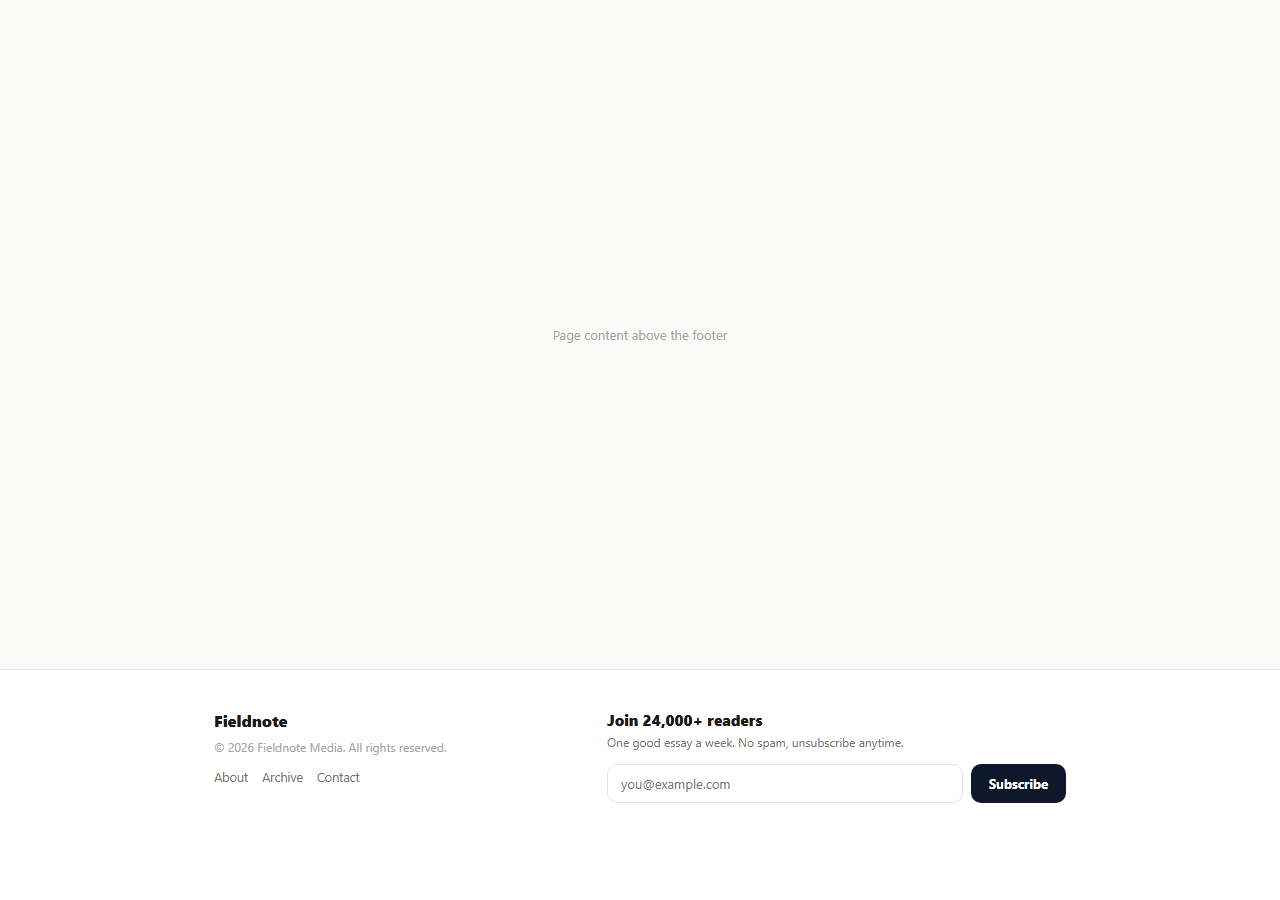
A newsletter form that just clears itself and shows a one-line "Thanks!" after submitting misses an easy opportunity: the confirmation moment is the best chance a footer gets to feel alive. This snippet replaces the plain reset with a full success state swap — a hand-drawn-feeling SVG checkmark animation, a count-up subscriber number, the actual email address that was entered, and an undo link, all triggered by one real form submission with real email validation, not a fake always-succeeds handler.
Real validation before the celebration
Before anything animates, isValidEmail(value) checks the typed address against a standard email-shape regex. An invalid address gets a red border on the input and an inline error message instead of proceeding — the animated success state is earned by passing validation, not shown unconditionally, which matters because a form that celebrates a bad email address teaches users to stop trusting its feedback entirely.
A submitting state before success, not an instant jump
On a valid submission, the button disables itself and its label changes to "Subscribing..." for roughly half a second before the state swap happens. This models the real network round-trip a production subscribe endpoint would take, and prevents a double-submit from a fast double-click — jumping straight to success with no transition at all tends to feel synthetic even when the logic behind it is correct.
The SVG checkmark draws itself, it does not just appear
.nca-check-circle and .nca-check-mark are drawn with stroke-dasharray set to each path's own total length and stroke-dashoffset animated from that same length down to zero — the standard "line drawing" SVG technique. The mark's animation-delay is set to fire just after the circle finishes, so the checkmark visibly draws itself inside a completed circle rather than both paths animating simultaneously and fighting for attention.
A counter that counts up, not a static number
animateCounter(el, target) starts 40 below the real subscriber count and increments toward it every 25 milliseconds via setInterval, giving the number a small rolling-odometer motion rather than snapping straight to its final value. This is a small but deliberate detail: a number that visibly increases reads as "you just became part of this," while a static number reads as decoration.
An honest, working undo
The success state includes a real "Wrong email? Undo" button, not a decorative label — clicking it hides the success state, restores the form, clears the input, and returns focus to it. This acknowledges the realistic case of a typo in the email field and gives the user an immediate way to fix it without needing to scroll or find a separate edit-subscription flow.
Wiring it to a real subscribe endpoint
Replace the setTimeout in the submit handler with an actual fetch call to your email provider's subscribe API, keep the same submitting/success/error states driven by the request's real pending/resolved/rejected phases, and pull baseCount from your provider's live subscriber count rather than a hardcoded starting number.
Build with AI
Build, Understand, Optimize, and Extend It With AI
Rather than tracing the animation sequencing by hand, paste this snippet's HTML, CSS, and JS into an AI coding assistant like Claude and ask it to explain exactly how the SVG stroke-dasharray/dashoffset technique makes the checkmark appear to draw itself, and how the mark’s animation-delay is timed to start only after the circle’s own animation finishes. The same assistant can help you optimize it, for instance asking whether the fixed 25ms counter interval should instead use requestAnimationFrame for smoother motion on slower devices. It is also useful for extending the footer: ask it to wire the setTimeout submit handler to a real fetch call against your email provider’s API, add a double-opt-in confirmation-email step before the success state shows, or persist a "already subscribed" state in localStorage so returning visitors do not see the form again. Treat the code less like a finished artifact and more like a starting point for a conversation.
Prompt to recreate it
Copy this into your AI assistant of choice to build the effect from scratch, or as a jumping-off point for your own variant:
Build a footer "newsletter signup" section in plain HTML, CSS, and JavaScript that swaps to an animated success confirmation on valid submission, no library.

Requirements:
- A form with an email input and a submit button. On submit, validate the typed value against a real email-shape check (not just checking it is non-empty); an invalid value must show a red input border and an inline error message and must not proceed further.
- On a valid submission, first show a brief "submitting" state on the button (disabled, changed label) for roughly half a second before swapping the form out entirely for a separate success block — do not just fade text in on top of the existing form.
- The success block must include an SVG checkmark that visibly draws itself using a sequenced stroke animation: the outer circle stroke draws first, and the checkmark stroke inside it only starts drawing after the circle has finished, using stroke-dasharray/stroke-dashoffset rather than a simple opacity fade or an image.
- The success block must also show the actual email address the user typed, and a subscriber-count number that visibly counts up from a lower starting value to its final value over a short duration rather than snapping to the final number instantly.
- Include a working "Undo" control in the success state that, when clicked, hides the success block, restores the original form with the input cleared and focused, so a mistyped email can be corrected without reloading the page.
Want to tighten it up first? Run this prompt through the AI Prompt Studio to score it across 8 quality dimensions, catch anti-patterns, and tune the wording for Claude, ChatGPT, or Gemini before you paste it in.
Step by step
How to Use
- 1Paste HTML, CSS, and JSA two-column footer renders with a newsletter form on the right.
- 2Type an invalid email and submitThe input outlines red and an inline error appears instead of proceeding.
- 3Type a valid email and submitThe button shows "Subscribing..." briefly, then the form swaps to an animated checkmark confirmation.
- 4Watch the subscriber counterIt rolls up to the final number instead of snapping to it instantly.
- 5Click "Wrong email? Undo"The form returns, cleared and focused, so a typo can be corrected immediately.
- 6Wire it to a real APIReplace the setTimeout with a fetch call to your email provider and drive the same states from its real response.
Real-world uses
Common Use Cases
Got questions?
Frequently Asked Questions
Yes — isValidEmail() checks the typed value against a standard email-shape regular expression before the submit handler proceeds. An invalid value shows a red input border and an inline error message and stops there; the success animation only plays after a passing validation.
Both SVG paths have stroke-dasharray set to their own total path length and start with stroke-dashoffset equal to that same length, which makes them invisible. A CSS keyframe animates dashoffset down to zero, revealing the stroke progressively, with the checkmark’s animation delayed to start just after the circle finishes.
animateCounter() starts 40 below the real target and increments it every 25 milliseconds until it reaches the target, producing a small rolling-odometer motion. A number that visibly increases reads as an active, real count rather than static decorative text.
The success state hides, the original form reappears, the email input is cleared, and focus returns to it automatically — the same as if the form had never been submitted, so a mistyped address can be corrected immediately.
Simulated — the submit handler uses a fixed setTimeout delay to model a network round-trip. Replace it with a real fetch call to your email provider’s subscribe endpoint, and drive the submitting/success/error states from that request’s actual pending, resolved, and rejected states.
Yes. Track a status value (idle, submitting, success, error) in state, run the same email regex check before setting status to submitting, and conditionally render the form or the success block based on status — the checkmark animation and counter can be reused as-is since they are pure CSS/JS.