Source Code
<div class="demo">
  <div class="game" id="game">
    <div class="hud">
      <span class="hud-label">Height</span>
      <span class="hud-val" id="heightVal">0</span>
      <span class="hud-label">Best</span>
      <span class="hud-val" id="bestVal">0</span>
    </div>
    <div class="tower-viewport" id="viewport">
      <div class="tower" id="tower"></div>
      <div class="moving-block" id="movingBlock"></div>
    </div>
    <p class="msg" id="msg">Click Start, then click/tap to drop each block</p>
    <button class="start-btn" id="startBtn">Start</button>
  </div>
</div>
* { box-sizing: border-box; margin: 0; padding: 0; }
body { font-family: system-ui, sans-serif; background: #f8fafc; display: flex; align-items: center; justify-content: center; min-height: 100vh; padding: 24px; }
.game { width: 280px; background: #fff; border: 1px solid #e2e8f0; border-radius: 18px; padding: 18px; display: flex; flex-direction: column; align-items: center; gap: 12px; }
.hud { display: flex; align-items: baseline; gap: 6px; align-self: stretch; justify-content: center; }
.hud-label { font-size: 10.5px; font-weight: 700; text-transform: uppercase; color: #94a3b8; }
.hud-val { font-size: 16px; font-weight: 800; color: #111827; margin-right: 14px; }
.tower-viewport { position: relative; width: 240px; height: 300px; background: linear-gradient(180deg,#eef2ff,#f8fafc); border-radius: 12px; overflow: hidden; border: 1px solid #e2e8f0; }
.tower { position: absolute; bottom: 0; left: 0; right: 0; display: flex; flex-direction: column-reverse; align-items: center; transition: transform 0.15s; }
.block { height: 22px; border-radius: 3px; box-shadow: 0 1px 2px rgba(0,0,0,0.15); }
.moving-block { position: absolute; height: 22px; border-radius: 3px; box-shadow: 0 1px 2px rgba(0,0,0,0.15); display: none; }
.msg { font-size: 12px; color: #64748b; font-weight: 600; text-align: center; min-height: 16px; }
.start-btn { background: #4f46e5; color: #fff; border: none; padding: 9px 22px; border-radius: 10px; font-size: 13px; font-weight: 700; cursor: pointer; font-family: inherit; }
.start-btn:hover { background: #4338ca; }const viewport = document.getElementById('viewport');
const tower = document.getElementById('tower');
const movingBlock = document.getElementById('movingBlock');
const heightVal = document.getElementById('heightVal');
const bestVal = document.getElementById('bestVal');
const msg = document.getElementById('msg');
const startBtn = document.getElementById('startBtn');
const VIEWPORT_W = 240;
const BLOCK_H = 22;
const START_W = 120;
const colors = ['#6366f1', '#8b5cf6', '#a855f7', '#ec4899', '#f97316', '#eab308'];
let best = Number(localStorage.getItem('towerStackBest') || 0);
bestVal.textContent = best;
let stack = []; // { x, width } for each placed block, bottom to top
let currentX = 0;
let direction = 1;
let speed = 2.2;
let currentWidth = START_W;
let playing = false;
let rafId = null;
function render() {
tower.innerHTML = '';
stack.forEach((b, i) => {
const el = document.createElement('div');
el.className = 'block';
el.style.width = b.width + 'px';
el.style.marginLeft = b.x + 'px';
el.style.marginRight = (VIEWPORT_W - b.x - b.width) + 'px';
el.style.background = colors[i % colors.length];
tower.appendChild(el);
});
// Scroll the "camera" once the tower gets tall enough to approach the top.
const towerHeightPx = stack.length * BLOCK_H;
const maxVisible = viewport.clientHeight - 40;
if (towerHeightPx > maxVisible) {
tower.style.transform = `translateY(${maxVisible - towerHeightPx}px)`;
movingBlock.style.bottom = maxVisible + 'px';
} else {
tower.style.transform = 'translateY(0)';
movingBlock.style.bottom = towerHeightPx + 'px';
}
}
function animate() {
currentX += direction * speed;
if (currentX <= 0 || currentX + currentWidth >= VIEWPORT_W) {
direction *= -1;
currentX = Math.max(0, Math.min(currentX, VIEWPORT_W - currentWidth));
}
movingBlock.style.left = currentX + 'px';
movingBlock.style.width = currentWidth + 'px';
rafId = requestAnimationFrame(animate);
}
function placeBlock() {
if (!playing) return;
const prev = stack[stack.length - 1] || { x: (VIEWPORT_W - START_W) / 2, width: START_W };
const left = Math.max(currentX, prev.x);
const right = Math.min(currentX + currentWidth, prev.x + prev.width);
const overlap = right - left;
if (overlap <= 4) {
endGame();
return;
}
stack.push({ x: left, width: overlap });
currentWidth = overlap;
heightVal.textContent = stack.length;
cancelAnimationFrame(rafId);
currentX = direction > 0 ? 0 : VIEWPORT_W - currentWidth;
speed = Math.min(6, 2.2 + stack.length * 0.15);
animate();
render();
}
function endGame() {
playing = false;
cancelAnimationFrame(rafId);
movingBlock.style.display = 'none';
if (stack.length > best) {
best = stack.length;
localStorage.setItem('towerStackBest', String(best));
bestVal.textContent = best;
msg.textContent = `Missed! New best height: ${best}`;
} else {
msg.textContent = `Missed! Height: ${stack.length}`;
}
startBtn.hidden = false;
startBtn.textContent = 'Play again';
}
function startGame() {
stack = [];
currentWidth = START_W;
currentX = 0;
direction = 1;
speed = 2.2;
playing = true;
heightVal.textContent = '0';
msg.textContent = 'Click/tap the board to drop a block!';
startBtn.hidden = true;
movingBlock.style.display = 'block';
movingBlock.style.background = colors[0];
render();
cancelAnimationFrame(rafId);
animate();
}
viewport.addEventListener('click', () => {
movingBlock.style.background = colors[stack.length % colors.length];
placeBlock();
});
startBtn.addEventListener('click', startGame);Learn Coding Visually
Learn to code with interactive, live-preview playgrounds — HTML, CSS, JavaScript, React & more.
 HTML Playground42 lessons · Click-based · Live preview
 CSS PlaygroundLearn CSS with a live editor
 JavaScript Playground60 lessons · DOM · Async · Canvas
 React PlaygroundLearn React with a live code editor
 GSAP PlaygroundLearn GSAP animation interactively
 SVG Playground44 lessons · shapes · paths · animation
 SCSS Playground45 lessons · Sass modules · tokens
 Tailwind PlaygroundLearn Tailwind CSS with a live editor
 Bootstrap 5 Playground50 lessons · live preview
Tower Stack Timing Game — Click-to-Drop Block Stacker with Real Overlap Physics
Tower Stack Timing Game · Games · Plain HTML, CSS & JS · Live preview
What's included
Features
About this UI Snippet
Tower Stack Timing Game — Real Overlap Math, Not a Scripted Sequence
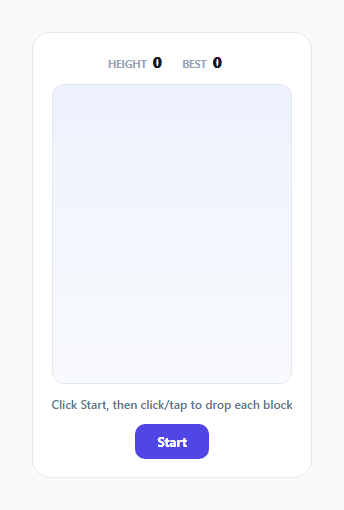
This is a complete implementation of the classic "stack the moving block" timing game: a block slides back and forth, the player taps to drop it, and it locks into place based on how much it actually overlaps the block beneath it — narrowing the tower with every imperfect placement, exactly like the real mechanic this genre is built on.
Overlap is computed geometrically, not guessed
placeBlock() computes the actual intersecting region between the moving block's current position and the block directly below it: left = Math.max(currentX, prev.x), right = Math.min(currentX + currentWidth, prev.x + prev.width), and overlap = right - left. This is real interval-intersection math — the same logic used to detect whether two 1D ranges overlap and by how much — not a simplified "close enough" heuristic. If overlap comes out at or below a small tolerance (4px, accounting for the player landing an essentially perfect but not pixel-exact hit), the game ends immediately.
Every successful placement narrows what's possible next
The block that gets placed isn't the full-width moving block — it's a new block sized to exactly the overlap region, and currentWidth for the *next* moving block is set to that same shrunken width. This is what creates the genre's core difficulty curve: a series of imperfect-but-passable placements compounds, making each subsequent block progressively harder to land, purely as an emergent consequence of the overlap math rather than a separately scripted difficulty ramp.
Speed scales with height, within a capped range
speed = Math.min(6, 2.2 + stack.length * 0.15) increases the moving block's horizontal speed as the tower gets taller, but caps out at 6 — so the game gets meaningfully harder as a player progresses without becoming literally unplayable at very tall heights, a deliberate balance between "there is a real difficulty curve" and "the game doesn't become impossible."
The camera scroll only activates once it's actually needed
render() checks whether the tower's total pixel height exceeds the visible viewport area, and only applies a translateY "camera scroll" transform once it does — short towers render with no scroll offset at all, and the scroll amount is computed exactly from how far the tower has grown past the visible boundary, so the currently-moving block and the top of the tower remain visible together throughout play, not just for the first several blocks.
Persistent best height, not just a session high score
Same as this library's other playable games, the best height achieved is read from and written to localStorage (towerStackBest), so a player's personal best is meaningful across page reloads rather than resetting every time the page loads.
Build with AI
Build, Understand, Optimize, and Extend It With AI
Ask an AI assistant to walk through the interval-overlap calculation in placeBlock() step by step with a couple of worked numeric examples, and to explain why clamping currentX at the viewport edges (rather than just reversing direction) prevents the moving block from visually overshooting the boundary. It's also worth asking for a version with combo scoring for consecutive perfect placements, or one where overhanging (non-overlapping) portions of a placed block visually break off and fall, matching the classic genre's visual flourish.
Prompt to recreate it
Copy this into your AI assistant of choice to build the effect from scratch, or as a jumping-off point for your own variant:
Build a tower-stacking timing game in HTML, CSS and vanilla JavaScript where a block slides back and forth and the player clicks/taps to drop it onto the block below, with the placement outcome determined by real overlap math — no external libraries, no canvas required.

Requirements:
- A moving block that slides horizontally back and forth within a bounded play area using requestAnimationFrame, reversing direction (and clamping its position) correctly at both edges of the play area.
- On click/tap, compute the actual geometric overlap between the moving block's current horizontal position and width and the block directly beneath it in the stack (using interval intersection: the overlapping region's left edge is the greater of the two left edges, its right edge is the lesser of the two right edges).
- If the computed overlap is at or below a small tolerance, end the game immediately as a miss. Otherwise, place a new block sized to exactly that overlapping region on top of the stack, and make that overlap width the width of the next moving block — so imperfect placements compound into a narrower tower over time.
- Increase the moving block's speed as the tower grows taller, but cap it at a reasonable maximum so the game doesn't become unplayable at very tall heights.
- Once the tower's total height exceeds the visible play area, scroll the visual stack down by exactly the amount needed to keep the top of the tower and the currently moving block visible together.
- Track the current height (number of successfully placed blocks) and persist the best height ever achieved using localStorage, showing both live in a HUD.
Want to tighten it up first? Run this prompt through the AI Prompt Studio to score it across 8 quality dimensions, catch anti-patterns, and tune the wording for Claude, ChatGPT, or Gemini before you paste it in.
Step by step
How to Use
- 1Click Start, then click/tap to drop each blockA block slides side to side; each click places it based on real overlap with the block below.
- 2Land the block precisely to avoid narrowing the towerA perfect placement keeps the current width; an imperfect one shrinks the next block to the overlapping region.
- 3Adjust the starting block width and speedChange the START_W constant and the base speed value in startGame() to tune initial difficulty.
- 4Adjust the speed scaling and capChange the multiplier and Math.min ceiling in the speed calculation inside placeBlock() to adjust how quickly and how far the game speeds up.
- 5Adjust the miss toleranceChange the overlap <= 4 threshold in placeBlock() to make near-misses more or less forgiving.
Real-world uses
Common Use Cases
Got questions?
Frequently Asked Questions
By computing the real geometric overlap between the moving block's current horizontal position/width and the block directly beneath it in the stack — using interval intersection math (left = max of both left edges, right = min of both right edges, overlap = right minus left), not an approximation or a scripted outcome.
If the computed overlap falls at or below a small tolerance (4px), the game ends immediately — this models the real "you missed almost entirely" failure case in the genre, distinct from a partial but survivable overlap that simply narrows the next block.
Every placement other than a perfect one shrinks the effective width available for the next placement, since the newly placed block is sized to exactly the overlapping region — this creates a naturally compounding difficulty curve purely from the overlap math, without any separate difficulty scripting.
No — the moving block's speed scales up with the current tower height but is explicitly capped at a maximum value (via Math.min), so the game continues to get harder as height increases without eventually becoming impossible to react to.
render() compares the tower's total height in pixels against the visible viewport height, and only once the tower exceeds that does it apply a translateY offset scrolling the tower (and the moving block's position) down by exactly the amount needed to keep the top of the tower in view.
Yes — it's persisted in the browser's localStorage under the key towerStackBest, so a player's best height survives page reloads and future visits, not just the current play session.