You Might Also Like
Learn Coding Visually
Learn to code with interactive, live-preview playgrounds — HTML, CSS, JavaScript, React & more.
 HTML Playground42 lessons · Click-based · Live preview
 CSS PlaygroundLearn CSS with a live editor
 JavaScript Playground60 lessons · DOM · Async · Canvas
 React PlaygroundLearn React with a live code editor
 GSAP PlaygroundLearn GSAP animation interactively
 SVG Playground44 lessons · shapes · paths · animation
 SCSS Playground45 lessons · Sass modules · tokens
 Tailwind PlaygroundLearn Tailwind CSS with a live editor
 Bootstrap 5 Playground50 lessons · live preview
Sticky Add to Cart Bar — Free HTML CSS JS E-Commerce Snippet
Sticky Add to Cart Bar · Misc · Plain HTML, CSS & JS · Live preview
What's included
Features
About this UI Snippet
Sticky Add to Cart Bar — IntersectionObserver-Driven Purchase Bar
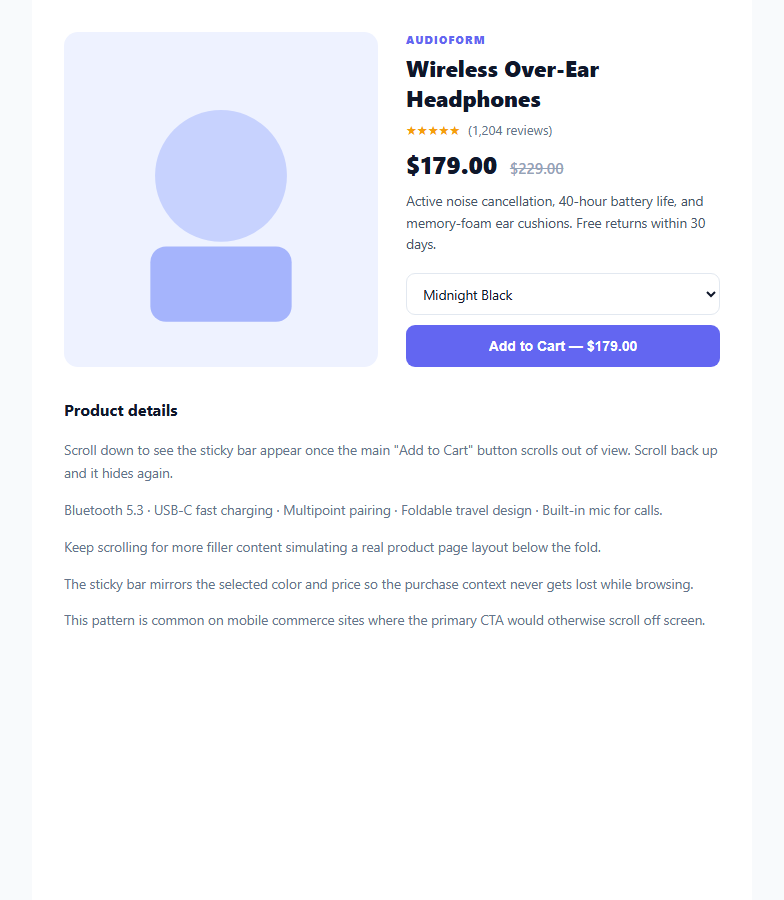
Once a shopper scrolls past the main "Add to Cart" button, the purchase action disappears from view — on long product pages this is a real source of lost conversions. A sticky add-to-cart bar solves it by re-surfacing a condensed version of the same action at the bottom of the screen exactly when the original button leaves the viewport, and hiding again once it's back in view.
Detecting visibility with IntersectionObserver, not scroll math
Rather than computing getBoundingClientRect() on every scroll event, the snippet observes the main buy block directly: new IntersectionObserver(entries => { entries.forEach(entry => entry.isIntersecting ? hideBar() : showBar()) }). The browser's compositor tracks intersection changes off the main thread, so the bar's visibility toggles without a single scroll listener running expensive layout reads on every frame. A getBoundingClientRect() fallback is included for the rare environment without IntersectionObserver support.
Mirroring state, not duplicating logic
The sticky bar doesn't own its own copy of the product state — it reflects the primary form's current selection. The color <select>'s change event updates barColor.textContent directly, so switching variants above the fold instantly updates what the bar shows below, keeping a single source of truth instead of two independently-tracked selections that could drift out of sync.
A slide-up entrance, not a hard cut
@keyframes satcSlideUp animates transform: translateY(100%) to translateY(0) with a fade, so the bar's appearance reads as a deliberate UI response to scrolling rather than a layout-shifting pop-in. Because the animation only runs once when hidden is removed (not on every scroll tick), it stays cheap even on long pages.
Shared add-to-cart handler with a lightweight toast
Both the main button and the bar's button call the same addToCart() function, which shows a toast and clears/resets its own setTimeout so rapid repeated clicks don't stack multiple toasts on top of each other — each click restarts the same 1.6-second timer instead of scheduling a new one.
Customizing it
Swap the IntersectionObserver's target for your real buy-box container, wire addToCart() to your cart API instead of a toast, or add a slide-in product thumbnail carousel to the bar for multi-image products.
Build with AI
Build, Understand, Optimize, and Extend It With AI
You don't have to work out the visibility-tracking logic by hand. Paste this snippet's HTML, CSS, and JS into an AI coding assistant like Claude and ask it to explain why IntersectionObserver is preferred over a scroll event listener for toggling the sticky bar, and how the color selector's change event keeps the bar's label synced with the main form without duplicating state. The same assistant can help optimize it too — ask whether the observer's threshold value should change for very short or very tall buy-box elements. It's also useful for extending the bar: ask it to add a quantity stepper to the sticky bar itself, animate the price when the variant changes, or add a "few left in stock" urgency badge. Treat the code less like a finished artifact and more like a starting point for a conversation.
Prompt to recreate it
Copy this into your AI assistant of choice to build the effect from scratch, or as a jumping-off point for your own variant:
Build a "sticky add to cart bar" for an e-commerce product page in plain HTML, CSS, and JavaScript with no framework or library.

Requirements:
- A product page with a main buy section near the top containing a variant selector and an "Add to Cart" button showing the current price.
- A bottom bar, hidden by default, that becomes visible only once the main buy section scrolls completely out of the viewport, and hides again once it scrolls back into view — implemented with IntersectionObserver watching the main buy section, with a getBoundingClientRect-based scroll listener fallback for environments without IntersectionObserver.
- The sticky bar must mirror the product name, price, and currently selected variant from the main form, updating live whenever the variant selector's value changes, without maintaining a separate duplicated state.
- A CSS slide-up entrance animation for the bar's appearance so it doesn't pop in abruptly.
- Both the main "Add to Cart" button and the sticky bar's button trigger the same add-to-cart handler, which shows a brief toast confirmation and safely resets its own dismiss timer if clicked again quickly so toasts never stack.
- The layout must be responsive, collapsing the product gallery and info into a single column on narrow viewports, and truncate a long product name with an ellipsis inside the sticky bar so it never breaks the layout.
Want to tighten it up first? Run this prompt through the AI Prompt Studio to score it across 8 quality dimensions, catch anti-patterns, and tune the wording for Claude, ChatGPT, or Gemini before you paste it in.
Step by step
How to Use
- 1Paste HTML, CSS, and JSA product page renders with a main "Add to Cart" button near the top.
- 2Scroll downOnce the main button scrolls out of view, a sticky bar slides up from the bottom mirroring the price and variant.
- 3Change the color selectorSwitching the variant above updates the sticky bar's label to match.
- 4Click either Add to Cart buttonA toast confirmation appears near the bottom of the screen.
- 5Scroll back upThe sticky bar disappears once the main button is back in view.
- 6Wire up your cart APIReplace addToCart() with a real fetch() call to your cart endpoint, keeping the toast as the success confirmation.
Real-world uses
Common Use Cases
Got questions?
Frequently Asked Questions
IntersectionObserver lets the browser's own compositor track when an element enters or leaves the viewport, running off the main thread and only firing callbacks on actual state changes. A scroll listener, by contrast, fires dozens of times per second and typically needs getBoundingClientRect() calls that force synchronous layout recalculation — much more expensive at scale.
The <select> element's change event listener directly updates barColor.textContent whenever the shopper picks a different variant above the fold. There's no separate state object — the bar simply reads and mirrors the DOM value at the moment of selection, so the two can never drift out of sync.
Each click calls addToCart(), which first clears any pending toastTimer with clearTimeout() before scheduling a new one. This means rapid clicks reset the same toast's dismiss timer instead of stacking multiple toast elements on top of each other.
Yes — the script checks 'IntersectionObserver' in window and falls back to a scroll listener that manually checks mainBuy.getBoundingClientRect().bottom against 0. This fallback only runs in the rare case the API is unavailable, so the fast path is used whenever possible.
Replace the body of addToCart() with a fetch() POST to your cart endpoint, passing the selected product ID, variant, and quantity. Keep calling the toast display code on a successful response, and add error handling (e.g. a red toast variant) for failed requests.