You Might Also Like
Learn Coding Visually
Learn to code with interactive, live-preview playgrounds — HTML, CSS, JavaScript, React & more.
 HTML Playground42 lessons · Click-based · Live preview
 CSS PlaygroundLearn CSS with a live editor
 JavaScript Playground60 lessons · DOM · Async · Canvas
 React PlaygroundLearn React with a live code editor
 GSAP PlaygroundLearn GSAP animation interactively
 SVG Playground44 lessons · shapes · paths · animation
 SCSS Playground45 lessons · Sass modules · tokens
 Tailwind PlaygroundLearn Tailwind CSS with a live editor
 Bootstrap 5 Playground50 lessons · live preview
Scroll Company Timeline — Free GSAP ScrollTrigger Milestone Timeline
Scroll Company Timeline · Scroll · Plain HTML, CSS & JS · Live preview
What's included
Features
About this UI Snippet
Scroll Company Timeline — A Milestone Line That Fills as You Read
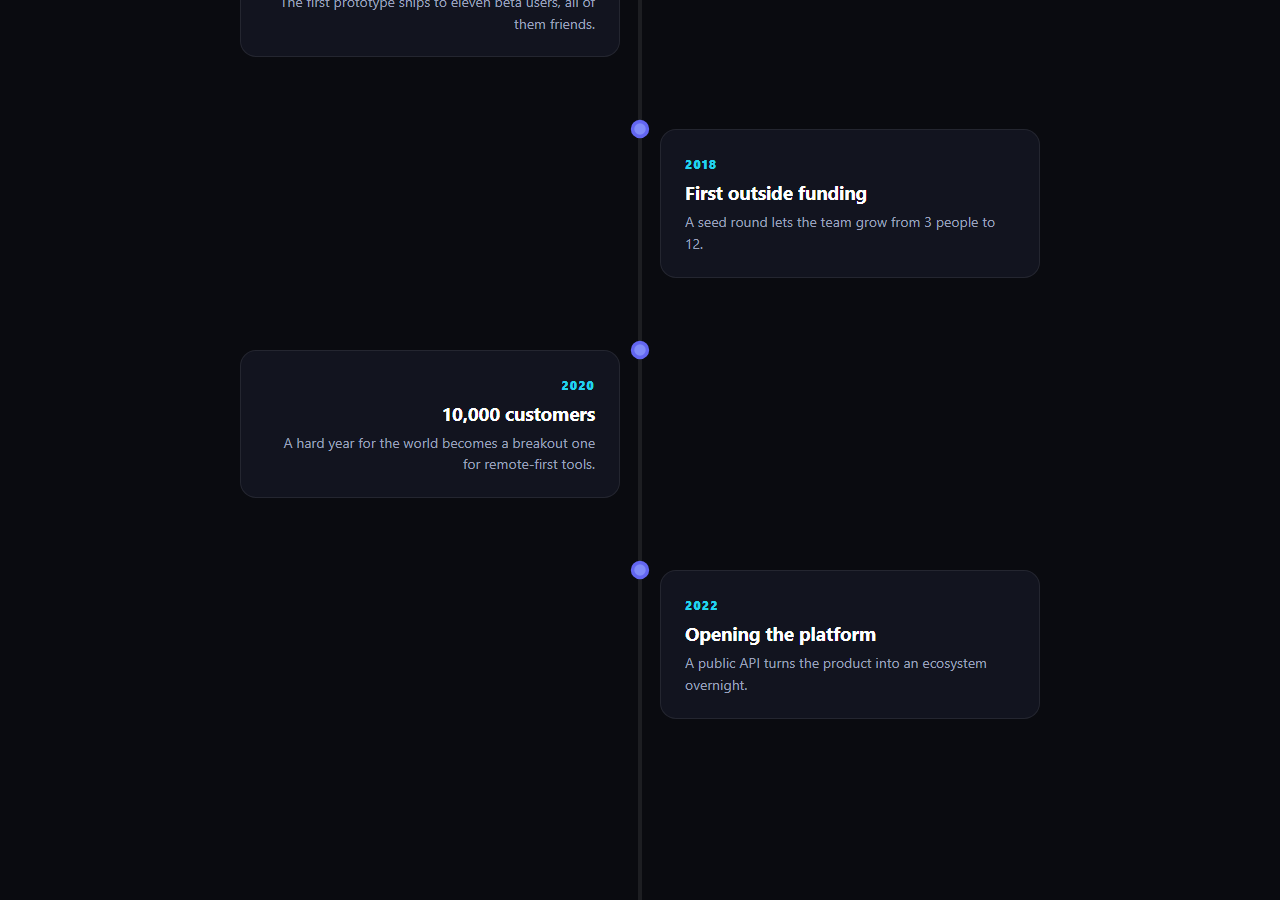
Company "our story" pages usually show a timeline as a static list. This snippet turns it into a scroll-driven narrative: a vertical progress line grows in lockstep with how far the visitor has scrolled through the milestones, and each card reveals on its own the moment it crosses into view — so the line's height always doubles as an honest reading-progress indicator for the whole history.
One scrubbed tween drives the whole line
The line fill is a single gsap.to() call animating height from 0% to 100%, with its scrollTrigger set to scrub: 0.4 across the full .ctl-wrap section. Scrub ties the tween's progress directly to scroll position rather than playing it once — scroll halfway through the timeline and the line is exactly half full, scroll back up and it retracts, frame for frame. That single scrubbed value is what makes the line read as "progress through the story" instead of a decorative flourish.
Per-item triggers, not one big stagger
Rather than animating all six cards from a single trigger on the section (which would either fire them all at once or force an artificial stagger delay unrelated to actual scroll position), every [data-node] item gets its own ScrollTrigger.create() with onEnter/onLeaveBack toggling an is-in class. Each card genuinely animates in exactly when it individually reaches 78% up the viewport, and reverses if the visitor scrolls back above it — real per-milestone timing, not a simulated one.
CSS transitions do the card animation, GSAP does the timing
The is-in class only toggles opacity, transform, and the node's border color — actual interpolation happens through a plain CSS transition, not a GSAP tween. This keeps the JavaScript responsible purely for *when* to reveal each card (via ScrollTrigger's viewport math) while the browser's compositor handles *how* it animates, which is cheaper for a page with many milestone items than tweening every property property-by-property in JS.
Alternating layout is pure CSS grid, no JS positioning
Left/right alternation comes from two class names (ctl-left/ctl-right) placing the card in column 1 or 2 of a two-column grid with the node itself pinned to the shared center line — no JavaScript computes card position, so adding a milestone is just adding another article with the next alternating class.
Customizing it
Add or remove .ctl-item blocks freely — the per-item trigger loop picks up any element with data-node automatically, and the scrubbed line covers whatever the section's total height ends up being with no manual duration to update. Pair with a scroll pin story hero above it, or a scroll number odometer counting total customers at the very end.
Build with AI
Build, Understand, Optimize, and Extend It With AI
Paste this snippet's HTML, CSS, and JS into an AI coding assistant like Claude and ask it to explain why the vertical line uses scrub while the individual milestone cards use onEnter/onLeaveBack callbacks instead of scrub, and how giving every card its own ScrollTrigger instance produces genuinely independent, position-accurate reveals rather than a simulated stagger. The same assistant is useful for extending the pattern — ask it to add a small year marker that highlights on the line itself as each milestone activates, make the line curve instead of running straight down the center, or convert the card reveal into a horizontal-scroll variant for a wide-format timeline. Treat the code as a working starting point for building your own paced, scroll-driven history section.
Prompt to recreate it
Copy this into your AI assistant of choice to build the effect from scratch, or as a jumping-off point for your own variant:
Build a "scroll company timeline" in plain HTML, CSS, and JavaScript using GSAP with its ScrollTrigger plugin, loaded from a CDN with no bundler.

Requirements:
- A vertical timeline section containing a thin centered progress line and a list of milestone items alternating left and right of that line via CSS grid and class names, each with a year label, heading, and short description, plus a small circular node marker sitting on the line at each milestone's vertical position.
- Animate the vertical line's fill height from 0% to 100% using a single GSAP tween whose ScrollTrigger uses scrub (a fractional value like 0.4 for slight easing lag) across the full scroll distance of the timeline section, so the line's fill amount always directly reflects how far through the timeline the visitor has scrolled, including retracting smoothly when they scroll back up.
- Give every individual milestone item its own separate ScrollTrigger instance (not one shared trigger for the whole list) that toggles a revealed CSS class using onEnter and onLeaveBack callbacks, so each card fades and rises into view independently at the exact scroll position where it enters the viewport, and reverses cleanly if the visitor scrolls back above it.
- Let a plain CSS transition (not a GSAP tween) animate the actual opacity and transform change when the revealed class toggles, so GSAP and ScrollTrigger are responsible only for deciding when to reveal each item, not for performing the visual interpolation itself.
- Make the layout responsive: collapse the alternating two-column grid into a single left-aligned column with the line moved to the left edge on narrow viewports, without breaking the per-item reveal triggers.
- Ensure the whole timeline is fully reversible — scrolling back to the top should retract the line and remove the revealed state from every card in the correct reverse order, purely from ScrollTrigger's own state tracking with no manual scroll-direction logic.
Want to tighten it up first? Run this prompt through the AI Prompt Studio to score it across 8 quality dimensions, catch anti-patterns, and tune the wording for Claude, ChatGPT, or Gemini before you paste it in.
Step by step
How to Use
- 1Add GSAP and ScrollTriggerLoad both from the CDN and call gsap.registerPlugin(ScrollTrigger).
- 2Paste the HTML, CSS, and JSMilestones alternate left and right automatically from their class names.
- 3Scroll into the timelineThe vertical line fills in step with scroll progress through the section.
- 4Watch each card revealCards fade and rise in independently as they individually enter the viewport.
- 5Scroll back upThe line retracts and cards reset, since every trigger is fully reversible.
- 6Add or remove milestonesDuplicate a .ctl-item block with the next alternating class — no JS changes needed.
Real-world uses
Common Use Cases
Got questions?
Frequently Asked Questions
The line uses scrub, which ties its animation progress directly to scroll position across the whole section — it is always exactly as full as the visitor has scrolled. The cards instead use onEnter and onLeaveBack callbacks, which are one-shot triggers that fire once each time a card crosses a fixed point in the viewport, then reverse when it crosses back. Scrub gives continuous, position-locked feedback; onEnter gives a discrete, direction-aware event — this snippet uses each for the job it fits.
Because the JavaScript only needs to decide when a card should be revealed, which is exactly what ScrollTrigger's onEnter and onLeaveBack callbacks are for. Toggling a single is-in class and letting a plain CSS transition animate opacity and transform keeps every card's actual interpolation on the browser's own transition engine, which is simpler to maintain and doesn't require a GSAP tween instance per card.
Duplicate one .ctl-item article, alternate its class between ctl-left and ctl-right so it lands on the opposite side of the line from its predecessor, update the year, heading, and paragraph text, and leave the data-node attribute in place. The per-item ScrollTrigger loop in the JS queries all [data-node] elements automatically, so no JavaScript needs to change for the new card to animate correctly.
Yes — the line's fill is scrubbed against the .ctl-wrap section's actual total scroll distance (from start: 'top 60%' to end: 'bottom 60%'), not against a fixed number of pixels or a hardcoded item count. Whatever the real rendered height of the section ends up being, including uneven card heights, the line always finishes filling exactly as the last card's trigger zone is reached.
Create the ScrollTrigger for the line fill and the loop of per-item triggers inside a mount effect (useEffect, onMounted, or ngAfterViewInit), after the milestone list has rendered so every [data-node] element already exists in the DOM. Store the created ScrollTrigger instances and call .kill() on each in the cleanup function to avoid duplicate triggers on re-render or route change.