You Might Also Like
Learn Coding Visually
Learn to code with interactive, live-preview playgrounds — HTML, CSS, JavaScript, React & more.
 HTML Playground42 lessons · Click-based · Live preview
 CSS PlaygroundLearn CSS with a live editor
 JavaScript Playground60 lessons · DOM · Async · Canvas
 React PlaygroundLearn React with a live code editor
 GSAP PlaygroundLearn GSAP animation interactively
 SVG Playground44 lessons · shapes · paths · animation
 SCSS Playground45 lessons · Sass modules · tokens
 Tailwind PlaygroundLearn Tailwind CSS with a live editor
 Bootstrap 5 Playground50 lessons · live preview
Rive Interactive Icon — Free Rive Runtime Snippet With SVG Fallback
Rive Interactive Icon · Animations · Plain HTML, CSS & JS · Live preview
What's included
Features
About this UI Snippet
Rive Interactive Icon — The Rive Runtime Pattern, With a Fallback That Never Blanks
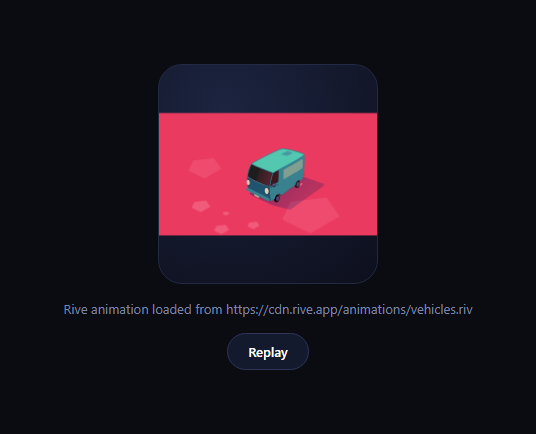
Rive is a design tool and runtime for small, state-machine-driven vector animations — icons that react to hover, loading states that blend between phases, character animations with real logic behind them — exported as a compact .riv binary and played back in the browser with new rive.Rive({ src, canvas, stateMachines }). This snippet demonstrates that exact loading pattern, but since a live sandbox has no server to host a custom .riv file on, it points src at Rive's own public example asset and — critically — wraps the whole load in error handling with an always-available animated SVG checkmark as a fallback, so the preview is never blank even if that external asset is unreachable.
The real Rive API surface
new rive.Rive({ src, canvas, autoplay, stateMachines, onLoad, onLoadError }) is exactly how you'd load Rive in production. stateMachines names the state machine (built visually in the Rive editor) that drives the animation's logic — timelines, blend states, inputs — rather than a single fixed timeline. onLoad fires once the .riv file has been fetched and parsed; onLoadError fires if it can't be. Both are used here for real, not simulated.
Why the fallback matters
Embedding a third-party asset URL in a public snippet is fragile — the demo CDN could move, rate-limit, or go offline, and a broken Rive load would otherwise leave a blank canvas with no explanation. This snippet wraps instantiation in try/catch and always renders a small self-contained SVG (a circle with an animated checkmark stroke, using stroke-dasharray/stroke-dashoffset) underneath, toggling visibility so exactly one of "real Rive" or "fallback icon" is showing at any time — never neither.
A pattern worth reusing beyond Rive
Any snippet that depends on a hosted binary asset — a .riv file, a .lottie file, a font, a texture — benefits from the same shape: attempt the real load, catch both synchronous construction errors and the library's own async error callback, and always have a pure-CSS/SVG stand-in ready to show. See Lottie hover icon button for the same guarantee applied to an inline Lottie animation instead of a fallback SVG.
Where Rive fits vs. Lottie
Lottie plays back an After Effects timeline; Rive is closer to a tiny game engine for vector graphics, with state machines and runtime inputs (useful for things like a play/pause icon that blends between states, or a like-button burst with actual physics). Pick Rive when interaction state needs to drive the animation's logic, not just trigger a linear play.
Customizing it
Swap RIVE_SRC for your own exported .riv file's URL, point stateMachines at the state machine name from your file, and use riveInstance.stateMachineInputs(...) to wire booleans/triggers to hover or click events. Redesign the SVG fallback to visually match your real Rive asset so the transition between "still loading" and "loaded" feels seamless.
Build with AI
Build, Understand, Optimize, and Extend It With AI
You don't have to guess whether a blank canvas means Rive failed or is just slow. Paste this snippet's HTML, CSS, and JS into an AI coding assistant like Claude and ask it to explain exactly how the try/catch around new rive.Rive(...) and the onLoadError callback together cover both the synchronous and asynchronous ways a hosted .riv asset can fail to load, and why toggling canvas.hidden alongside the SVG fallback's display is the right way to guarantee exactly one of them is always visible. The same assistant can help you extend it — asking how to read or set state machine inputs so the icon reacts to hover or click state instead of just autoplaying, or how to preload the .riv file and show a skeleton state during the fetch instead of the full fallback icon. It's also useful for applying the same never-blank pattern elsewhere: ask it to adapt the try/catch-plus-fallback structure to a different asset-dependent snippet, like a custom font or a remote Lottie JSON. Treat the code less like a finished artifact and more like a starting point for a conversation.
Prompt to recreate it
Copy this into your AI assistant of choice to build the effect from scratch, or as a jumping-off point for your own variant:
Build an interactive icon using Rive's web runtime (load @rive-app/canvas from a CDN), with a fallback that guarantees the icon is never blank even if the Rive asset fails to load.

Requirements:
- A canvas element sized for the icon, plus a separate self-contained SVG element (built with pure CSS/SVG, no external assets) showing a simple animated icon such as a circle with a checkmark drawn on via stroke-dasharray/stroke-dashoffset animation — the SVG must be able to render and animate completely on its own with zero network dependency.
- Instantiate new rive.Rive({ src, canvas, autoplay, stateMachines, onLoad, onLoadError }) pointing src at some .riv file URL (clearly commented that a real project should point this at its own exported .riv file), wrapped in a try/catch block.
- On successful load (the onLoad callback), show the canvas and hide the SVG fallback. On failure — caught either by the try/catch around construction or by the onLoadError callback — hide the canvas and show/restart the SVG fallback's animation, updating a status text element to explain what's showing and why.
- At all times, exactly one of the canvas or the SVG fallback should be visible — never both hidden (a blank state) and never both visible.
- Add a "Replay" button that, if the real Rive animation is active, calls its reset and play methods (also wrapped in error handling that falls back to the SVG on failure), and if the fallback is active, restarts the SVG's CSS animation.
- Comment clearly that the state machine input API (stateMachineInputs) is how a production icon would wire hover/click interactivity into the animation's logic.
Want to tighten it up first? Run this prompt through the AI Prompt Studio to score it across 8 quality dimensions, catch anti-patterns, and tune the wording for Claude, ChatGPT, or Gemini before you paste it in.
Step by step
How to Use
- 1Add the Rive runtime CDNInclude @rive-app/canvas from unpkg.
- 2Paste HTML, CSS, and JSA canvas and an SVG fallback both render, one hidden.
- 3Watch it loadThe Rive asset plays on the canvas if it loads.
- 4If the asset failsThe animated SVG checkmark shows instead, never blank.
- 5Click "Replay"Resets and replays whichever is currently active.
- 6Swap in your own .rivChange RIVE_SRC to your exported file's URL.
Real-world uses
Common Use Cases
Got questions?
Frequently Asked Questions
A live code sandbox has no server to host a custom exported .riv binary on, so this snippet points at one of Rive's own publicly hosted example files purely to demonstrate the real loading API working end to end. In your own project, replace RIVE_SRC with the URL of a .riv file you've exported from the Rive editor and uploaded to your own hosting or CDN.
The rive.Rive constructor call is wrapped in try/catch to guard against synchronous errors, and the onLoadError callback handles asynchronous failures like a network error or the CDN being unreachable. Either path calls the same playFallback() function, which hides the canvas, shows the SVG checkmark icon, and restarts its CSS keyframe animation — so the preview always has something animating, never a blank box.
Rive files can define state machines visually in the Rive editor — named states, transitions, and inputs (booleans, triggers, numbers) that drive which part of the animation plays based on logic rather than a single fixed timeline. Passing stateMachines: "State Machine 1" tells the runtime to drive playback through that state machine; in a real icon you'd typically also call riveInstance.stateMachineInputs() to read or set those inputs from hover/click handlers.
Lottie and GIF both play a fixed, pre-rendered timeline. Rive's state machines let runtime code drive the animation's logic — blending between states, responding to numeric inputs, branching based on booleans — which is closer to a tiny animated state machine than a video loop. That flexibility is the tradeoff for a slightly heavier runtime and the need to design the state machine in the Rive editor first.
Yes. Set autoplay: false in the constructor, then in a mouseenter listener call riveInstance.play() (or set a boolean state machine input to true), and in mouseleave call riveInstance.pause() or reset the input to false. The onLoad callback is the right place to attach those listeners, since riveInstance isn't guaranteed usable until the file has finished loading.