You Might Also Like
Learn Coding Visually
Learn to code with interactive, live-preview playgrounds — HTML, CSS, JavaScript, React & more.
 HTML Playground42 lessons · Click-based · Live preview
 CSS PlaygroundLearn CSS with a live editor
 JavaScript Playground60 lessons · DOM · Async · Canvas
 React PlaygroundLearn React with a live code editor
 GSAP PlaygroundLearn GSAP animation interactively
 SVG Playground44 lessons · shapes · paths · animation
 SCSS Playground45 lessons · Sass modules · tokens
 Tailwind PlaygroundLearn Tailwind CSS with a live editor
 Bootstrap 5 Playground50 lessons · live preview
Anime.js Stagger Grid — Free Grid-Aware Stagger Animation Snippet
Anime.js Stagger Grid · Animations · Plain HTML, CSS & JS · Live preview
What's included
Features
About this UI Snippet
Anime.js Stagger Grid — Tiles That Ripple Outward From the Center
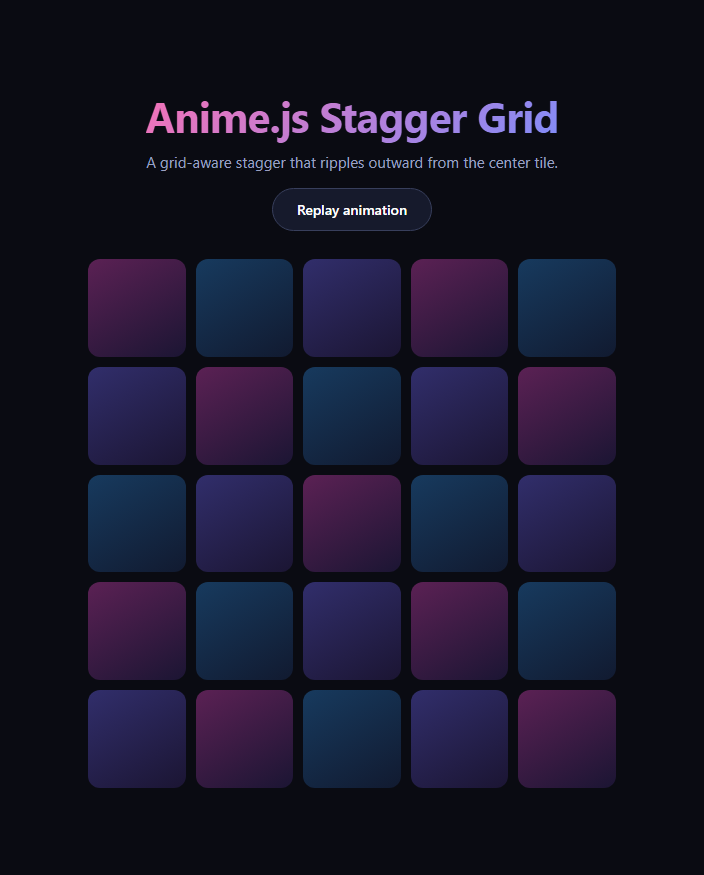
The stagger grid is the moment a dashboard, portfolio, or landing section feels alive instead of static — every tile appearing on its own beat rather than all at once. This snippet builds it with anime.js loaded from a CDN, using its grid-aware anime.stagger helper so the delay between tiles is computed from their actual row and column position rather than their order in the DOM. It's a close cousin of scroll reveal grid, but driven by a click or page-load trigger instead of scroll position, and by anime.js's own timing engine instead of GSAP.
Grid-aware stagger, not list-aware stagger
A plain anime.stagger(60) just adds 60ms per element in DOM order, which reads as a diagonal-ish line at best. Passing grid: [5, 5] tells anime.js the tiles form a five-by-five layout, so it can compute each tile's real (row, column) coordinates and derive delay from actual 2D distance. Combined with from: 'center', the delay is shortest for the middle tile and grows outward in concentric rings — a ripple, not a sweep.
One targets array, three animated properties
The single anime({...}) call animates scale, opacity, and borderRadius together across all 25 tiles. Starting scale at 0 and borderRadius at 50% means every tile begins as an invisible dot and blooms into a rounded square, which reads as more purposeful than a flat fade. easeOutExpo gives each tile a fast pop that settles gently, matching the punchy feel of the ripple.
Replayable on demand
playGrid() is a plain function called once on load and again from the "Replay animation" button, so anime.js's timeline is simply recreated each time rather than manually reversed — the simplest way to make a one-shot stagger repeatable without managing timeline state.
Where this pattern fits
Use it for onboarding checklists, dashboard widget grids, icon/feature grids, or a gallery of thumbnails that should feel choreographed on first paint. It pairs naturally with bento grid layouts and with stagger list when you need the same ripple treatment for a single column instead of a grid.
Customizing it
Change the grid dimensions to match your actual column/row count (a mismatch will still stagger, just not accurately), switch from to 'first', 'last', or a specific index, or swap the animated properties for a rotation or color shift. Anime.js also supports staggering duration and delay independently, so tiles further from center can take visibly longer as well as start later.
Build with AI
Build, Understand, Optimize, and Extend It With AI
You don't have to reverse-engineer anime.js's grid-distance math by reading its source. Paste this snippet's HTML, CSS, and JS into an AI coding assistant like Claude and ask it to explain exactly how passing grid: [5, 5] and from: 'center' to anime.stagger converts each tile's DOM position into a 2D coordinate and a ripple delay, or why animating scale from 0 alongside a borderRadius tween produces a "bloom" feel rather than a flat pop. The same assistant can help optimize it — asking whether the tile count should drive the grid dimensions dynamically instead of being hardcoded, or whether easeOutExpo is the right curve for a denser grid with more tiles. It's also useful for extending the effect: ask it to stagger a color or rotation change alongside the scale, trigger the ripple on scroll into view using an IntersectionObserver instead of load, or make from configurable so the ripple can start from a corner. Treat the code less like a finished artifact and more like a starting point for a conversation.
Prompt to recreate it
Copy this into your AI assistant of choice to build the effect from scratch, or as a jumping-off point for your own variant:
Build a "stagger grid" tile entrance animation in plain HTML, CSS, and JavaScript using anime.js (load it from a CDN, no build step).

Requirements:
- A CSS grid of at least 25 identical tile elements arranged in a fixed number of columns and rows so the layout is a true rectangular grid, not a wrapped flex list.
- Every tile starts fully invisible and scaled to zero via inline or CSS defaults so no flash-of-unstyled-content occurs before the animation library runs.
- A single anime({ targets, ... }) call (not one animation per tile) that animates scale from 0 to 1, opacity from 0 to 1, and border-radius from a circle to a rounded square, all in the same call.
- Use anime.stagger for the delay option with its object form, passing a grid option matching the actual column and row count of the tile grid, and a from option set to 'center' so the animation's delay is computed from each tile's real 2D distance to the middle tile rather than its order in the DOM — the effect should read as a ripple expanding outward from the center, not a corner-to-corner sweep.
- Use an easing curve that pops in quickly and settles smoothly (an expo-out style ease) rather than linear or a slow ease-in.
- Wrap the animation call in a named function and expose a button that re-runs that same function, so the entrance can be replayed on demand from a fully settled state without page reload.
Want to tighten it up first? Run this prompt through the AI Prompt Studio to score it across 8 quality dimensions, catch anti-patterns, and tune the wording for Claude, ChatGPT, or Gemini before you paste it in.
Step by step
How to Use
- 1Add the anime.js CDNInclude anime.min.js from the CDN panel.
- 2Paste HTML, CSS, and JSA 25-tile grid renders, hidden and scaled to zero.
- 3Watch it loadTiles pop in, rippling outward from the center.
- 4Click "Replay animation"The stagger runs again from a clean state.
- 5Adjust grid dimensionsMatch anime.stagger's grid option to your layout.
- 6Change the originSwap from: 'center' for 'first', 'last', or an index.
Real-world uses
Common Use Cases
Got questions?
Frequently Asked Questions
It tells anime.js the targets form a 5-column by 5-row layout, so instead of using DOM order to compute each element's delay, it derives each tile's (row, column) coordinates and bases the delay on real 2D distance from the stagger's origin. Without it, anime.stagger just adds a fixed increment per element in list order, which produces a much flatter, less choreographed motion.
It sets the distance-zero point at the grid's middle tile (or the closest tile to center for an even grid), so every other tile's delay grows with its distance from that point. Tiles equidistant from the center animate at the same time, producing expanding concentric rings rather than a corner-to-corner sweep.
Because the animation starts every tile at scale: 0 and opacity: 0, simply re-running anime({...}) on the same targets restarts them from that same visual state — anime.js overwrites the in-progress or completed animation on those targets. That's simpler than keeping a timeline reference around and calling reverse(), and it works identically whether the grid finished, is still running, or was never played.
It should for accurate spacing — 25 tiles with grid: [5, 5] gives each tile a unique, correct coordinate. If the grid option doesn't match the actual tile count, anime.js still staggers using whatever grid you specify, but the computed distances no longer line up with the visual layout, so the ripple can look uneven or clipped at the edges.
Yes. anime.stagger() can be passed to the duration property too, not just delay, so tiles further from the origin can take measurably longer to complete as well as start later — for example duration: anime.stagger(400, { start: 600, grid: [5, 5], from: 'center' }) makes the ripple's edges feel like they're drifting to a stop rather than snapping in place.