Source Code
<div class="dashboard">
  <!-- Stats row -->
  <div class="stats-row">
    <div class="stat-card sk">
      <div class="sk-line short"></div>
      <div class="sk-line wide bold"></div>
      <div class="sk-line medium"></div>
    </div>
    <div class="stat-card sk">
      <div class="sk-line short"></div>
      <div class="sk-line wide bold"></div>
      <div class="sk-line medium"></div>
    </div>
    <div class="stat-card sk">
      <div class="sk-line short"></div>
      <div class="sk-line wide bold"></div>
      <div class="sk-line medium"></div>
    </div>
    <div class="stat-card sk">
      <div class="sk-line short"></div>
      <div class="sk-line wide bold"></div>
      <div class="sk-line medium"></div>
    </div>
  </div>

  <div class="main-row">
    <!-- Chart card -->
    <div class="chart-card sk">
      <div class="card-head-sk">
        <div class="sk-line medium"></div>
        <div class="sk-pill"></div>
      </div>
      <div class="sk-chart">
        <div class="sk-bars">
          <div class="sk-bar" style="height:60%"></div>
          <div class="sk-bar" style="height:85%"></div>
          <div class="sk-bar" style="height:45%"></div>
          <div class="sk-bar" style="height:90%"></div>
          <div class="sk-bar" style="height:70%"></div>
          <div class="sk-bar" style="height:55%"></div>
          <div class="sk-bar" style="height:80%"></div>
        </div>
      </div>
    </div>

    <!-- List card -->
    <div class="list-card sk">
      <div class="card-head-sk">
        <div class="sk-line medium"></div>
        <div class="sk-line short"></div>
      </div>
      <div class="sk-list">
        <div class="sk-list-item" style="--d:0s"></div>
        <div class="sk-list-item" style="--d:0.05s"></div>
        <div class="sk-list-item" style="--d:0.1s"></div>
        <div class="sk-list-item" style="--d:0.15s"></div>
        <div class="sk-list-item" style="--d:0.2s"></div>
      </div>
    </div>
  </div>

  <!-- Table card -->
  <div class="table-card sk">
    <div class="card-head-sk">
      <div class="sk-line medium"></div>
      <div class="sk-pill"></div>
    </div>
    <div class="sk-table">
      <div class="sk-thead">
        <div class="sk-th"></div>
        <div class="sk-th wide-col"></div>
        <div class="sk-th"></div>
        <div class="sk-th"></div>
      </div>
      <div class="sk-tbody">
        <div class="sk-tr" style="--d:0s"></div>
        <div class="sk-tr" style="--d:0.06s"></div>
        <div class="sk-tr" style="--d:0.12s"></div>
        <div class="sk-tr" style="--d:0.18s"></div>
        <div class="sk-tr" style="--d:0.24s"></div>
      </div>
    </div>
  </div>

  <button class="load-btn" onclick="toggleLoad(this)">Simulate data loaded</button>
</div>
* { box-sizing: border-box; margin: 0; padding: 0; }
body { font-family: system-ui, sans-serif; background: #f1f5f9; min-height: 100vh; padding: 20px; }
.dashboard { max-width: 900px; margin: 0 auto; display: flex; flex-direction: column; gap: 14px; }
/* Card base */
.stat-card, .chart-card, .list-card, .table-card { background: #fff; border-radius: 14px; padding: 18px; border: 1px solid #e2e8f0; }
/* Stats row */
.stats-row { display: grid; grid-template-columns: repeat(4,1fr); gap: 14px; }
@media (max-width: 640px) { .stats-row { grid-template-columns: repeat(2,1fr); } }
/* Main row */
.main-row { display: grid; grid-template-columns: 2fr 1fr; gap: 14px; }
@media (max-width: 700px) { .main-row { grid-template-columns: 1fr; } }
/* ── Shimmer animation ── */
@keyframes shimmer {
0% { background-position: -400px 0; }
100% { background-position: 400px 0; }
}
.sk-base {
background: linear-gradient(90deg, #f1f5f9 25%, #e9eef5 50%, #f1f5f9 75%);
background-size: 800px 100%;
animation: shimmer 1.6s infinite linear;
border-radius: 6px;
}
/* Lines */
.sk-line { height: 10px; margin-bottom: 8px; animation: shimmer 1.6s infinite linear; background: linear-gradient(90deg,#f1f5f9 25%,#e9eef5 50%,#f1f5f9 75%); background-size: 800px; border-radius: 5px; animation-delay: var(--d, 0s); }
.sk-line:last-child { margin-bottom: 0; }
.sk-line.short { width: 40%; }
.sk-line.medium { width: 60%; }
.sk-line.wide { width: 80%; }
.sk-line.bold { height: 22px; width: 55%; margin: 8px 0; }
.sk-pill { height: 24px; width: 64px; border-radius: 20px; animation: shimmer 1.6s infinite linear; background: linear-gradient(90deg,#f1f5f9 25%,#e9eef5 50%,#f1f5f9 75%); background-size: 800px; }
/* Card header */
.card-head-sk { display: flex; justify-content: space-between; align-items: center; margin-bottom: 16px; }
/* Chart bars */
.sk-chart { display: flex; align-items: flex-end; height: 120px; }
.sk-bars { display: flex; align-items: flex-end; gap: 8px; width: 100%; height: 100%; }
.sk-bar { flex: 1; border-radius: 6px 6px 0 0; animation: shimmer 1.6s infinite linear; background: linear-gradient(90deg,#f1f5f9 25%,#e9eef5 50%,#f1f5f9 75%); background-size: 800px; }
/* List items */
.sk-list { display: flex; flex-direction: column; gap: 10px; }
.sk-list-item { height: 48px; border-radius: 10px; animation: shimmer 1.6s infinite linear; animation-delay: var(--d,0s); background: linear-gradient(90deg,#f1f5f9 25%,#e9eef5 50%,#f1f5f9 75%); background-size: 800px; }
/* Table */
.sk-table { display: flex; flex-direction: column; gap: 2px; }
.sk-thead { display: grid; grid-template-columns: 1fr 2fr 1fr 1fr; gap: 12px; padding: 8px 0; border-bottom: 1px solid #f1f5f9; }
.sk-th { height: 10px; border-radius: 4px; animation: shimmer 1.6s infinite linear; background: linear-gradient(90deg,#f1f5f9 25%,#e9eef5 50%,#f1f5f9 75%); background-size: 800px; }
.sk-tbody { display: flex; flex-direction: column; gap: 2px; }
.sk-tr { height: 44px; border-radius: 8px; animation: shimmer 1.6s infinite linear; animation-delay: var(--d,0s); background: linear-gradient(90deg,#f1f5f9 25%,#e9eef5 50%,#f1f5f9 75%); background-size: 800px; margin: 2px 0; }
.load-btn { background: #6366f1; color: #fff; border: none; border-radius: 10px; padding: 11px 22px; font-size: 14px; font-weight: 700; cursor: pointer; align-self: flex-start; transition: background 0.15s; font-family: inherit; }
.load-btn:hover { background: #4f46e5; }function toggleLoad(btn) {
const dashboard = document.querySelector('.dashboard');
const isLoading = dashboard.querySelectorAll('.sk').length > 0;
if (isLoading) {
// Simulate loaded state — replace skeletons with real content look
dashboard.querySelectorAll('.sk').forEach(el => {
el.querySelectorAll('.sk-line, .sk-pill, .sk-bar, .sk-list-item, .sk-th, .sk-tr, .sk-bars, .sk-chart, .sk-list, .sk-table, .sk-thead, .sk-tbody').forEach(sk => {
sk.style.animation = 'none';
sk.style.background = '#f8fafc';
sk.style.opacity = '0';
setTimeout(() => { sk.style.transition = 'opacity 0.3s'; sk.style.opacity = '1'; }, 50);
});
});
btn.textContent = 'Show skeleton loading';
} else {
location.reload();
}
}Learn Coding Visually
Learn to code with interactive, live-preview playgrounds — HTML, CSS, JavaScript, React & more.
 HTML Playground42 lessons · Click-based · Live preview
 CSS PlaygroundLearn CSS with a live editor
 JavaScript Playground60 lessons · DOM · Async · Canvas
 React PlaygroundLearn React with a live code editor
 GSAP PlaygroundLearn GSAP animation interactively
 SVG Playground44 lessons · shapes · paths · animation
 SCSS Playground45 lessons · Sass modules · tokens
 Tailwind PlaygroundLearn Tailwind CSS with a live editor
 Bootstrap 5 Playground50 lessons · live preview
Skeleton Dashboard — Free HTML CSS Loading Snippet
Skeleton Dashboard · Loaders · Plain HTML, CSS & JS · Live preview
What's included
Features
About this UI Snippet
Skeleton Dashboard — Stats Grid, Chart Bars, List Items & Table Rows with Shimmer Animation
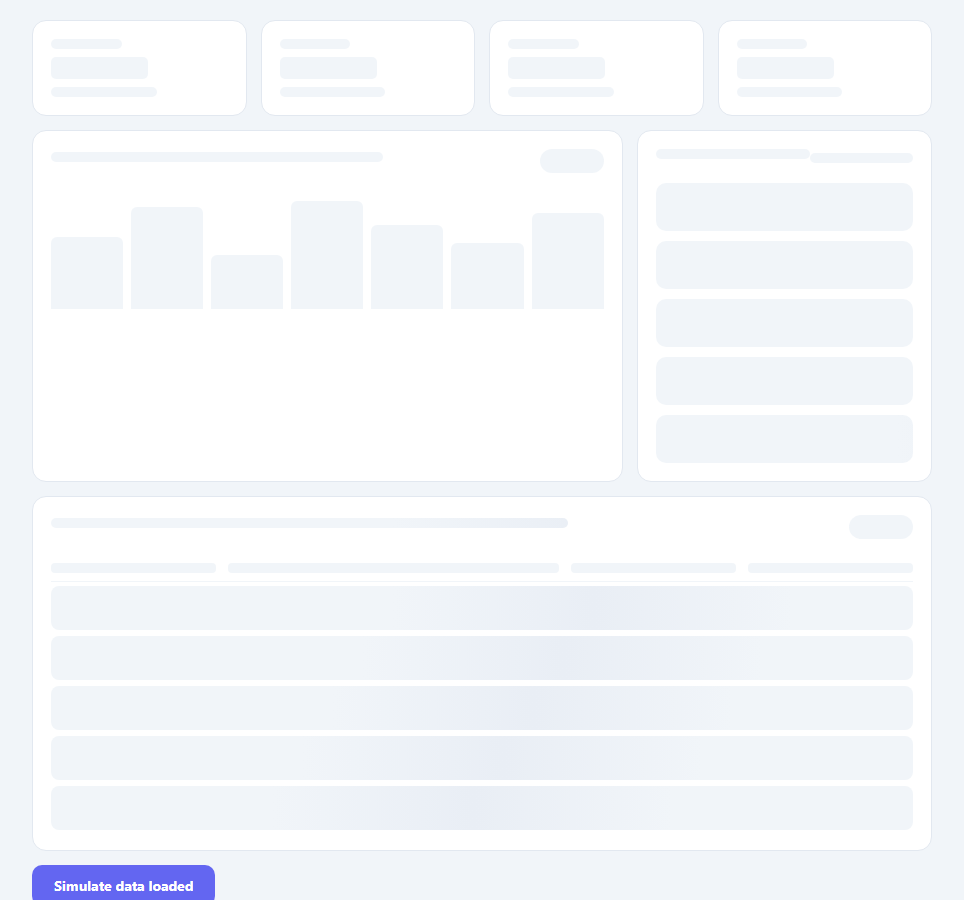
A skeleton dashboard loading state shows the structural layout of a dashboard before data arrives — communicating "content is coming" while giving users an accurate preview of the page structure. This is significantly better UX than a full-page spinner because users can see the layout, start scanning, and mentally prepare for the incoming data. This snippet provides a complete dashboard skeleton: a 4-column stats grid, a 2-column main row (chart bars + list items), and a table with header and rows — all with the standard GPU-optimised shimmer animation.
The shimmer animation
The shimmer uses background: linear-gradient(90deg, #f1f5f9 25%, #e9eef5 50%, #f1f5f9 75%) with background-size: 800px (twice the typical element width). A @keyframes animation shifts background-position from -400px to +400px, sweeping the lighter colour across the element. This runs on the GPU compositor via background-position change — no layout or paint recalculation triggered, achieving 60fps even with many skeleton elements.
Staggered animation delays
List items and table rows have style="--d:0s", "--d:0.06s", etc. The CSS animation-delay: var(--d, 0s) creates a subtle wave effect where items start their shimmer at slightly different times. This makes the skeleton feel more organic rather than all elements flashing in sync.
The chart bar skeleton
The bar chart skeleton uses inline style="height:60%" etc. to create naturally varied bar heights — mimicking the appearance of a real bar chart. The flex align-items: flex-end layout aligns all bars to the bottom, matching a standard bar chart baseline.
Matching the real layout
The skeleton uses the same CSS grid structure as the real dashboard (4-column stats, 2-column main row) — ensuring no layout shift when real data replaces the skeleton. This is the key principle of skeleton loading: the structure must exactly match the loaded state.
Transition to real content
The toggleLoad() function demonstrates a simple fade-in transition from skeleton to content. In production, replace the simulate button with an API fetch: show skeleton on mount, replace with real content when the fetch resolves.
Handling partial loading states
In a real dashboard, different sections may load at different speeds. Show each card's skeleton independently: when the stats API resolves, replace only the .stats-row skeletons. When the chart API resolves, replace the chart skeleton. Each card can have an independent isLoading state. This progressive loading approach shows data as it arrives rather than waiting for all APIs to complete before revealing anything.
Build with AI
Build, Understand, Optimize, and Extend It With AI
You don't have to work out why background-position is the safe property to animate here on your own. Paste this snippet's HTML, CSS, and JS into an AI coding assistant like Claude and ask it to explain exactly why animating background-position on an oversized linear-gradient stays on the compositor thread while animating width or opacity on the same elements would not, or how the --d custom property staggers the list-item and table-row shimmer starts. The same assistant can help optimize it, for instance checking whether toggleLoad's querySelectorAll pass over every skeleton element could be reduced when only one card's data has actually arrived. It is just as useful for extending the dashboard: ask it to let each card (stats, chart, list, table) load and swap independently as its own fetch resolves, add a Next.js loading.js wrapper, or generate a variable number of skeleton rows based on an expected result count. Treat the code less like a finished artifact and more like a starting point for a conversation.
Prompt to recreate it
Copy this into your AI assistant of choice to build the effect from scratch, or as a jumping-off point for your own variant:
Build a full-page "skeleton dashboard" loading state in plain HTML, CSS, and JavaScript — no library, no canvas.

Requirements:
- A dashboard layout with a 4-column stats grid (collapsing to 2 columns on narrow screens via a media query), a 2-column main row containing a chart card and a list card, and a full-width table card below — using the same CSS grid/flex structure the real, loaded dashboard would use.
- Every placeholder element (stat lines, chart bars, list items, table header cells, table rows) must share one shimmer technique: a linear-gradient background at least twice the element's width, animated purely by shifting background-position across the element in a keyframe — this must be the only property animated, so the effect runs on the compositor thread without triggering layout or paint.
- List items and table rows must each receive a slightly increasing animation-delay (via a CSS custom property set inline per element) so the shimmer starts in a subtle staggered wave down the list rather than all elements pulsing in perfect unison.
- The chart-bar skeletons must use varied inline heights (not all the same height) so the placeholder reads as a real bar chart's silhouette.
- A toggle function must simulate the loaded state: stop every skeleton element's shimmer animation, recolor them to look like finished content, and fade them in with a CSS opacity transition — demonstrating the same swap you'd trigger from a real fetch's .then() callback.
- Explain in a comment why background-position animation does not trigger layout or paint, unlike animating width, height, or top/left.
Want to tighten it up first? Run this prompt through the AI Prompt Studio to score it across 8 quality dimensions, catch anti-patterns, and tune the wording for Claude, ChatGPT, or Gemini before you paste it in.
Step by step
How to Use
- 1Click "Simulate data loaded" to see the transitionThe shimmer animations stop and a fade-in effect suggests real content appearing. Click again to reload and see the skeleton state again.
- 2Match your real dashboard layoutThe skeleton must mirror your actual dashboard structure to avoid layout shift. Match the same grid columns, card heights, and padding as your real components.
- 3Show skeleton on data fetchRender the skeleton HTML on page load. When your API fetch resolves, replace the skeleton containers with real content: container.innerHTML = renderRealContent(data).
- 4Adjust shimmer speedUpdate the 1.6s animation duration on shimmer. Slower (2.4s) is more subtle and professional. Faster (0.8s) is more energetic. The speed applies to all skeleton elements simultaneously.
- 5Add more skeleton componentsDuplicate any skeleton card structure and add it to the dashboard. The shimmer animation applies automatically via CSS — no JavaScript changes needed. Match your actual component heights.
- 6Export in your formatClick "HTML" for a standalone file, "JSX" for a React component that accepts isLoading and renders skeleton or children, or "Tailwind" for a Tailwind CSS version.
Real-world uses
Common Use Cases
Got questions?
Frequently Asked Questions
CSS properties are divided into those that require layout, paint, or compositor-only. background-position changes how a background image is drawn on the compositor layer — it does not require recalculating layout (no element dimensions change) or full page repaint. The GPU compositor handles the visual update directly. In contrast, animating width, height, top, or left triggers layout recalculation on the main thread, which is expensive. The shimmer's background-position animation runs at 60fps even with 50 skeleton elements on screen.
The skeleton must use exactly the same CSS grid, flex, padding, margin, and height values as the real components. Set min-height on skeleton cards to match the real card height. If real cards have variable heights, set the skeleton to the average height or the minimum height. Test by replacing the skeleton HTML with real content and checking the Cumulative Layout Shift score in Chrome DevTools Lighthouse. Any score above 0.1 indicates a layout shift issue.
Use JavaScript to generate N skeleton items: const count = 5; const skeletons = Array.from({length: count}, (_,i) => <div class="sk-list-item" style="--d:${i*0.05}s"></div>).join(""); listContainer.innerHTML = skeletons. You can also match the expected count from a pagination API response: if the API says total=47 and page_size=10, show 10 skeleton items. This matches the number of real items that will appear.
In Next.js App Router: create app/dashboard/loading.js (or loading.tsx) and export the SkeletonDashboard component as default. Next.js automatically renders this file's export while the app/dashboard/page.js component is loading server-side data. For React Suspense: <Suspense fallback={<SkeletonDashboard />}><Dashboard /></Suspense>. The fallback renders until the async component inside Suspense resolves. Use React 18's Suspense with server components for the most seamless experience.