You Might Also Like
Learn Coding Visually
Learn to code with interactive, live-preview playgrounds — HTML, CSS, JavaScript, React & more.
 HTML Playground42 lessons · Click-based · Live preview
 CSS PlaygroundLearn CSS with a live editor
 JavaScript Playground60 lessons · DOM · Async · Canvas
 React PlaygroundLearn React with a live code editor
 GSAP PlaygroundLearn GSAP animation interactively
 SVG Playground44 lessons · shapes · paths · animation
 SCSS Playground45 lessons · Sass modules · tokens
 Tailwind PlaygroundLearn Tailwind CSS with a live editor
 Bootstrap 5 Playground50 lessons · live preview
Lane Runner Endless Game — Free HTML CSS JS Snippet
Lane Runner Endless Game · Games · Plain HTML, CSS & JS · Live preview
What's included
Features
About this UI Snippet
Lane Runner — An Endless Three-Lane Runner Built for Thumb Controls
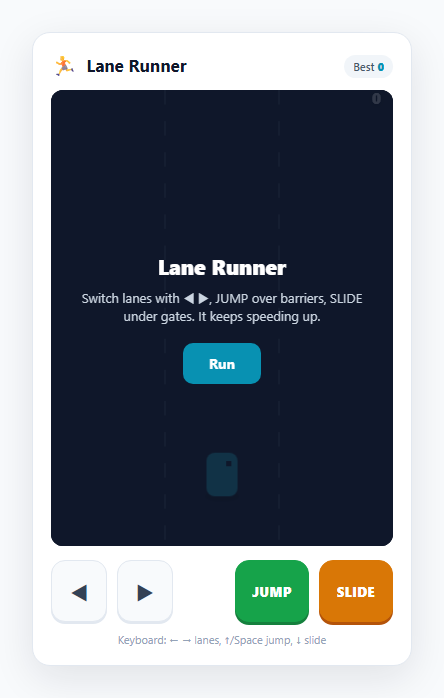
Endless runners are the most touch-native game genre there is: the whole game is a handful of instant decisions — left, right, jump, slide — made against an obstacle stream that never stops speeding up. That maps onto four on-screen buttons with nothing left over, which makes this an ideal demonstration of *discrete-action* touch controls. This snippet builds a complete three-lane runner on a single HTML5 <canvas>, with an on-screen ◀ ▶ pair to change lanes and JUMP / SLIDE buttons for the two timed dodges, plus a full keyboard mapping.
Every control is a discrete tap, not a held state
Unlike a platformer where you *hold* to run, every input here is a one-shot event. Changing lanes nudges a target lane index; jumping and sliding start a fixed-duration timer. So all four on-screen buttons fire on pointerdown via a tiny tap() helper — there is no press-and-hold to manage and no stuck-input edge case, because nothing depends on the button still being down. The keyboard handlers call the exact same moveLane(), doJump() and doSlide() functions, so the two input methods are guaranteed to behave identically.
Lanes as an index, with smooth interpolation
The runner's lane is just an integer 0–2. moveLane() clamps it, and the runner's on-screen x-position eases toward the target lane centre every frame with a simple interpolation (curX += (targetX - curX) * k) rather than snapping — so a lane change reads as a quick slide, not a teleport. This split between the logical lane (used for collision) and the visual x (used for drawing) is a clean, reusable pattern for any grid-snapped movement that should still look fluid.
Three obstacle types that each demand a different verb
The obstacle stream teaches three distinct reactions. A green barrier must be jumped; an amber overhead gate must be slid under; a red block fills every lane but one, so it must be *avoided* by switching lanes. Collision is deliberately simple and readable: an obstacle only matters if it is in the runner's lane and inside the runner's vertical band, and then a jumpT/slideT timer being active is what lets you pass a barrier or gate. Any other case is a crash. Because the jump and slide are timed windows, mistiming them fails exactly as a real runner does — jumping too early lands you before the barrier.
A rising speed curve and distance scoring
Speed is a continuous function of distance travelled, and the gap between spawned obstacle rows shrinks as distance grows, so the game gets relentlessly faster and denser. The score is the distance travelled, shown live, and the best is persisted to localStorage. Movement is delta-time scaled so the runner covers the same ground per second on any refresh rate.
Build with AI
Build, Understand, Optimize, and Extend It With AI
Paste this snippet's HTML, CSS and JS into an AI assistant like Claude and ask it to explain the all-taps control model, the split between the logical lane index and the interpolated visual x, and the timed jump/slide collision windows. It is a strong base to extend: ask for collectible coins with a magnet power-up, a shield that absorbs one hit, a combo multiplier for near-misses, curved or forking tracks, sprite-sheet run/jump/slide animation, or a difficulty that ramps in named stages. You could also ask it to add haptic feedback on mobile via the Vibration API, or to port the loop into a React component using useRef and useEffect for the animation-frame lifecycle. Treat it as a working prototype to question and rebuild rather than a finished game.
Prompt to recreate it
Copy this into your AI assistant of choice to build the effect from scratch, or as a jumping-off point for your own variant:
Build a mobile-friendly endless three-lane runner game on an HTML5 canvas in plain HTML, CSS and JavaScript — no frameworks.

Requirements:
- A runner that auto-advances down a three-lane track. The player changes lanes and performs a jump and a slide. Provide on-screen buttons for lane-left, lane-right, JUMP and SLIDE, AND keyboard controls (arrows + Space). Every control is a discrete single tap fired on pointerdown — do not use press-and-hold. Both input methods must call the same action functions.
- Represent the current lane as an integer used for collision, but draw the runner at a separate x-position that eases toward the target lane centre each frame so lane changes animate smoothly instead of snapping.
- Include three obstacle types: a barrier that must be jumped, an overhead gate that must be slid under, and a solid block that fills all lanes but one and must be avoided by changing lanes. Jump and slide are timed windows (fixed-duration timers) so mistiming fails; only one of jump/slide can be active at a time.
- Use requestAnimationFrame with delta-time scaling. Make the game speed and obstacle spawn density both increase continuously with distance travelled.
- Score by distance travelled, shown live, and persist the best score in localStorage with defensive try/catch. Show start and game-over overlays, scrolling lane dividers for a sense of motion, and a squash/lift animation on the runner for slide and jump.
Want to tighten it up first? Run this prompt through the AI Prompt Studio to score it across 8 quality dimensions, catch anti-patterns, and tune the wording for Claude, ChatGPT, or Gemini before you paste it in.
Step by step
How to Use
- 1Start runningTap "Run" to call startGame(), which resets the runner to the centre lane, clears the obstacle stream, and starts the delta-time requestAnimationFrame loop. The runner auto-advances; you only steer and dodge.
- 2Switch lanesTap ◀ or ▶ (or the Left/Right arrow keys) to change lanes. Each tap nudges the lane index; the runner eases smoothly to the new lane rather than snapping.
- 3Jump the green barriersTap JUMP (or ↑ / Space) as a low green barrier approaches. Jump is a timed window (a jumpT countdown), so timing matters — jump too early and you land before clearing it.
- 4Slide under the amber gatesTap SLIDE (or ↓) for the overhead amber gates. The runner squashes for the slide window; you can only jump or slide one at a time.
- 5Dodge the red blocksRed blocks fill every lane but one and cannot be jumped or slid — you must switch to the open lane in time. This is what forces lane changes into the rhythm.
- 6Beat your distanceThe score is the distance travelled and rises continuously; the game speeds up and obstacles pack tighter as you go. Your best persists in localStorage under lane-runner-best. Tune speed, JUMP_MS, SLIDE_MS and the spawn gap in the JS.
Real-world uses
Common Use Cases
Got questions?
Frequently Asked Questions
Every action in an endless runner is instantaneous: a lane change nudges an index, and jump/slide start a fixed-duration timer. None of them depend on the button staying pressed, so each on-screen button simply fires its function on pointerdown. That removes any need to track button release and eliminates the "stuck input" edge case entirely, while the keyboard handlers call the identical functions.
The lane is a logical integer used for collision, but the runner is drawn at a separate x-position that eases toward the target lane centre each frame with curX += (targetX - curX) * k. That interpolation turns an instant index change into a visible quick slide. Keeping the logical lane and the visual position separate is a clean pattern for any movement that snaps to a grid but should still animate.
Jump and slide are timed windows, not toggles. Pressing JUMP starts a jumpT countdown, and you only clear a barrier if that timer is still active when the barrier reaches the runner band. Pressing too early means the window has expired by the time you reach the obstacle. Red blocks additionally cannot be jumped or slid at all — the only way past them is to be in the open lane.
Both the speed and the spawn density scale with distance travelled. Speed is speed = 3.4 + distance * 0.0009, so the runner accelerates continuously, and the gap between spawned obstacle rows shrinks toward a floor as distance grows. Together they make later stages both faster and busier, which is what gives an endless runner its escalating pressure.
Yes. The best distance score is stored in localStorage under lane-runner-best and read on load, so it persists across reloads and browser restarts on the same browser and origin. The read and write are wrapped in try/catch so the game still runs in sandboxed or private contexts where storage access can throw.