You Might Also Like
Learn Coding Visually
Learn to code with interactive, live-preview playgrounds — HTML, CSS, JavaScript, React & more.
 HTML Playground42 lessons · Click-based · Live preview
 CSS PlaygroundLearn CSS with a live editor
 JavaScript Playground60 lessons · DOM · Async · Canvas
 React PlaygroundLearn React with a live code editor
 GSAP PlaygroundLearn GSAP animation interactively
 SVG Playground44 lessons · shapes · paths · animation
 SCSS Playground45 lessons · Sass modules · tokens
 Tailwind PlaygroundLearn Tailwind CSS with a live editor
 Bootstrap 5 Playground50 lessons · live preview
GSAP Flip Layout Transition — Free Grid/List Reorder Snippet
GSAP Flip Layout Transition · Animations · Plain HTML, CSS & JS · Live preview
What's included
Features
About this UI Snippet
GSAP Flip Layout Transition — Smoothly Morph Between Layouts
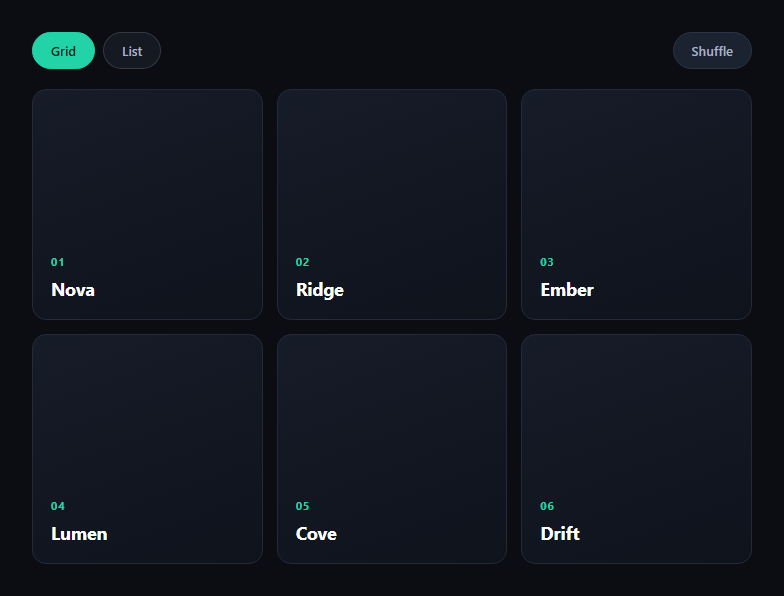
The GSAP Flip layout transition snippet solves a problem that's genuinely hard to animate by hand: when a layout changes — grid to list, or cards reordering — every element's position and size changes at once, and animating that manually means calculating deltas yourself. GSAP's Flip plugin (First, Last, Invert, Play) does it for you, loaded from a CDN alongside GSAP core.
Capture, mutate, animate
The pattern is three steps, wrapped in one runFlip helper. First, Flip.getState('#flBoard .fl-card') records the current position and size ("First") of every card. Then the DOM mutation runs — toggling the is-list class or reordering the cards — which jumps the layout to its new state ("Last") instantly, with no visible animation. Finally Flip.from(state, ...) compares the recorded state to the new layout, inverts each card back to where it used to be, and plays it forward to its new position — the actual "Play" step, all handled internally.
Two very different triggers, one helper
Both the grid/list toggle and the shuffle button call the same runFlip function with a different mutation callback. That's the point of Flip: it doesn't care why the layout changed — a class toggle, a re-sort, or a filter — it just diffs before and after and animates the gap. Any DOM change that alters position, size, or existence of matched elements can be Flipped this way.
Options that shape the feel
stagger: 0.03 offsets each card's animation slightly so a full-board reflow doesn't move as one rigid block. absolute: true temporarily takes cards out of flow during the animation so they can cross over each other without fighting the grid's own reflow. ease: 'power2.inOut' gives the motion a smooth accelerate-decelerate curve appropriate for a layout shift rather than an entrance.
Preventing double-clicks
The view buttons guard against re-triggering on the already-active view (if (btn.classList.contains('is-active')) return), so clicking Grid while already in grid view doesn't run a no-op Flip.
Customizing it
Add more layout variants (masonry, single column), animate additions/removals with Flip.fit or the onEnter/onLeave callbacks, or combine it with a filter UI. Pair it with a drag sort list or bento grid for a fuller layout toolkit.
Build with AI
Build, Understand, Optimize, and Extend It With AI
Paste this snippet's HTML, CSS, and JS into an AI coding assistant like Claude and ask it to walk through exactly what Flip.getState captures, why the DOM mutation happens with zero animation in between, and how Flip.from reconstructs the illusion of continuous motion from two static snapshots. It's also a good snippet to extend with an assistant's help — ask for onEnter/onLeave handling so newly shuffled-in or filtered-out cards animate distinctly, a masonry layout variant, or a version driven by a real drag-to-reorder interaction instead of a shuffle button. Use the conversation to understand the First-Last-Invert-Play technique well enough to apply it to your own layout changes, not just this one.
Prompt to recreate it
Copy this into your AI assistant of choice to build the effect from scratch, or as a jumping-off point for your own variant:
Build a "Flip layout transition" board in plain HTML, CSS, and JavaScript using GSAP with its Flip plugin (load both from a CDN).

Requirements:
- A card board with a CSS grid layout and controls to (a) toggle between a grid view and a stacked list view via a class swap, and (b) shuffle the cards into a random order.
- Implement a reusable helper function that: captures Flip.getState() of all card elements, runs an arbitrary DOM-mutating callback (class toggle or reorder), and then calls Flip.from() on the captured state to animate every card from its old position/size to its new one.
- Both the grid/list toggle and the shuffle action must go through the same helper function — do not write separate animation logic for each trigger.
- Configure Flip.from with a moderate duration, an inOut easing curve, a small stagger so cards don't all move in perfect lockstep, and absolute: true so cards can cross paths during the shuffle without being fought by the live CSS grid reflow.
- Guard the grid/list toggle buttons so clicking the already-active view does not re-trigger a no-op Flip animation.
- Do not hardcode any card's target x/y position — Flip must derive all motion from the actual before/after DOM measurements.
Want to tighten it up first? Run this prompt through the AI Prompt Studio to score it across 8 quality dimensions, catch anti-patterns, and tune the wording for Claude, ChatGPT, or Gemini before you paste it in.
Step by step
How to Use
- 1Add the GSAP CDNsInclude gsap and Flip from the CDN panel.
- 2Paste HTML, CSS, and JSA card board with Grid/List/Shuffle controls renders.
- 3Click ListCards smoothly morph from a grid into a stacked list.
- 4Click GridThey morph back, animated the same way.
- 5Click ShuffleCards reorder and animate from old to new position.
- 6Resize the windowLayout stays responsive; the next Flip still works.
Real-world uses
Common Use Cases
Got questions?
Frequently Asked Questions
Flip doesn't animate properties you specify — it animates the difference between two DOM states it measures itself. Flip.getState captures each element's position and size before a change; after your mutation runs, Flip.from measures the new layout and animates every matched element from its old bounding box to its new one.
Flip.getState must run while the layout is still in its original arrangement, so it has something to diff against. The mutation (toggling a class, reordering nodes) then happens instantly with no animation, and Flip.from immediately inverts the visual result back to the recorded start state and animates it forward — that's what makes the transition look continuous.
Without it, cards animating to new positions can be shoved around by the CSS grid's own live reflow while mid-transition, especially when several cards cross paths during a shuffle. absolute: true temporarily takes matched elements out of normal flow for the duration of the Flip so they can move freely and settle into their final grid position.
Flip supports that too, via onEnter and onLeave callbacks passed to Flip.from, which let you animate newly-added or about-to-be-removed elements separately from the ones simply changing position. This snippet only covers reorder and layout-class changes, but the same getState/mutate/Flip.from pattern extends to insertions and removals.
Call Flip.getState before you update the state that drives the DOM change (e.g. before setState), let the framework re-render, then call Flip.from in a layout effect that runs after the DOM update. In React, useLayoutEffect is the right place; keep the getState snapshot in a ref so it survives the render.