You Might Also Like
Learn Coding Visually
Learn to code with interactive, live-preview playgrounds — HTML, CSS, JavaScript, React & more.
 HTML Playground42 lessons · Click-based · Live preview
 CSS PlaygroundLearn CSS with a live editor
 JavaScript Playground60 lessons · DOM · Async · Canvas
 React PlaygroundLearn React with a live code editor
 GSAP PlaygroundLearn GSAP animation interactively
 SVG Playground44 lessons · shapes · paths · animation
 SCSS Playground45 lessons · Sass modules · tokens
 Tailwind PlaygroundLearn Tailwind CSS with a live editor
 Bootstrap 5 Playground50 lessons · live preview
500 Internal Server Error Page — Free HTML CSS JS Full-Page Snippet
500 Internal Server Error Page · Layouts · Plain HTML, CSS & JS · Live preview
What's included
Features
About this UI Snippet
500 Internal Server Error Page — HTML, CSS & JavaScript Snippet
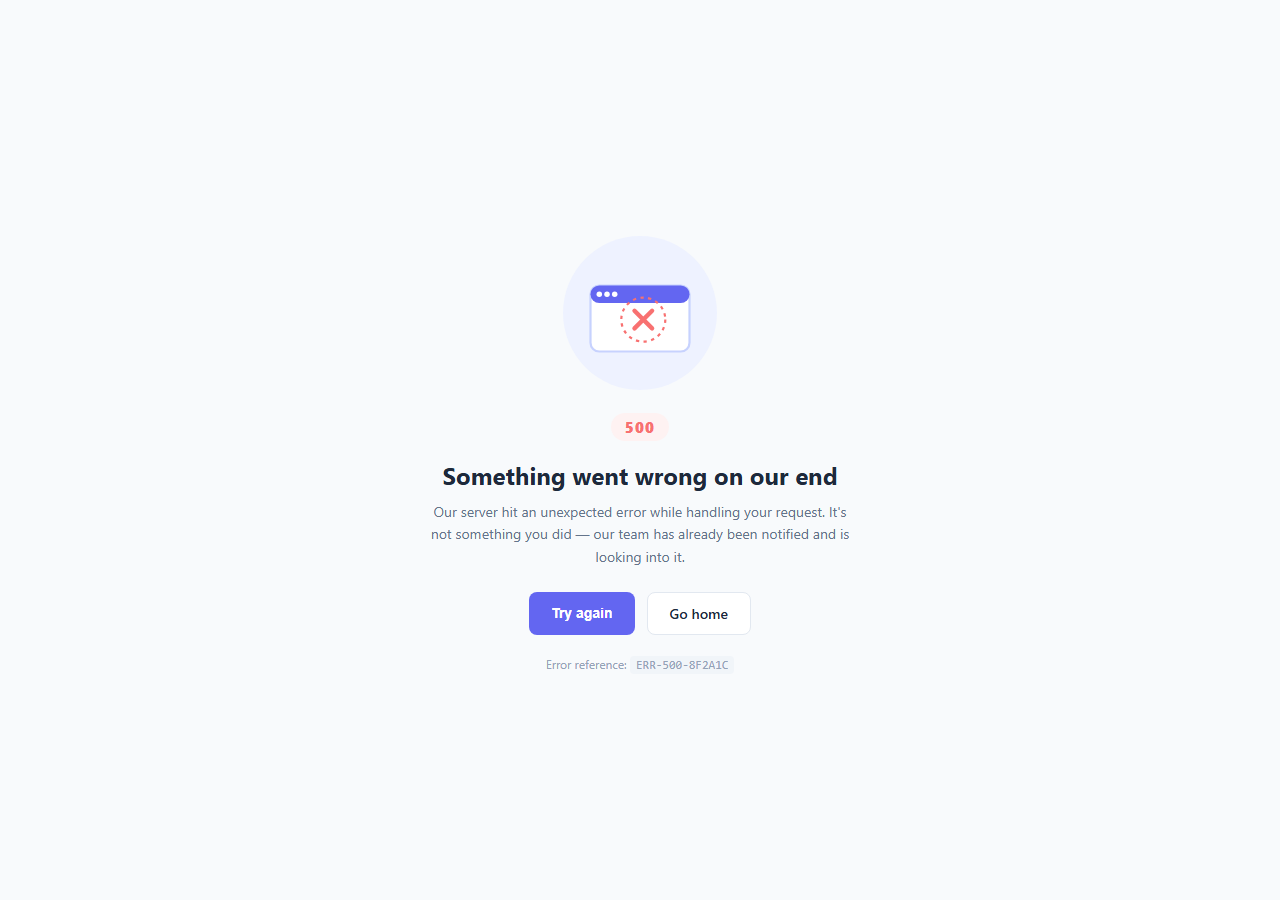
A 500 error means something broke on the server, not something the visitor did wrong — but a bare "Internal Server Error" text page still feels alarming and offers no path forward. A good error page acknowledges the problem in plain language, gives the user something to do next, and provides a reference they (or your support team) can use to trace the specific incident.
This snippet builds that full-page state in plain HTML, CSS, and vanilla JavaScript, with a self-contained inline SVG illustration and no external image assets.
The illustration
The graphic is a single inline <svg> — a rounded browser-window shape with a red X and a dashed circle overlaid to suggest "broken," all drawn with basic shapes (circle, rect, path). Because it's inline SVG rather than a <img> pointing at a hosted file, it has zero network requests, scales crisply at any size, and its colors can be restyled directly in the CSS panel by targeting its fill/stroke attributes if you convert them to CSS custom properties.
The two-action pattern
Two buttons cover the two realistic outcomes: "Try again" calls location.reload() for the common case where the error was transient (a dropped connection, a momentary server hiccup), and "Go home" is a plain link back to a safe, known-good page. Keeping to exactly two clear actions avoids overwhelming someone who just hit an error with a long list of options.
Why show an error reference code
The ERR-500-8F2A1C-style reference at the bottom gives users something concrete to quote to support, and gives your team something to grep for in server logs. In production, generate this from your actual error-tracking system (like a Sentry event id or a request id from your logging middleware) rather than hardcoding it — it should uniquely identify the specific failed request.
Tone matters
The copy deliberately avoids technical jargon and blame — "Something went wrong on our end" plus "it's not something you did" reassures the visitor the issue is on your side, which measurably reduces frustration and abandonment on error pages compared to a raw stack trace or HTTP status text.
Build with AI
Build, Understand, Optimize, and Extend It With AI
Give this snippet's HTML, CSS, and JS to an AI coding assistant like Claude and ask it to help you wire the page into your specific backend framework's error-handling flow — for example, generating the exact Express middleware, Next.js pages/500.js file, or Nginx error_page directive needed to serve this markup whenever a real 500 occurs, and how to safely pass through a real error reference id without leaking sensitive stack trace details to the end user. It's also worth asking the assistant to review the inline SVG and suggest how to convert its hardcoded fill/stroke colors into CSS custom properties so the illustration can be themed from the stylesheet instead of edited inline.
Prompt to recreate it
Copy this into your AI assistant of choice to build the effect from scratch, or as a jumping-off point for your own variant:
Build a full-page 500 Internal Server Error state in plain HTML, CSS, and JavaScript — no external image assets, no illustration library.

Requirements:
- A self-contained inline SVG illustration (not an <img> tag) built from basic SVG shapes that visually communicates "something is broken," such as a browser-window shape with an X or warning mark overlaid.
- A short, non-technical heading and a one-sentence explanation that clearly communicates the failure is on the server side, not something the visitor did wrong, and reassures them the team has been notified.
- Exactly two action buttons: a primary "Try again" button that reloads the current page (or, ideally, retries the specific failed request), and a secondary "Go home" link back to a safe page — do not present more than these two options.
- A small, visually de-emphasized error reference code near the bottom of the page (e.g. a monospace-styled string) that a user could quote to support, generated dynamically from a real error id in a production setting rather than hardcoded.
- The entire page must be centered vertically and horizontally in the viewport at any screen size, with no dependency on any specific backend framework in the markup itself.
Want to tighten it up first? Run this prompt through the AI Prompt Studio to score it across 8 quality dimensions, catch anti-patterns, and tune the wording for Claude, ChatGPT, or Gemini before you paste it in.
Step by step
How to Use
- 1Load the snippetClick "500 Internal Server Error Page" in the sidebar Library tab to see the full-page error state in the preview.
- 2Wire it to your server frameworkConfigure your backend or hosting platform (e.g. a custom error page route, or a Next.js pages/500.js file) to render this markup when a 500 status occurs.
- 3Connect the retry buttonIn the JS panel, replace or extend the click handler to retry the specific failed request or API call instead of a full location.reload().
- 4Generate a real error referenceReplace the hardcoded ERR-500-8F2A1C text with a real event or request id from your error-tracking or logging system.
- 5Restyle the illustrationEdit the inline SVG's fill and stroke colors in the HTML panel to match your brand palette.
- 6Export in your formatClick "HTML" for a standalone file, "JSX" for React, or "Tailwind" for React + Tailwind CSS.
Real-world uses
Common Use Cases
Got questions?
Frequently Asked Questions
A 500 error means the server encountered an unexpected condition it could not handle — this page is only the user-facing display for that state; it does not fix the underlying server issue, which needs to be diagnosed from your server logs.
This depends on your framework: Express apps typically use an error-handling middleware that renders a custom template on error; Next.js looks for a pages/500.js (or app/error.tsx) file; most static hosts and reverse proxies (Nginx, Apache) let you configure a custom error_page for 5xx responses.
In this snippet it is hardcoded as a placeholder. In production, generate it from your actual error-tracking tool (such as a Sentry event id) or your server's request-id middleware, so support staff can look up the exact failed request that produced the page.
By default it calls location.reload(), which re-requests the current page — a reasonable default recovery action for transient errors. For a single-page app, you may want to instead retry just the specific API call that failed rather than reloading the whole page.
No. It is inline SVG markup directly in the HTML, so there is no image file to host, no extra network request, and it scales sharply at any size or screen density.
A 404 means the requested resource does not exist (a broken link, wrong URL), which is often something the user or a link author caused. A 500 means the server itself failed while trying to fulfill a valid request — the copy and framing here specifically make clear the fault is server-side, not the user's.
Yes. The SVG uses plain fill and stroke attributes on its shapes — edit those hex values directly in the HTML panel, or convert them to CSS custom properties if you want to theme the illustration from the stylesheet instead.
Generally no for production/customer-facing environments — showing internal error details can leak sensitive information and is unhelpful to most users. Keep detailed technical information in your logging/monitoring system, and show only a safe, opaque reference code on the page itself.