You Might Also Like
Learn Coding Visually
Learn to code with interactive, live-preview playgrounds — HTML, CSS, JavaScript, React & more.
 HTML Playground42 lessons · Click-based · Live preview
 CSS PlaygroundLearn CSS with a live editor
 JavaScript Playground60 lessons · DOM · Async · Canvas
 React PlaygroundLearn React with a live code editor
 GSAP PlaygroundLearn GSAP animation interactively
 SVG Playground44 lessons · shapes · paths · animation
 SCSS Playground45 lessons · Sass modules · tokens
 Tailwind PlaygroundLearn Tailwind CSS with a live editor
 Bootstrap 5 Playground50 lessons · live preview
Swipeable Cards Stack — Free HTML CSS JS Tinder-Style Swipe Snippet
Swipeable Cards Stack · Cards · Plain HTML, CSS & JS · Live preview
What's included
Features
About this UI Snippet
Swipeable Cards Stack — HTML, CSS & JavaScript Draggable Card Swiper
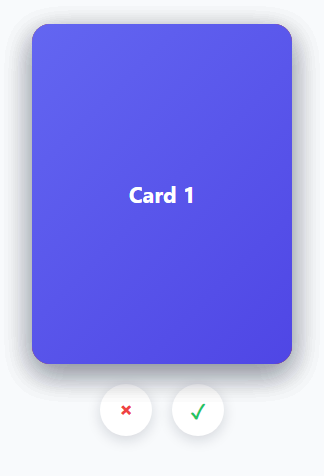
The Tinder-style swipe stack is a widely recognized interaction: a pile of cards where the top one can be dragged left or right, rotates slightly as it's dragged, and either flies off-screen if dragged far enough or springs back to center if released short of the threshold. This snippet implements the whole interaction using the modern Pointer Events API, which unifies mouse, touch, and stylus input into a single set of events.
How only the top card is draggable
Every .swipe-card gets a drag listener attached via attachDrag, but each listener's pointerdown handler immediately checks if (card !== getTopCard()) return. getTopCard() returns the *last* element in the .swipe-card NodeList, since later siblings render on top in normal DOM stacking order. This guard means clicking or touching a card buried underneath the top one does nothing — only the visually topmost card responds to drag gestures.
How the drag and rotation work
pointermove computes currentX/currentY as the offset from the initial pointerdown position, then sets transform: translate(...) rotate(...) directly via inline style. The rotation angle is simply currentX / 12 — a card dragged 120px to the right rotates 10 degrees, giving the drag a natural, physical feel where horizontal movement and tilt are proportionally linked, mimicking how a physical card would pivot as you slide it across a table.
How pointer capture keeps the drag reliable
card.setPointerCapture(e.pointerId) is called on pointerdown. This ensures all subsequent pointer events for that same pointer continue to fire on the card element even if the cursor moves faster than the browser can track and briefly ends up outside the card's bounds — without it, fast drags could "lose" the card and stop responding to movement.
How the fly-off and reset decision is made
On pointerup, currentX is compared against a SWIPE_THRESHOLD constant (100px). Past the threshold in either direction, finishSwipe adds a .fly-left or .fly-right class, which uses !important transform values and a CSS transition to animate the card off-screen and fade it out; a transitionend listener (with { once: true }) then removes the card from the DOM once the animation actually finishes, so the next card underneath becomes the new top card automatically. If the drag didn't clear the threshold, the inline transform is simply cleared, and the card's own CSS transition (present whenever .dragging isn't active) animates it smoothly back to center.
How the accept/reject buttons reuse the same logic
The two action buttons call programmaticSwipe(direction), which finds the current top card via the same getTopCard() helper and calls the identical finishSwipe function used by a real drag gesture — buttons and touch/mouse dragging are just two different triggers for the same underlying swipe logic.
Build with AI
Build, Understand, Optimize, and Extend It With AI
Ask an AI assistant to explain why using the Pointer Events API (pointerdown/pointermove/pointerup plus setPointerCapture) is preferable here to handling separate mousedown/touchstart event families, especially for a gesture-heavy component like this one. It's also a great prompt for adding a visual "LIKE"/"NOPE" label that fades in as the card is dragged past a partial threshold (before the full commit threshold), or for wiring up a callback that fires with the swiped-away card's data so the app can act on the accept/reject decision.
Prompt to recreate it
Copy this into your AI assistant of choice to build the effect from scratch, or as a jumping-off point for your own variant:
Build a "swipeable cards stack" (Tinder-style card swiper) in plain HTML, CSS, and vanilla JavaScript using the Pointer Events API — no touch/mouse-specific duplicated handlers, no library.

Requirements:
- A stack of absolutely-positioned cards layered on top of each other, where only the visually topmost card (the last one in DOM order) responds to drag gestures — cards underneath must be completely inert to pointer input.
- Dragging the top card must translate it with the cursor/finger and rotate it proportionally to the horizontal drag distance, using setPointerCapture on pointerdown so fast drags do not lose tracking if the pointer briefly exits the card's bounds.
- On release, if the horizontal drag distance exceeds a configurable threshold in either direction, the card must animate fully off-screen in that direction (continuing its rotation) and fade out, then be removed from the DOM only after that animation visually completes — not immediately on release.
- If the drag did not exceed the threshold, the card must smoothly animate back to its original centered position instead of the drag transform snapping away instantly.
- Two demo buttons (accept, reject) must trigger the exact same off-screen animation and removal logic as a real drag, applied to whichever card is currently on top.
- Disable the browser's native touch scrolling on the cards so the drag gesture works cleanly on touch devices.
Want to tighten it up first? Run this prompt through the AI Prompt Studio to score it across 8 quality dimensions, catch anti-patterns, and tune the wording for Claude, ChatGPT, or Gemini before you paste it in.
Step by step
How to Use
- 1Load the snippetClick "Swipeable Cards Stack" in the sidebar Library tab to load the four-card stack.
- 2Drag the top cardClick and drag (or touch-drag) the top card left or right in the preview and release past the edge to see it fly off.
- 3Try the action buttonsClick the reject (×) and accept (✓) buttons below the stack to trigger the same swipe animation programmatically.
- 4Adjust the swipe thresholdChange SWIPE_THRESHOLD in the JS panel to require a longer or shorter drag before a card commits to flying off.
- 5Add more cardsAdd new .swipe-card divs before the existing ones in the HTML (earlier siblings render underneath) — attachDrag runs for every card automatically.
- 6Export and saveExport as HTML/JSX/Tailwind or click "Save as" to reuse this stack in a real matching or review-queue interface.
Real-world uses
Common Use Cases
Got questions?
Frequently Asked Questions
Every card has a drag listener attached, but each pointerdown handler checks whether the card being touched is the last element in the .swipe-card list (which renders on top due to normal DOM stacking order). If it isn't the top card, the handler exits immediately and does nothing.
The rotation angle is calculated as the horizontal drag distance divided by a fixed factor (12), so the further the card is dragged sideways, the more it tilts — mimicking how a real card pivots when slid across a surface, rather than staying perfectly upright.
It locks all subsequent pointer events for that specific pointer to the card element, even if the cursor temporarily moves outside the card's boundaries during a fast drag. Without it, quick drags could stop firing move events on the card and appear to "drop" the gesture.
On release, the total horizontal drag distance is compared against a SWIPE_THRESHOLD constant. If it exceeds the threshold in either direction, the card animates off-screen. Otherwise, its inline transform is cleared and its own CSS transition smoothly returns it to the center position.
Removing the card immediately on release would cut off the fly-off animation before it visually plays. Waiting for the transitionend event guarantees the card is only removed once the CSS animation has actually finished, so the next card underneath appears cleanly.
Both paths call the same finishSwipe(card, direction) function — buttons just find the current top card programmatically and invoke it directly, rather than deriving the direction from a live drag gesture.
Yes — Pointer Events unify mouse, touch, and stylus input, and touch-action: none on the card prevents the browser's default scroll/zoom gestures from interfering with the drag on touch devices.