Learn Coding Visually
Learn to code with interactive, live-preview playgrounds — HTML, CSS, JavaScript, React & more.
 HTML Playground42 lessons · Click-based · Live preview
 CSS PlaygroundLearn CSS with a live editor
 JavaScript Playground60 lessons · DOM · Async · Canvas
 React PlaygroundLearn React with a live code editor
 GSAP PlaygroundLearn GSAP animation interactively
 SVG Playground44 lessons · shapes · paths · animation
 SCSS Playground45 lessons · Sass modules · tokens
 Tailwind PlaygroundLearn Tailwind CSS with a live editor
 Bootstrap 5 Playground50 lessons · live preview
Logo Cloud — Animated Trusted-By Marquee Snippet
Logo Cloud · Layouts · Plain HTML & CSS · Live preview
What's included
Features
translateX(0) to -50% loops endlessly with an invisible wrap-around — no JavaScript.mask-image gradient fades the track to transparent at both edges, giving the premium vignette that polished marquees have.animation-play-state: paused halts the scroll while hovered so users can read or click a specific logo.transform, so it stays smooth and is preserved cleanly across the Tailwind/React exports.--c variable — no external requests, no broken images, crisp at any size.prefers-reduced-motion block ships with it — uncomment to stop the scroll and lay logos out as a centred grid for motion-sensitive visitors.About this UI Snippet
Logo Cloud — Infinite Marquee, Edge-Fade Mask & Grayscale-to-Colour Hover
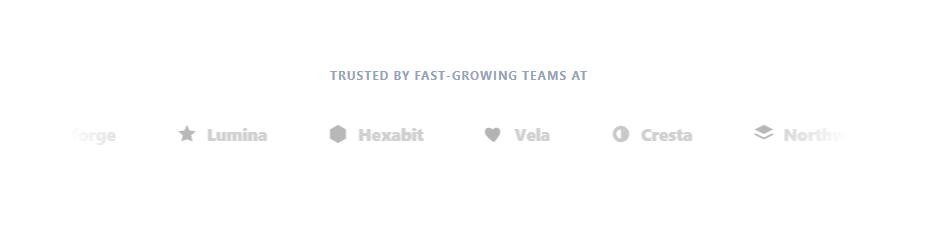
A logo cloud — the "trusted by" or "as seen in" strip of customer and partner logos — is one of the highest-converting elements on a landing page, borrowing credibility from recognisable brands. The most modern, eye-catching version is an infinite marquee: the logos drift continuously across the section, fade softly at both edges, pause when you hover, and reveal their brand colour on hover. This snippet implements that in pure HTML and CSS with no JavaScript.
The seamless infinite loop
The marquee works by duplicating the logo set twice inside a single flex track and animating it with transform: translateX(0) to translateX(-50%) on an infinite linear loop. Because the second half is an exact copy of the first, the moment the animation reaches −50% the track is visually identical to its start, so it snaps back invisibly — a perfectly seamless, never-ending scroll. The duplicate set is marked aria-hidden="true" so screen readers only announce each brand once. Using a transform keeps the animation on the GPU (smooth) and, crucially, export-safe.
Edge-fade mask
To avoid logos appearing and vanishing abruptly at the section edges, a mask-image linear-gradient fades the track to transparent on the left and right (transparent → opaque 10%…90% → transparent). This soft "vignette" is what makes a marquee feel premium rather than mechanical, and it focuses attention on the centre.
Pause on hover, colour on hover
The whole track pauses via animation-play-state: paused when the marquee is hovered, so visitors can read a specific logo or click it. Each logo also sits grayscale and dimmed by default (filter: grayscale(1)) and animates to full brand colour with a slight lift on hover — the classic logo-cloud treatment that keeps the strip calm until you engage with it. Each logo's colour comes from a --c custom property on an inline SVG mark, so there are no external image requests and the marks stay crisp at any size.
Export-safe by design
Utility frameworks like Tailwind drop CSS properties they can't map to a class when converting single-class rules. To guarantee the animation and mask survive the React/Tailwind export, this snippet places them on compound selectors (.lc-marquee .lc-track, .lc .lc-marquee) which the converter preserves as residual CSS verbatim — so the marquee animates and fades identically in every export.
Accessible and motion-aware
The marquee scrolls by default so the effect is visible everywhere. For production, a commented prefers-reduced-motion block is included — uncomment it to stop the scroll and lay the logos out as a centred grid (hiding the duplicates) for visitors who opt out of motion, keeping the content fully usable. Pair this with a hero section above it, a testimonial slider for quotes, and a feature cards grid below for a complete landing page.
Build with AI
Build, Understand, Optimize, and Extend It With AI
You do not need to work out why this marquee needs zero JavaScript by inspecting it cold. Paste this snippet's HTML, CSS, and JS into an AI coding assistant like Claude and ask it to explain precisely why the lc-scroll keyframe only needs to travel to translateX(-50%) rather than -100% to loop seamlessly, and why the animation and mask-image are deliberately placed on compound selectors like .lc-marquee .lc-track instead of a single class. The same assistant can help optimize it, for instance asking whether the duplicated logo set could be generated from one data array instead of hand-duplicated markup, which would make adding a ninth logo far less error-prone. It is also useful for extending the effect: ask it to add a second row scrolling the opposite direction for a denser wall, make individual logos clickable through to partner pages without breaking the marquee's hover-pause, or wire in the prefers-reduced-motion fallback so it activates automatically instead of staying commented out. Treat the code less like a finished artifact and more like a starting point for a conversation.
Prompt to recreate it
Copy this into your AI assistant of choice to build the effect from scratch, or as a jumping-off point for your own variant:
Build an infinite "logo cloud" marquee in plain HTML and CSS only, with no JavaScript and no animation library.

Requirements:
- A flex row (the track) containing a list of logo items, each pairing an inline SVG mark with a text label, followed immediately by an exact duplicate of the same list marked aria-hidden="true" so assistive tech only announces each brand once.
- The track's width must be set to fit its content (not a fixed pixel width) so it works with any number of logos, and it must animate via a single CSS keyframe that translates it from translateX(0) to translateX(-50%) on an infinite linear loop, relying entirely on the exact duplication of content for the wrap to be visually seamless.
- The marquee's outer container must apply a CSS mask-image linear-gradient that fades the track to transparent at both the left and right edges, without adding any extra overlay elements.
- Hovering the marquee container must pause the scroll animation using only animation-play-state (no JavaScript), and each individual logo must transition from a desaturated, dimmed default state (grayscale filter, reduced opacity) to full color and full opacity with a slight upward lift on hover.
- The scroll animation and the edge-fade mask must be declared on compound selectors (e.g. a class combined with a descendant class) rather than a single simple class, specifically so a Tailwind/utility-class converter preserves them as residual CSS instead of silently dropping unmappable properties.
- Include, as a commented-out or conditionally-applied block, a prefers-reduced-motion media query that stops the animation and re-lays the logos out as a static centered wrap grid, hiding the duplicated aria-hidden set in that mode.
Want to tighten it up first? Run this prompt through the AI Prompt Studio to score it across 8 quality dimensions, catch anti-patterns, and tune the wording for Claude, ChatGPT, or Gemini before you paste it in.
Step by step
How to Use
- 1Paste HTML and CSSA "Trusted by fast-growing teams at" strip appears with eight brand logos drifting continuously across the section, faded at both edges.
- 2Watch the loopThe logos scroll in a seamless infinite loop — the duplicated set makes the wrap-around invisible.
- 3Hover the stripThe whole marquee pauses so you can read or click a logo, and individual logos turn from grayscale to full brand colour with a lift.
- 4Swap in real logosReplace each inline SVG with a company's actual logo (SVG or
<img>), keeping both the original and its duplicate in sync. - 5Tune the speedChange the
26sduration in thelc-scrollanimation — longer is slower and calmer, shorter is faster. - 6Check reduced motionWith OS "reduce motion" enabled, the scroll stops and the logos lay out as a centred grid instead.
Real-world uses
Common Use Cases
Got questions?
Frequently Asked Questions
Replace each inline <svg> with the brand's actual logo (SVG is best — crisp, recolourable, no request) in both the original and the .lc-dup duplicate, keeping the two sets identical so the loop stays seamless. For raster logos use <img src="/logos/acme.svg" alt="Acme">; the grayscale and hover still apply. Give the visible set meaningful text/alt and keep the duplicate aria-hidden.
The track holds two copies of the logo list and animates translateX from 0 to −50% (exactly one copy's width) on an infinite linear loop. When it reaches −50% the visible content is identical to the start, so the reset is invisible. The key requirements: the two sets must be identical and the gap pattern uniform, so the period repeats perfectly.
When utility frameworks (Tailwind) convert a single-class rule like .lc-track, they map each property to a utility and silently drop anything unmappable — which would lose the animation and mask-image. Putting them on compound selectors (.lc-marquee .lc-track) makes the converter keep them as residual CSS verbatim, so the marquee animates and fades identically in the React + Tailwind export.
Yes — the duplicated set is aria-hidden so each brand is announced once, hover pauses the motion so users can read or click a logo, and each logo has meaningful text (the wordmark span or an alt on images) for assistive tech. For motion-sensitive visitors, uncomment the included prefers-reduced-motion block to stop the scroll and lay the logos out as a static centred grid; it ships commented so the effect is visible by default, so enable it for production.
Render the logo list twice from a { name, color, svg } array (map once normally, once with aria-hidden): in React use .map, in Vue v-for, in Angular *ngFor. No state or lifecycle hooks are needed — the marquee, mask, pause-on-hover, and grayscale are entirely CSS and port verbatim. Control speed via the animation duration in the stylesheet.