You Might Also Like
Learn Coding Visually
Learn to code with interactive, live-preview playgrounds — HTML, CSS, JavaScript, React & more.
 HTML Playground42 lessons · Click-based · Live preview
 CSS PlaygroundLearn CSS with a live editor
 JavaScript Playground60 lessons · DOM · Async · Canvas
 React PlaygroundLearn React with a live code editor
 GSAP PlaygroundLearn GSAP animation interactively
 SVG Playground44 lessons · shapes · paths · animation
 SCSS Playground45 lessons · Sass modules · tokens
 Tailwind PlaygroundLearn Tailwind CSS with a live editor
 Bootstrap 5 Playground50 lessons · live preview
Drag to Reveal Side Panel — Free Edge-Drag JS Snippet
Drag to Reveal Side Panel · Navigation · Plain HTML, CSS & JS · Live preview
What's included
Features
About this UI Snippet
Drag to Reveal Side Panel — Live Drag Distance, Snap on Release
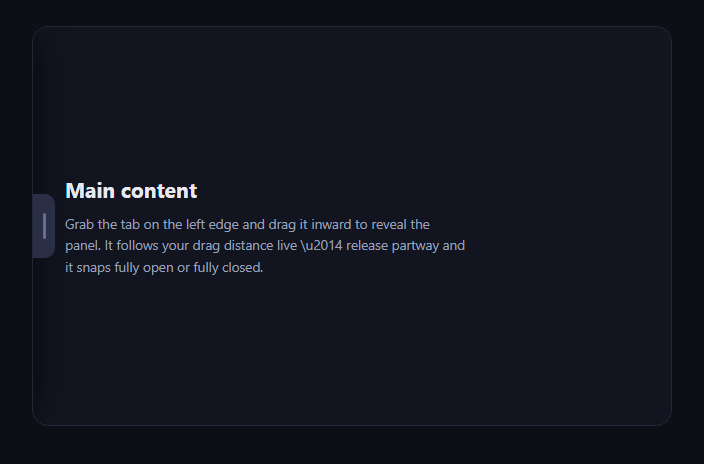
This is a genuine drag-to-reveal gesture, not a click-toggled sidebar — dragging the edge handle partway shows the panel partway revealed in real time, and releasing snaps it fully open or fully closed based on how far you dragged. It is a different mechanic from drag-to-resize panels, which resizes two permanently-visible adjacent panes; here, one pane starts fully hidden and the drag's only job is to reveal or re-hide it.
The offset is the single source of truth
Exactly one number, currentOffset, drives everything: it ranges from -PANEL_WIDTH (fully hidden, panel translated completely off-screen) to 0 (fully revealed), and applyOffset() is the only function that ever sets it. It positions the panel's transform: translateX, moves the handle so it always sits at the panel's current right edge, and derives the scrim's opacity as revealFraction * 0.45 — so the backdrop dims proportionally to how far the panel has been dragged, not in a separate step that could drift out of sync.
Live tracking, not a toggle
onDragMove computes dx, the distance moved since the drag started, and calls applyOffset(startOffset + dx, false) on every single pointer move — the false disables the CSS transition during the drag so the panel's position is pinned exactly to the pointer with no lag or easing, which is what makes a partial drag show a genuinely partial reveal rather than a threshold-triggered snap happening mid-gesture.
Threshold-based snap on release
onDragEnd computes how far open the panel is as a fraction (revealFraction) and compares it to SNAP_THRESHOLD (0.4): past 40% open, it settles fully open; short of that, it settles fully closed. settle() re-enables the transition (withTransition: true) so this final snap animates smoothly, unlike the frame-by-frame drag itself.
A tap still works as a toggle
If the handle receives a click with almost no actual drag distance, it toggles the panel outright — so the control works both as a drag gesture and as a conventional tap-to-toggle affordance, covering visitors who don't realize (or don't want) to drag.
Customizing it
Change PANEL_WIDTH and SNAP_THRESHOLD, move the handle and panel to the right edge by mirroring the transform math, or drop the scrim for a push-content layout instead of an overlay. Pair it with swipe delete list or elastic drag slider for more drag-distance-driven interactions.
Build with AI
Build, Understand, Optimize, and Extend It With AI
You don't have to work out the live-drag-plus-snap logic on your own. Paste this snippet's HTML, CSS, and JS into an AI coding assistant like Claude and ask it to explain exactly why applyOffset() is the single function that ever changes the panel's position, and how deriving the handle's left position and the scrim's opacity from that same offset value (rather than tracking them separately) guarantees all three elements can never visually drift out of sync. The same assistant can help you optimize it — for instance asking whether the drag should ignore very small accidental movements (a drag threshold) before committing to "dragging" mode, so a slightly-off tap doesn't get misread as a drag. It's also useful for extending the interaction: ask it to support opening from the right edge as well as the left with the same code mirrored, add velocity-based flinging so a fast short drag can still fully open the panel even under the distance threshold, or persist the panel's open/closed state across page loads with localStorage. Treat the code less like a finished artifact and more like a starting point for a conversation.
Prompt to recreate it
Copy this into your AI assistant of choice to build the effect from scratch, or as a jumping-off point for your own variant:
Build a "drag to reveal side panel" interaction in plain HTML, CSS, and JavaScript with real pointer-drag tracking — not a click-only toggle.

Requirements:
- A panel positioned off-screen by default (e.g. via transform: translateX(-100%) for a left-edge panel) and a visible drag handle tab positioned at the panel's current trailing edge, plus a semi-transparent scrim overlay behind the panel and above the main content.
- Track the panel's reveal state as a single offset value ranging from fully-hidden to fully-revealed, with exactly one function responsible for applying that value to the panel's transform, the handle's position, and the scrim's opacity (derived as a proportional fraction of the offset) — no separate code path should be able to move these independently.
- On pointer/touch down on the handle, record the starting pointer position and the panel's current offset. On every subsequent move event while dragging, compute the distance moved since the drag started and set the panel's offset to the starting offset plus that distance (clamped to the valid range), with CSS transitions disabled during this live phase so the panel's position is pinned exactly to the pointer with zero lag — a drag stopped halfway must show the panel genuinely halfway revealed, not snapped to an endpoint mid-gesture.
- On release, compute the current reveal amount as a fraction of the panel's full width and compare it to a configurable snap threshold (e.g. 0.4): if past the threshold, animate the panel the rest of the way to fully open; otherwise animate it back to fully closed. This final snap must use a CSS transition, unlike the frame-by-frame drag itself.
- Support both mouse and touch input through a single shared coordinate-reading helper (not duplicated logic per input type), and use touch-action: none on the handle so dragging on mobile does not also scroll the page.
- Clicking the scrim while the panel is open must close it, and a handle click with negligible drag distance must toggle the panel as a conventional tap, so the control works both as a drag gesture and as a simple click.
Want to tighten it up first? Run this prompt through the AI Prompt Studio to score it across 8 quality dimensions, catch anti-patterns, and tune the wording for Claude, ChatGPT, or Gemini before you paste it in.
Step by step
How to Use
- 1Paste HTML, CSS, and JSA hidden panel and edge handle render over the content.
- 2Drag the handle inwardThe panel slides open live, tracking your drag distance.
- 3Release past the halfway pointIt snaps fully open with an eased animation.
- 4Release before thatIt snaps back fully closed instead.
- 5Tap the scrim or drag backEither closes an open panel.
- 6Tune the feelChange PANEL_WIDTH and SNAP_THRESHOLD.
Real-world uses
Common Use Cases
Got questions?
Frequently Asked Questions
Every pointermove-equivalent event computes dx, the distance moved since the drag started, and calls applyOffset(startOffset + dx, false) with the transition disabled. Because this runs on every single move event with no threshold check in between, the panel's on-screen position is pinned exactly to wherever the pointer currently is — a drag stopped halfway genuinely shows the panel halfway revealed, not snapped to one state or the other mid-gesture.
onDragEnd computes revealFraction, the panel's current offset expressed as a 0-to-1 fraction of PANEL_WIDTH, and compares it against SNAP_THRESHOLD (0.4 by default). If more than 40% of the panel was revealed when the drag ended, settle(true) animates it the rest of the way open; otherwise settle(false) animates it back closed. This threshold is the only thing that decides the outcome — the drag itself never snaps early.
applyOffset takes a withTransition flag. During onDragMove it's always false, so the panel's transform updates instantly and exactly matches pointer position with zero animation lag — any easing during the live drag would make the panel visibly lag behind your finger. Once the drag ends, settle() calls applyOffset with withTransition: true so the final snap to fully open or fully closed animates smoothly instead of jumping.
Drag-to-resize panels keeps two panes permanently visible and uses a drag to redistribute width between them — neither pane is ever fully hidden. This snippet's panel starts completely off-screen (translateX(-100%)) and the drag's entire purpose is to reveal or re-hide it; there's no second pane being resized, and the interaction ends in one of exactly two settled states rather than anywhere along a continuous range.
Keep currentOffset, dragging, and startX/startOffset in refs since they update on every move event, and apply the transform/left/opacity styles imperatively via the refs rather than through state to avoid re-rendering on every pixel of drag. Attach the mouse/touch listeners in a mount effect with cleanup, and only touch component state (e.g. an isOpen boolean) at the end of the gesture in settle().