You Might Also Like
Learn Coding Visually
Learn to code with interactive, live-preview playgrounds — HTML, CSS, JavaScript, React & more.
 HTML Playground42 lessons · Click-based · Live preview
 CSS PlaygroundLearn CSS with a live editor
 JavaScript Playground60 lessons · DOM · Async · Canvas
 React PlaygroundLearn React with a live code editor
 GSAP PlaygroundLearn GSAP animation interactively
 SVG Playground44 lessons · shapes · paths · animation
 SCSS Playground45 lessons · Sass modules · tokens
 Tailwind PlaygroundLearn Tailwind CSS with a live editor
 Bootstrap 5 Playground50 lessons · live preview
Scroll Product Launch Story — Free GSAP ScrollTrigger Cinematic Reveal
Scroll Product Launch Story · Scroll · Plain HTML, CSS & JS · Live preview
What's included
Features
About this UI Snippet
Scroll Product Launch Story — A Cinematic Device Reveal Driven by One Timeline
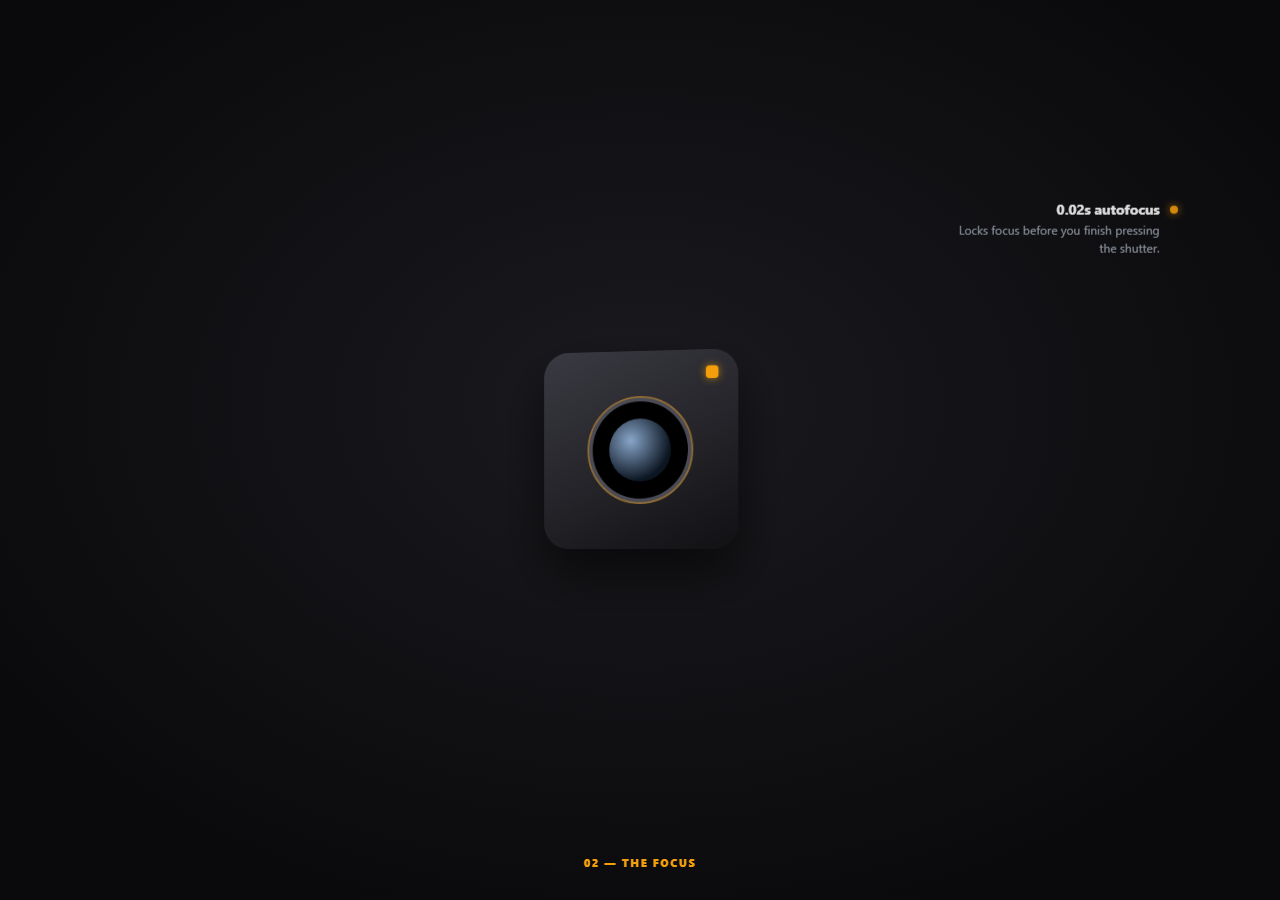
Product launch pages want a specific feeling: the device settles into frame, and features get introduced one at a time without ever losing the object at the center of attention. This snippet builds that entirely from one pinned, scrubbed GSAP timeline — no separate pins per feature, no manually staggered ScrollTriggers to keep in sync.
One timeline, one pin, three synchronized callouts
Rather than pinning three separate sections (one per feature, each needing its own enter/exit logic), a single gsap.timeline() is attached to one ScrollTrigger covering the entire 3200px pinned distance. The device's settle-and-tilt animation, and all three callouts' fade-in/fade-out pairs, are all positioned on this one timeline using absolute time offsets (0, 0.3, 1.4, 1.5...) — so their relative timing is fixed and readable in one place, instead of scattered across multiple trigger configs that would need separate distance math to line up.
Callouts occupy non-overlapping timeline slices
Each callout gets an in-tween and an out-tween scheduled back-to-back on the shared timeline (callout 1 fades in at 0.3, out at 1.4; callout 2 fades in at 1.5, right after callout 1 finishes exiting). Because they're all on the same timeline rather than independently-triggered elements, there's no risk of two callouts appearing on screen simultaneously by accident — their timing is declared relative to each other, not computed from separate viewport-crossing calculations.
A derived chapter label, not a fourth manually-timed tween
Rather than adding a fourth set of tweens just to swap the "01 — The Lens" style label, an onUpdate callback reads the master timeline's own current .time() and buckets it into whichever chapter's range it falls in. The label is a pure function of the timeline's existing playhead position — one more derived output riding on the same scrubbed value everything else already uses.
A real (if simple) 3D tilt, not a flat scale
transformPerspective: 800 is set once via gsap.set() before the timeline runs, which is what turns the rotateY tween on the device from a horizontally-squashed flat animation into something that reads as genuine 3D rotation settling toward the camera — a detail easy to miss since rotateY alone, without a perspective value on the element or its parent, looks visually wrong.
Customizing it
Swap the CSS-built camera body for a real product photo or a Three.js-rendered model (see scroll GLB turntable for that variant), and reposition the three callouts to point at whatever features matter — their timeline slice offsets are independent of their screen position, so moving a callout's top/left in CSS never affects its timing. Follow with the scroll stat reveal story pattern for an even more dramatic specs section.
Build with AI
Build, Understand, Optimize, and Extend It With AI
Paste this snippet's HTML, CSS, and JS into an AI coding assistant like Claude and ask it to explain why scheduling the device animation and all three feature callouts on one shared GSAP timeline, using absolute time offsets, makes their relative pacing easier to reason about than giving each element its own independent ScrollTrigger, and how the chapter label derives its text purely from the timeline's own current time rather than needing a fourth tween. The same assistant can help extend the sequence — ask it to add a fourth callout with a matching non-overlapping timeline slice, replace the CSS-built device with a real product photo using clip-path reveals, or add a subtle particle/glow burst timed to the exact moment the device finishes settling into frame. Treat the code as a working starting point for your own cinematic product reveal.
Prompt to recreate it
Copy this into your AI assistant of choice to build the effect from scratch, or as a jumping-off point for your own variant:
Build a "scroll product launch story" cinematic reveal in plain HTML, CSS, and JavaScript using GSAP with its ScrollTrigger plugin, loaded from a CDN with no bundler.

Requirements:
- A pinned full-viewport section containing one central "device" element built from CSS shapes and gradients (representing a physical product), three absolutely-positioned feature callout elements scattered around it (each starting hidden, with a small label and description), and a chapter/section label element, preceded by an intro hero section with a product name and tagline and followed by a static specs grid section and a final call-to-action section.
- Create a single GSAP timeline attached to one ScrollTrigger on the pinned section, using pin: true and a scrub value, covering one large total scroll distance for the entire pinned sequence.
- On that single timeline, using absolute time-offset position parameters (not relative "+=" chaining), animate the device element scaling up and rotating from an initial tilted, smaller state to its full settled state across the timeline's early portion, and schedule each of the three callouts to fade and slide in, hold, then fade and slide back out, in three back-to-back, strictly non-overlapping time slices later on the same timeline.
- Set an explicit CSS 3D perspective value on the device element (via a transform-perspective style) before the timeline runs, so that the rotation animation reads as genuine 3D depth rather than a flat horizontal squash.
- Add an onUpdate callback on the master timeline that reads the timeline's own current playhead time and derives which chapter/callout is currently "active" purely from that time value, updating a text label accordingly — do not create any additional timeline or tween just to drive this label.
- Ensure the entire pinned sequence — device settling, all three callouts, and the chapter label — reverses correctly and smoothly when the visitor scrolls back up, purely as a consequence of the single scrubbed timeline, with no separate reverse-direction logic written by hand.
Want to tighten it up first? Run this prompt through the AI Prompt Studio to score it across 8 quality dimensions, catch anti-patterns, and tune the wording for Claude, ChatGPT, or Gemini before you paste it in.
Step by step
How to Use
- 1Add GSAP and ScrollTriggerLoad both from the CDN and call gsap.registerPlugin(ScrollTrigger).
- 2Paste the HTML, CSS, and JSThe device starts small and untilted; callouts start hidden.
- 3Scroll into the pinned sectionThe device settles into frame while callouts fade in and out in sequence.
- 4Watch the chapter labelIt updates automatically, derived from the shared timeline's own playhead time.
- 5Scroll back upEvery tween reverses cleanly since the whole sequence is one scrubbed timeline.
- 6Swap the device and calloutsReplace the CSS-built body with a real photo or 3D model and reposition callouts freely.
Real-world uses
Common Use Cases
Got questions?
Frequently Asked Questions
Putting everything on one gsap.timeline() attached to a single ScrollTrigger means every tween's timing is expressed as a position on the same shared clock, using absolute time offsets like 0.3 or 1.5. That guarantees the callouts can never overlap by accident and makes the whole sequence's pacing readable in one place, rather than needing to hand-tune three separate pinned sections' start/end distances to line up with each other.
An onUpdate callback on the master timeline reads master.time() — the timeline's own current playhead position in seconds — and buckets that value into whichever chapter's time range it falls within, then writes the matching label text. Because it derives its value from the same timeline everything else already runs on, there's no separate tween or trigger needed just to keep a text label in sync.
CSS 3D transforms like rotateY only look three-dimensional when the element (or an ancestor) has a perspective value applied — without one, a Y-axis rotation just visually squashes the element's width flat, with no sense of depth. Setting transformPerspective: 800 via gsap.set() before the timeline runs gives the browser the depth context it needs to render the rotateY tween as a real tilt settling toward the viewer.
Callout position on screen (top, left, right, bottom in the CSS) and callout timing (its offset on the master timeline in the JS) are completely independent of each other. Moving a .pls-callout element's CSS position to point at a different part of the device has zero effect on when it fades in or out — that's controlled purely by its scheduled position on the shared timeline.
Create the master timeline and its ScrollTrigger inside a mount effect after the device and callout elements have rendered, storing the timeline instance in a ref so both the onUpdate callback and the cleanup function can access it. Call timeline.scrollTrigger.kill() (which also removes the timeline's pin) in the cleanup function to avoid duplicate triggers across re-renders.