You Might Also Like
Learn Coding Visually
Learn to code with interactive, live-preview playgrounds — HTML, CSS, JavaScript, React & more.
 HTML Playground42 lessons · Click-based · Live preview
 CSS PlaygroundLearn CSS with a live editor
 JavaScript Playground60 lessons · DOM · Async · Canvas
 React PlaygroundLearn React with a live code editor
 GSAP PlaygroundLearn GSAP animation interactively
 SVG Playground44 lessons · shapes · paths · animation
 SCSS Playground45 lessons · Sass modules · tokens
 Tailwind PlaygroundLearn Tailwind CSS with a live editor
 Bootstrap 5 Playground50 lessons · live preview
Scroll Day/Night Sky Cycle — Free GSAP ScrollTrigger Sun & Moon Orbit
Scroll Day/Night Sky Cycle · Scroll · Plain HTML, CSS & JS · Live preview
What's included
Features
About this UI Snippet
Scroll Day/Night Sky Cycle — Sun and Moon on One Real Orbit, Not Two Faked Arcs
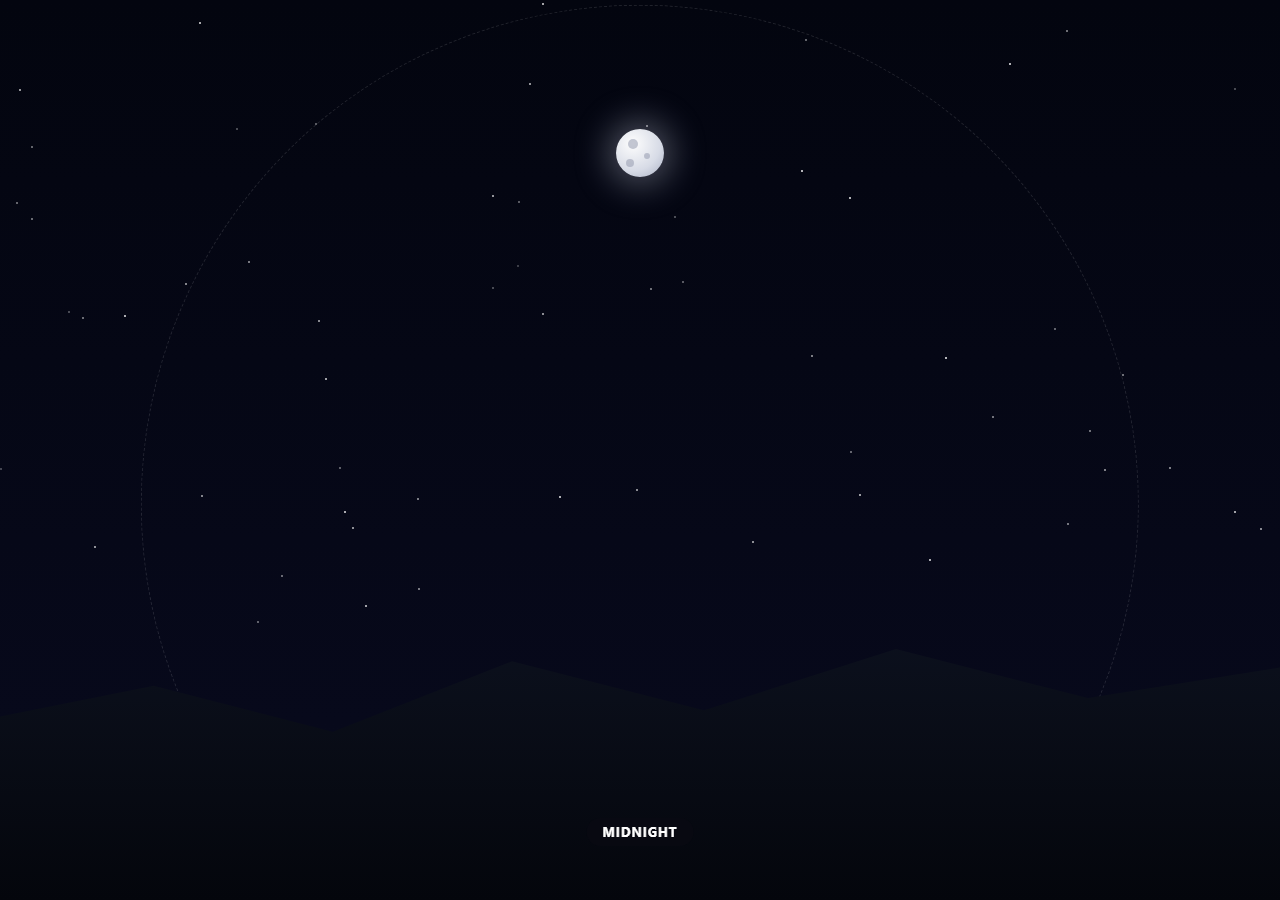
Most "day to night" scroll effects fake it: a sun that arcs up and down on one side, a separately-tuned moon animation bolted on afterward, colours that jump between fixed states instead of actually blending. This snippet builds the real thing — the sun and moon are two points on the exact same circular orbit, always exactly half a rotation (180°) apart, which is the actual geometric relationship between them in the sky. Scroll drives one continuous angle; everything else — position, sky colour, star visibility — is computed from that single number.
One angle, two bodies
place(el, angle) converts an angle into an (x, y) position on a circle using x = cx + r·sin(θ), y = cy − r·cos(θ), so θ = 0 sits at the top of the circle (midday) and the body sweeps clockwise as the angle grows. The moon is placed at sunAngle + Math.PI — literally the same formula, just offset by half a circle — so when the sun is highest in the sky, the moon is at the bottom of the orbit (hidden), and as the sun sets on one side, the moon is simultaneously rising on the other. That relationship falls out of the geometry for free; it isn't two separate timelines someone had to keep in sync by hand.
A circle that still reads as a horizon
A literal circular orbit would have the sun and moon visibly swinging *below* the ground, which breaks the illusion. The fix is simple: once a body's computed y position drops past a threshold near the bottom of the orbit, its opacity fades out over a few percent of scroll — so it disappears behind the hills silhouette exactly where a horizon would hide it, while the underlying motion stays a real, unbroken circle the whole time.
Colour as a lookup table, not a fixed set of states
The sky gradient comes from STOPS, an array of colour keyframes at specific points around the full cycle (midday, sunset, midnight, sunrise, and back to midday), each defined as top/bottom RGB pairs. skyColorAt(p) finds which two stops the current progress falls between and linearly interpolates every RGB channel, so the sky is always a real blend between two named states — never a hard cut and never an approximation.
Stars as a single opacity, not individually-animated dots
Sixty star elements are scattered once, with random position and per-star opacity baked in at creation time. Only the *container's* opacity animates — driven by Math.cos(p·2π)·-1 clamped to zero, which peaks at exactly p = 0.5 (midnight) and hits zero at p = 0 and p = 1 (midday) — so the whole starfield fades in and out as one cheap, GPU-composited property instead of animating sixty elements individually.
Customizing it
Change RX/RY for a taller or flatner orbit, add more STOPS for finer colour control (a golden-hour stop, a blue-hour stop), or swap the fixed +=3200 scroll distance for a value proportional to viewport height. Pair it with scroll color sections for more scroll-driven palette work, or scroll reveal grid for a GSAP ScrollTrigger stagger pattern.
Build with AI
Build, Understand, Optimize, and Extend It With AI
Paste this snippet's HTML, CSS, and JS into an AI coding assistant like Claude and ask it to explain exactly why offsetting the moon's angle by Math.PI from the sun's angle is enough to guarantee they're always on opposite sides of the same circle, and how the sin/cos formula in place() converts a single angle into a screen position. It's also useful for extending the effect — ask it to add a golden-hour glow that intensifies right as the sun crosses the horizon-fade threshold, make the orbit radius responsive to viewport aspect ratio so it doesn't distort on very wide or narrow screens, or add cloud layers that drift independently during the daytime portion of the cycle. Use the conversation to build real intuition for parametric circular motion before adapting the same technique to a different orbiting-element effect.
Prompt to recreate it
Copy this into your AI assistant of choice to build the effect from scratch, or as a jumping-off point for your own variant:
Build a "scroll day/night sky cycle" effect in plain HTML, CSS, and JavaScript using GSAP with its ScrollTrigger plugin (load both from a CDN).

Requirements:
- A pinned full-viewport sky section (GSAP ScrollTrigger pin: true) that the user scrolls through, with an intro section before it and an outro section after.
- The sun and moon must be positioned using the SAME circular-orbit formula (x = centerX + radiusX * sin(angle), y = centerY - radiusY * cos(angle)) around one shared center point, with the moon's angle always computed as the sun's current angle plus Math.PI (exactly half a rotation) — do not give them two independently-tuned animations; the opposition relationship must fall out of the shared formula.
- Drive the shared angle directly from ScrollTrigger's scroll progress (progress * Math.PI * 2 for one full 0-to-360-degree rotation across the pinned scroll distance), using scrub so the motion ties tightly to scroll position and reverses cleanly when scrolling back up.
- Add a horizon/hills silhouette element near the bottom of the sky, and fade each orbiting body's opacity to zero as its computed y-position passes a threshold near the bottom of the circle, so the true circular motion still reads visually as a natural rise-and-set behind the horizon rather than the sun/moon visibly swinging below the ground.
- Implement the sky background as a linear-gradient whose two colors (top and bottom) are computed by linearly interpolating between RGB keyframe stops defined at specific scroll-progress points around the full cycle (at minimum: midday, sunset, midnight, and sunrise), so the color is always a real blend rather than switching between a fixed set of colors.
- Scatter a field of 40-60 small star elements once with randomized position and per-star opacity, then animate only the star container's overall opacity (not each star individually) using a formula that peaks at the midnight point of the cycle and reaches zero at the midday point.
- Display a small text label showing the current phase of the cycle (e.g. Dawn, Midday, Sunset, Dusk, Midnight, Sunrise), derived from the same scroll-progress value used for everything else.
Want to tighten it up first? Run this prompt through the AI Prompt Studio to score it across 8 quality dimensions, catch anti-patterns, and tune the wording for Claude, ChatGPT, or Gemini before you paste it in.
Step by step
How to Use
- 1Add the GSAP CDNsInclude gsap and ScrollTrigger from the CDN panel.
- 2Paste HTML, CSS, and JSAn intro, the pinned sky, and an outro render, starting at midday.
- 3Scroll through the pinned sectionThe sun arcs across, sets, and the moon rises as the sky darkens.
- 4Keep scrolling to midnightStars reach full brightness exactly as the sky hits its darkest stop.
- 5Continue to sunrise and back to middayThe sun and moon swap again — the same one-circle relationship holds.
- 6Scroll back upThe whole cycle reverses cleanly since everything is a pure function of progress.
Real-world uses
Common Use Cases
Got questions?
Frequently Asked Questions
The moon's angle is computed as sunAngle + Math.PI — literally the sun's current angle plus half a circle in radians. Since both use the identical place() function to convert an angle into an (x, y) position on the same circle, they are mathematically guaranteed to stay 180° apart at every scroll position, which mirrors the real relationship between the sun and moon in the sky.
They do travel through that part of the circle mathematically, but each body's opacity is computed from how far its calculated y position has passed a threshold near the bottom of the orbit, fading it to zero over the last few percent before it would visibly cross the hills. The motion itself stays a true, unbroken circle; only the opacity creates the illusion of setting behind a horizon.
A STOPS array defines RGB colour pairs (top and bottom of the gradient) at specific progress points around the full cycle — midday, sunset, midnight, sunrise, and back to midday. skyColorAt(p) finds which two stops the current progress sits between and linearly interpolates each RGB channel, so the sky is a genuine blend at every scroll position, not a jump between fixed colours.
All 60 stars get their position and base opacity once, at creation. Only the parent container's opacity is animated on scroll, using Math.cos(p · 2π) · -1 clamped to zero — a formula that naturally peaks at midnight and hits zero at midday. Animating one property instead of sixty keeps the effect cheap even though the starfield looks detailed.
Register ScrollTrigger and create the ScrollTrigger.create() call inside a mount effect, scoping the trigger element and the sun/moon/stars/label refs to the component instance. The render(progress) function is a pure function of one number and touches only style properties, so it ports directly — just replace direct DOM references with refs and call render() from the same onUpdate callback. Kill the ScrollTrigger instance in the cleanup function.