You Might Also Like
Learn Coding Visually
Learn to code with interactive, live-preview playgrounds — HTML, CSS, JavaScript, React & more.
 HTML Playground42 lessons · Click-based · Live preview
 CSS PlaygroundLearn CSS with a live editor
 JavaScript Playground60 lessons · DOM · Async · Canvas
 React PlaygroundLearn React with a live code editor
 GSAP PlaygroundLearn GSAP animation interactively
 SVG Playground44 lessons · shapes · paths · animation
 SCSS Playground45 lessons · Sass modules · tokens
 Tailwind PlaygroundLearn Tailwind CSS with a live editor
 Bootstrap 5 Playground50 lessons · live preview
Newsletter Signup Popup Modal — Free HTML CSS JS Snippet
Newsletter Signup Popup Modal · Modals · Plain HTML, CSS & JS · Live preview
What's included
Features
About this UI Snippet
Newsletter Popup Modal — HTML, CSS & JavaScript Signup Snippet
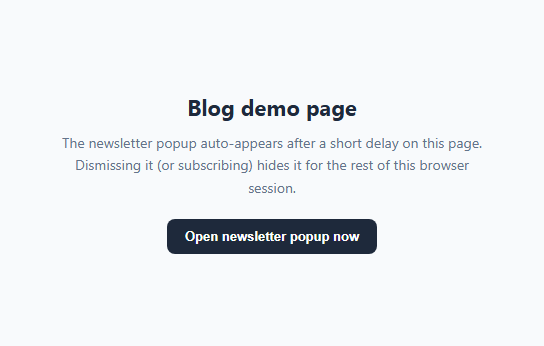
A newsletter popup is one of the highest-converting, most-hated UI patterns on the web — high-converting when it appears at a reasonable time and disappears politely, hated when it reappears every single page load. The difference between the two usually comes down to two implementation details: *when* it triggers, and whether it *remembers* being dismissed.
This snippet implements both correctly using plain HTML, CSS, and vanilla JavaScript.
How the delayed auto-show works
A single setTimeout(openNewsletterModal, AUTO_SHOW_DELAY) call fires 3 seconds after the page loads (configurable via the AUTO_SHOW_DELAY constant), rather than showing the modal instantly. This gives a visitor a moment to actually see the page content before being interrupted — a widely recommended practice for popup timing.
How session-based dismissal memory works
Before that timeout even fires, the script checks sessionStorage.getItem('newsletterPopupDismissed'). sessionStorage (unlike localStorage) is automatically cleared when the browser tab is closed, so "remembers for the session" specifically means: don't show it again on this visit, but a fresh visit next week starts clean. Three actions all set that flag: closing the modal explicitly, submitting the form successfully, and clicking outside the modal on the dark overlay — all of them count as "the user has made a decision, stop showing this."
How the open/close animation works
The overlay is a fixed, full-screen rgba scrim that transitions opacity and visibility together, and the modal card itself scales up from 0.92 and slides up slightly (translateY(10px) to 0) as the .visible class is applied — a subtle pop-in rather than an instant snap.
Manually triggering the modal
The demo page includes an "Open newsletter popup now" button calling openNewsletterModal() directly, showing that the same modal can be triggered on demand — from an exit-intent listener, a scroll-depth trigger, or a manual "Subscribe" link in your footer — independent of the automatic delayed trigger.
Closing behavior
Three separate interactions close the modal: the explicit × button, clicking the dark overlay outside the card, and a successful form submission (which shows a success message for 1.8 seconds before auto-closing). All three funnel through the same closeNewsletterModal/dismissNewsletterModal functions so there's a single source of truth for the modal's visibility state.
Build with AI
Build, Understand, Optimize, and Extend It With AI
Give this snippet's HTML, CSS, and JS to an AI coding assistant like Claude and ask it to explain the tradeoffs between sessionStorage and localStorage for popup dismissal memory, and to help you decide which is more appropriate for your specific product's growth goals. It's also a great snippet to extend with the assistant's help — ask it to add an exit-intent trigger using a mouseleave listener on the document that fires only when the cursor moves toward the top of the viewport, to add a focus trap so Tab cycles only within the open modal for full accessibility compliance, or to wire the placeholder subscribe call to a specific email service provider's API (Mailchimp, ConvertKit, or a custom backend) and handle its success/error responses in the existing success-message UI.
Prompt to recreate it
Copy this into your AI assistant of choice to build the effect from scratch, or as a jumping-off point for your own variant:
Build an auto-appearing newsletter signup popup modal in plain HTML, CSS, and JavaScript — no framework, no modal/popup library.

Requirements:
- A modal overlay and card, hidden by default, that automatically opens once via a configurable setTimeout delay after page load — do not show it immediately on load.
- Before showing it, check sessionStorage for a dismissal flag; if the user already dismissed or subscribed earlier in this browser session, do not auto-show the popup again for the rest of the session.
- Three distinct interactions must all count as a dismissal and set that sessionStorage flag: clicking an explicit close button, clicking the dark overlay outside the modal card, and successfully submitting the signup form.
- The modal must also be triggerable manually and on demand via a separate exposed function, independent of the automatic delayed trigger, so it can be wired to other triggers like a footer link or a scroll-based event later.
- On successful form submission, hide the form and show an inline success message in its place (no page navigation), then automatically close the modal after roughly two seconds.
- Include proper dialog accessibility markup — role="dialog", aria-modal="true", and aria-labelledby pointing at the modal's heading — and a smooth scale-and-fade transition driven by a single toggled CSS class, not by adding/removing the modal from the DOM.
Want to tighten it up first? Run this prompt through the AI Prompt Studio to score it across 8 quality dimensions, catch anti-patterns, and tune the wording for Claude, ChatGPT, or Gemini before you paste it in.
Step by step
How to Use
- 1Load the snippetClick "Newsletter Signup Popup Modal" in the sidebar Library tab. Wait about 3 seconds and the modal auto-appears in the preview.
- 2Dismiss it and reloadClose the modal, then reload the preview — it will not reappear, because sessionStorage remembers the dismissal for this browser tab.
- 3Trigger it manuallyClick "Open newsletter popup now" on the demo page to show the modal on demand, independent of the automatic timer.
- 4Submit the formEnter an email and submit — the form swaps to a success message before the modal auto-closes.
- 5Adjust the delayIn the JS panel, change the AUTO_SHOW_DELAY constant (in milliseconds) to control how long visitors see the page before the popup appears.
- 6Wire it to your backendReplace the commented-out fetch() placeholder in the submit handler with a real call to your email service provider's subscribe endpoint.
Real-world uses
Common Use Cases
Got questions?
Frequently Asked Questions
sessionStorage is automatically cleared when the browser tab or window closes, so "dismissed for this session" means the popup stays hidden for the rest of the current visit but reappears on a brand new visit later — which is friendlier than localStorage, which would suppress it permanently across every future visit until manually cleared.
Edit the AUTO_SHOW_DELAY constant near the top of the JS panel — it is the number of milliseconds after page load before the popup automatically appears. 3000 means 3 seconds.
Yes. Remove or keep the setTimeout call and add your own listener — for example a scroll listener checking window.scrollY against a percentage of document height, or a mouseleave listener on the document that fires when the cursor moves toward the top of the viewport — and call openNewsletterModal() from within it.
Yes. The overlay has a click listener that checks if the click target is the overlay itself (not the modal card), and if so calls dismissNewsletterModal(), which also sets the sessionStorage flag just like the close button does.
The form is hidden and a success message appears in its place, the sessionStorage dismissal flag is set immediately, and the modal automatically closes after about 1.8 seconds. You should replace the commented placeholder with a real fetch call to your email provider's API.
The modal has role="dialog", aria-modal="true", and aria-labelledby pointing at its heading, and all interactive elements are real buttons and inputs reachable via Tab. For full production accessibility, also add a focus trap that keeps Tab cycling within the modal while it is open, and return focus to the trigrigger element when it closes.
Yes. Add the code to the modal's markup (e.g. inside the success message, revealed after subscribing) or generate one dynamically from your backend's response to the subscribe request and inject it into the DOM.
Switch the storage calls from sessionStorage to localStorage — that persists the dismissal flag indefinitely across browser sessions until the user clears their site data.