Learn Coding Visually
Learn to code with interactive, live-preview playgrounds — HTML, CSS, JavaScript, React & more.
 HTML Playground42 lessons · Click-based · Live preview
 CSS PlaygroundLearn CSS with a live editor
 JavaScript Playground60 lessons · DOM · Async · Canvas
 React PlaygroundLearn React with a live code editor
 GSAP PlaygroundLearn GSAP animation interactively
 SVG Playground44 lessons · shapes · paths · animation
 SCSS Playground45 lessons · Sass modules · tokens
 Tailwind PlaygroundLearn Tailwind CSS with a live editor
 Bootstrap 5 Playground50 lessons · live preview
Accessible Modal Primitive — Real Keyboard Focus Trap and Focus Restoration
Accessible Modal Primitive with Real Focus Trap · Modals · Plain HTML, CSS & JS · Live preview
What's included
Features
About this UI Snippet
Modal Primitive with a Real Focus Trap — Correct, Not Just Visual
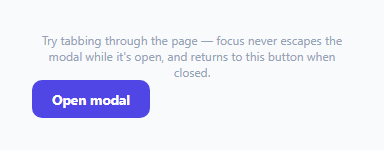
Countless modal implementations get the *visual* overlay right but skip the accessibility mechanics entirely — a sighted mouse user never notices, but a keyboard user tabbing through the page can end up focused on an element visually hidden behind the modal, or lose their place entirely once the modal closes. This snippet implements the two specific behaviors that matter most: a genuine focus trap while open, and accurate focus restoration on close.
Computing "what's focusable right now," not a static list
getFocusableElements() queries the modal for a standard set of naturally-focusable tags and attributes, then filters with .offsetParent !== null — a reliable way to exclude elements that are present in the DOM but not actually visible (display: none, or otherwise not rendered). This list is recomputed fresh every time it's needed rather than cached once, so it stays correct even if the modal's content changes while it's open.
The trap itself: intercepting Tab only at the boundaries
handleKeydown's Tab-handling logic doesn't try to intercept every Tab press — only the two boundary cases that actually matter: Shift+Tab while focus is on the *first* focusable element (which should wrap to the *last*), and plain Tab while focus is on the *last* element (which should wrap to the *first*). e.preventDefault() stops the browser's native tab order from taking over exactly at those two moments; every other Tab press inside the modal is left completely alone, moving focus normally between the modal's own elements — the trap only ever intervenes at the edges.
Two-way focus restoration, not just "closing the modal"
openModal() explicitly records document.activeElement into lastFocusedBeforeOpen *before* moving focus into the modal — capturing exactly what had focus at the moment the modal opened, not assuming it was necessarily the trigger button (it could have been reached via keyboard from anywhere). closeModal() then calls .focus() on that specific stored element, restoring the user's exact keyboard position rather than leaving focus on document.body or wherever the modal's own DOM removal happens to leave it — this is what lets a keyboard user continue exactly where they left off after dismissing the dialog.
Moving focus into the modal immediately on open
The instant the modal opens, focus is moved to its first focusable element ((focusables[0] || modal).focus()) rather than left on the now-visually-hidden trigger button behind the overlay — without this, a screen reader user would have no indication the modal even opened, since their reading position wouldn't have moved at all.
Build with AI
Build, Understand, Optimize, and Extend It With AI
Ask an AI assistant to explain precisely why the focus trap only needs to intercept Tab at the two boundary elements (rather than intercepting every single Tab press and manually walking the whole focus order), and to discuss what WCAG success criteria this pattern helps satisfy. It's also worth asking for a version that also handles focus trapping correctly when the modal's focusable elements can be dynamically disabled/enabled while it's open, or one that adds an initial-focus override so a specific field (rather than always the first focusable element) receives focus when the modal opens.
Prompt to recreate it
Copy this into your AI assistant of choice to build the effect from scratch, or as a jumping-off point for your own variant:
Build a minimal, fully accessible modal dialog primitive in HTML, CSS and vanilla JavaScript with a correct keyboard focus trap and focus restoration — no external libraries.

Requirements:
- A modal dialog with role="dialog", aria-modal="true", and aria-labelledby pointing to its heading, opened by a trigger button and closable via a Cancel button, a Confirm button, the Escape key, and a click on the overlay outside the modal content.
- Implement a genuine focus trap: while the modal is open, pressing Tab on the last focusable element inside it must wrap focus to the first focusable element, and pressing Shift+Tab on the first focusable element must wrap focus to the last — focus must never be able to reach any element outside the modal via Tab navigation while it's open.
- The set of focusable elements considered for the trap must be computed dynamically each time it's needed (not hardcoded or cached once), so elements added to or removed from the modal while it's open are correctly accounted for, and elements that are present but not visibly rendered must be excluded.
- When the modal opens, record whatever element currently has keyboard focus, then move focus into the modal itself (to its first focusable element). When the modal closes via any of its four closing methods, restore keyboard focus to that exact previously-recorded element rather than leaving it on the page body or nowhere in particular.
- Include a couple of different focusable element types inside the modal (e.g. text inputs, a link, and buttons) to demonstrate the trap correctly spans multiple element types, not just buttons.
Want to tighten it up first? Run this prompt through the AI Prompt Studio to score it across 8 quality dimensions, catch anti-patterns, and tune the wording for Claude, ChatGPT, or Gemini before you paste it in.
Step by step
How to Use
- 1Open the modal and press Tab repeatedlyFocus cycles through every focusable element inside the modal and wraps from the last back to the first — it never reaches the trigger button or page behind it.
- 2Press Shift+Tab from the first elementFocus wraps backward to the last focusable element in the modal, completing the trap in both directions.
- 3Close the modal via Cancel, Confirm, Escape, or clicking outsideIn every case, keyboard focus returns to exactly the element that had it before the modal opened.
- 4Add or remove focusable content inside the modalgetFocusableElements() re-queries the modal fresh every time it's needed, so new inputs, links or buttons are automatically included in the trap with no additional wiring.
- 5Reuse this primitive for any modal contentSwap the fields/buttons inside .modal for your own content — the trap, Escape handling, and focus restoration logic are entirely content-agnostic.
Real-world uses
Common Use Cases
Got questions?
Frequently Asked Questions
Escaping means Tab or Shift+Tab moving focus to an element outside the modal — typically something in the page behind the overlay. The handler intercepts exactly the two boundary presses (Shift+Tab on the first element, Tab on the last) with preventDefault() and manually moves focus back to the opposite end, so the browser's native tab order never gets the chance to move focus past the modal's own elements.
The element that had focus right before the modal opened might not always be the button that triggered it — for example, focus could have been elsewhere and the modal opened programmatically. Capturing the real document.activeElement at that moment guarantees focus is restored to wherever the user actually was, not an assumption about which element triggered the modal.
getFocusableElements() re-queries the modal's DOM every single time it's called (on open, and on every Tab keydown), rather than caching a list once — so any dynamically added focusable element is automatically included in the trap boundaries immediately, with no extra code needed.
An element can match the focusable-selector query (e.g. a button) while still being invisible due to display:none somewhere in its ancestor chain. offsetParent is null for elements that aren't actually rendered, so filtering on it excludes hidden-but-technically-focusable elements from the trap's boundary calculation.
Yes — openModal() calls .focus() on the modal's first focusable element (or the modal container itself if none exist) immediately after showing it, ensuring both keyboard and screen reader users are correctly directed into the dialog's content right away rather than being left on the now-obscured trigger.
Yes — both paths call the same closeModal() function, which always performs the identical focus-restoration behavior (returning focus to the element stored in lastFocusedBeforeOpen), so the accessible behavior doesn't vary depending on how the modal was dismissed.