Learn Coding Visually
Learn to code with interactive, live-preview playgrounds — HTML, CSS, JavaScript, React & more.
 HTML Playground42 lessons · Click-based · Live preview
 CSS PlaygroundLearn CSS with a live editor
 JavaScript Playground60 lessons · DOM · Async · Canvas
 React PlaygroundLearn React with a live code editor
 GSAP PlaygroundLearn GSAP animation interactively
 SVG Playground44 lessons · shapes · paths · animation
 SCSS Playground45 lessons · Sass modules · tokens
 Tailwind PlaygroundLearn Tailwind CSS with a live editor
 Bootstrap 5 Playground50 lessons · live preview
Box Reveal — Free HTML CSS JS Panel Wipe Reveal Snippet
Box Reveal · Scroll · Plain HTML, CSS & JS · Live preview
What's included
Features
About this UI Snippet
Box Reveal — A Colored Panel Wipes Away to Reveal Text
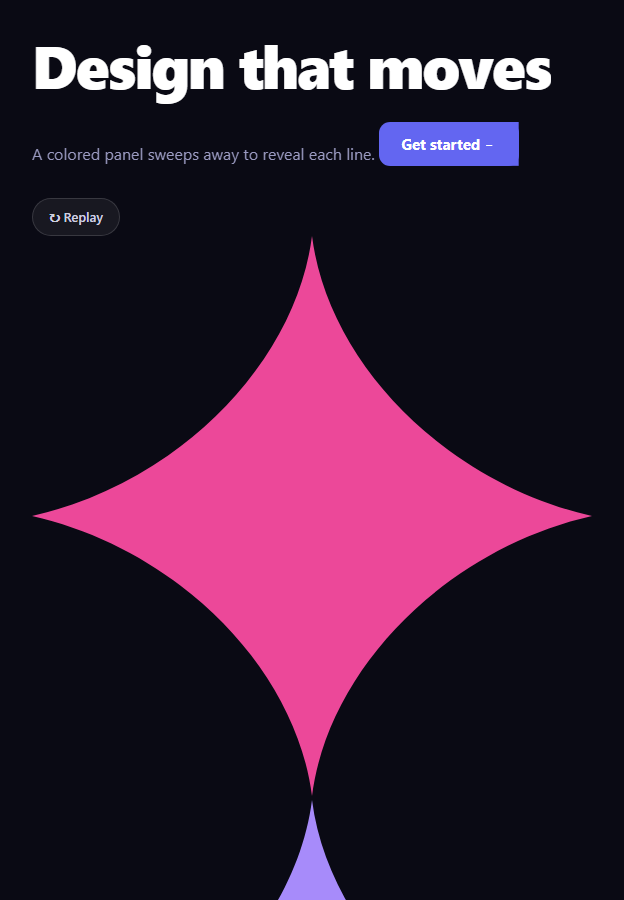
Box reveal is the punchy entrance where a solid colored panel sweeps across a line of text — growing from one side, then retreating to the other — and the text is revealed in its wake. Stacked across several lines with a stagger, it makes a headline arrive with confidence. This snippet builds it with plain HTML, CSS, and a little vanilla JavaScript for scroll triggering and replay.
The sweep in one keyframe
Each line has a .br-cover panel and the content beneath it. The brSweep keyframe drives the whole reveal by animating scaleX and flipping transform-origin at the midpoint: from 0 to 1 it grows from the left (covering the line), and at exactly 50.1% the origin switches to the right so from 1 back to 0 it shrinks toward the right (uncovering the line). That origin flip mid-animation is the trick that makes one panel both wipe on and wipe off in a single continuous motion, sweeping across the text.
Revealing the content at the right moment
The text underneath starts at opacity: 0 and is flipped to visible by a zero-duration brShow animation whose animation-delay is timed to the panel's midpoint — the instant the cover fully overlaps the line. So the content becomes visible while hidden behind the panel, and is then exposed as the panel retreats. Timing the reveal to the cover's peak is what prevents any flash of text before the wipe or a gap after it.
Per-line stagger
Each line carries a --d index, and both the sweep and the reveal use animation-delay: calc(var(--d) * .18s ...), so line 0 goes first, line 1 follows 180ms later, and so on. The cascade makes the headline, subtext, and button arrive in sequence rather than together, which reads as deliberate and polished. The whole sequence is driven by CSS; the index is the only per-line input.
Scroll-triggered, and replayable
An IntersectionObserver starts the reveal when the stage is 40% in view, then disconnects so it fires once on scroll. A replay button re-runs it by removing the .play class, forcing a reflow with void offsetWidth, and re-adding the class — the standard way to restart CSS animations. That reflow is essential: without it the browser would batch the class removal and re-add and the animations would not replay.
Why CSS over JS animation
Driving the wipe with a single keyframe and an origin flip keeps it on the compositor and makes the stagger a matter of calc delays — no per-frame scripting, no animation library. JavaScript only decides when to start and restart.
Customizing it
Recolor the cover panels (or give each line its own color), change the sweep duration and easing for a snappier or smoother wipe, adjust the .18s stagger, or change the sweep direction by editing the origin flip. Apply it to images or cards, not just text. Pair it with a text generate reveal or a shiny text badge for a coordinated intro.
Build with AI
Build, Understand, Optimize, and Extend It With AI
You don't have to puzzle out the mid-animation origin flip by hand to see how it produces one continuous wipe. Paste this snippet's HTML, CSS, and JS into an AI coding assistant like Claude and ask it to explain exactly how the brSweep keyframe's transform-origin switch at 50.1 percent turns a single scaleX animation into a sweep-on-then-sweep-off motion, and why the brShow reveal's animation-delay is timed to line up with that exact midpoint. The same assistant can help optimize it — asking whether the reflow-forcing void stage.offsetWidth trick used for replay has a cheaper equivalent, or whether the IntersectionObserver threshold of 0.4 is the right trigger point for different section heights. It's also useful for extending the effect: ask it to make each line use a different cover color, apply the same wipe to an image instead of text, or drive the stagger timing from a JS array instead of inline CSS custom properties. Treat the code less like a finished artifact and more like a starting point for a conversation.
Prompt to recreate it
Copy this into your AI assistant of choice to build the effect from scratch, or as a jumping-off point for your own variant:
Build a "box reveal" text entrance effect in plain HTML, CSS, and a small amount of JavaScript, where a solid colored panel sweeps across each line of content and retreats to reveal it — no animation libraries, no per-frame JavaScript for the sweep itself.

Requirements:
- Multiple lines of content (a heading, a paragraph, a button), each wrapped so it can host both the real content and an absolutely-positioned cover panel on top of it.
- Content must start fully invisible (opacity 0), and a single CSS keyframe animation on the cover panel must animate scaleX from 0 to 1 with transform-origin set to the left side for the first half of the animation, then switch transform-origin to the right side partway through (just past the midpoint) so the same animation continues shrinking scaleX back to 0 from the right — producing one continuous sweep-across-and-retreat motion from a single keyframe, not two separate animations.
- The underlying content's opacity must flip from 0 to 1 via a separate zero-duration animation whose delay is timed to land exactly at the sweep's midpoint (when the cover fully overlaps the content), so there is no flash of text before the cover arrives and no visible gap after it leaves.
- Each line must carry its own index as a CSS custom property, and both the sweep delay and the reveal delay must be computed from that index using calc(), so lines animate in a staggered cascade purely through CSS with no JavaScript timing loop.
- Trigger the whole sequence automatically once, the first time the container scrolls into view, using an IntersectionObserver that disconnects after firing.
- Provide a replay button that can re-trigger the entire staggered sequence from the beginning at any time, using whatever technique is required to force the browser to restart already-completed CSS animations.
Want to tighten it up first? Run this prompt through the AI Prompt Studio to score it across 8 quality dimensions, catch anti-patterns, and tune the wording for Claude, ChatGPT, or Gemini before you paste it in.
Step by step
How to Use
- 1Paste HTML, CSS, and JSLines of content sit hidden behind colored panels.
- 2Scroll it into viewPanels sweep across and retreat, revealing each line.
- 3Watch the staggerHeadline, subtext, and button arrive in sequence.
- 4Click ReplayThe reveal re-runs from the start.
- 5Recolor the panelsChange the cover color per line.
- 6Tune the timingAdjust the sweep speed and the stagger.
Real-world uses
Common Use Cases
Got questions?
Frequently Asked Questions
The brSweep keyframe animates scaleX from 0 to 1 with the transform-origin on the left (growing to cover the line), then at 50.1% it switches the origin to the right so scaleX goes from 1 back to 0, shrinking toward the right and uncovering the line. Flipping the origin at the midpoint is what turns one panel into a single continuous wipe across the text.
The content starts at opacity 0 and is flipped visible by a zero-duration animation whose delay matches the panel's midpoint — when the cover fully overlaps the line. So the text becomes visible while still hidden behind the panel and is then exposed as the panel retreats, which avoids any flash before the wipe or gap after it.
Each line carries a --d index, and both the sweep and the reveal use animation-delay: calc(var(--d) * .18s + ...). So line 0 starts first, line 1 follows 180ms later, and so on. The cascade is entirely CSS, with the index as the only per-line input, making the headline, subtext, and button arrive in sequence.
It removes the play class, reads stage.offsetWidth to force a synchronous reflow, then re-adds the class. The reflow makes the browser register the removal before the re-add, so the CSS animations restart. Without forcing the reflow, the two class changes would be batched and the animation would not replay.
Render the lines with their index as a --d style and toggle a play class from state, triggered by an IntersectionObserver in a mount effect. For replay, briefly remove and re-add the class (or change a key to remount). The keyframes are pure CSS. In Tailwind, define the sweep and show animations in the config and apply staggered delays with arbitrary calc values.