Learn Coding Visually
Learn to code with interactive, live-preview playgrounds — HTML, CSS, JavaScript, React & more.
 HTML Playground42 lessons · Click-based · Live preview
 CSS PlaygroundLearn CSS with a live editor
 JavaScript Playground60 lessons · DOM · Async · Canvas
 React PlaygroundLearn React with a live code editor
 GSAP PlaygroundLearn GSAP animation interactively
 SVG Playground44 lessons · shapes · paths · animation
 SCSS Playground45 lessons · Sass modules · tokens
 Tailwind PlaygroundLearn Tailwind CSS with a live editor
 Bootstrap 5 Playground50 lessons · live preview
Undo/Redo History Toolbar with Jump-to-Any-State
Undo/Redo History Toolbar with Jump-to-State · Misc · Plain HTML, CSS & JS · Live preview
What's included
Features
About this UI Snippet
Undo/Redo History — The Pointer-Into-a-Snapshot-Array Pattern
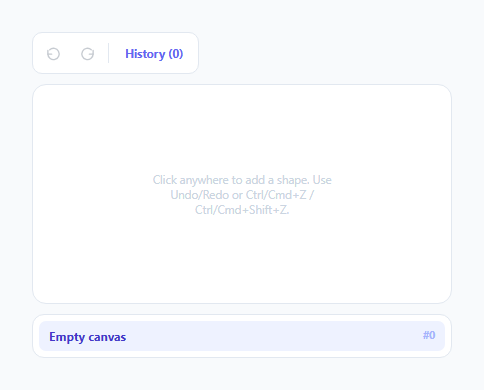
A genuinely correct undo/redo implementation is a specific, well-understood pattern — not a stack of "reverse operations" that has to be carefully written for every possible action type. This snippet implements the simpler, more robust version: an array of full state snapshots, plus a single integer pointer into that array. Every operation — undo, redo, or jumping to an arbitrary point in history — reduces to nothing more than moving the pointer and re-rendering.
Why snapshots, not "reverse operations"
A tempting alternative design stores each action as an *inverse* operation (e.g. "delete the last shape" as the undo for "add a shape") — but this requires writing and maintaining a correct inverse for every single action type in the app, and inverses can be genuinely hard to get right for complex or composite actions. Storing a full snapshot of the *entire relevant state* after every action sidesteps this completely: undoing is never "run the opposite operation," it's simply "look at what the state used to be, one step back," which is trivially correct by construction no matter how complex an individual action was.
The pointer, not the array length, defines "where you are"
pointer is a separate integer tracking the currently-displayed index into history, distinct from the array's own length. undo() and redo() do nothing more than decrement or increment pointer (bounded at the array's edges) and call render() — there's no separate "apply the inverse" logic, because render() always just displays whatever full snapshot lives at history[pointer].
Why a new action must discard the "future" branch
pushState() calls history.slice(0, pointer + 1) *before* appending the new state — this is the detail that makes branching behave correctly. If a user undoes three steps and then performs a brand-new action, the three steps they'd undone past are no longer reachable via redo; they represent an abandoned timeline the new action has now diverged from. Without this truncation, the old "future" states would linger in the array past the new action, and redo could jump to a state that's no longer consistent with what's actually been done since.
Jumping to an arbitrary history entry is not a special case
The history list lets a user click any past entry and jump straight to it — implemented as nothing more than setting pointer directly to that entry's index and calling render(), the exact same two operations undo()/redo() perform. This is a direct consequence of the pointer-into-an-array design: there's no meaningful difference between "move the pointer back one step" and "move the pointer back five steps," so no separate jump-specific logic is needed at all.
Build with AI
Build, Understand, Optimize, and Extend It With AI
Ask an AI assistant to explain in detail why the snapshot-array-plus-pointer undo pattern avoids the correctness problems of a reverse-operations approach, and to walk through exactly what happens to the history array's contents when a new action is pushed after several undo steps. It's also worth asking for a version that coalesces rapid successive actions (like fast typing) into fewer history entries to avoid an excessively long, granular history, or one that caps the maximum history length and discards the oldest entries once that cap is exceeded.
Prompt to recreate it
Copy this into your AI assistant of choice to build the effect from scratch, or as a jumping-off point for your own variant:
Build an undo/redo history toolbar in HTML, CSS, and vanilla JavaScript — no external library.

Requirements:
- A simple interactive canvas area where clicking adds a new visual element (like a small shape) at the click position, and a toolbar with Undo and Redo buttons plus a keyboard shortcut (Ctrl/Cmd+Z for undo, Ctrl/Cmd+Shift+Z for redo).
- Implement the undo/redo system using an array of full state snapshots (not a list of reverse/inverse operations per action type) plus a single pointer index into that array — every state-changing action must push a complete new snapshot onto the array.
- Undo and redo must both work by simply moving the pointer backward or forward by one and re-rendering whatever full snapshot is at that new pointer position — there should be no separate "apply the inverse of this specific action" logic anywhere.
- When a new action is performed after the user has undone one or more steps, correctly discard the now-abandoned "future" portion of the history array (everything beyond the current pointer) before appending the new state, so redo is no longer available past that new action.
- Include a toggleable history panel listing every past state, where clicking any entry jumps the pointer directly to that point in history using the exact same underlying mechanism as a single undo or redo step (not separate jump-specific logic).
- Disable the Undo button when the pointer is at the very first history entry, and disable the Redo button when the pointer is at the very last entry.
Want to tighten it up first? Run this prompt through the AI Prompt Studio to score it across 8 quality dimensions, catch anti-patterns, and tune the wording for Claude, ChatGPT, or Gemini before you paste it in.
Step by step
How to Use
- 1Click anywhere on the canvasAdds a new shape and pushes a new state snapshot onto the history array, moving the pointer to it.
- 2Click Undo (or press Ctrl/Cmd+Z)Moves the pointer back one step and re-renders whatever snapshot lives there — the most recently added shape disappears.
- 3Click Redo (or press Ctrl/Cmd+Shift+Z)Moves the pointer forward one step, restoring whatever was undone, as long as no new action has happened since.
- 4Add a new shape after undoingThe abandoned "future" states are discarded — redo is no longer available past this new action, matching standard undo/redo behavior everywhere.
- 5Open the History panel and click any entryJumps the pointer directly to that specific point in history — implemented as exactly the same operation undo/redo use internally.
Real-world uses
Common Use Cases
Got questions?
Frequently Asked Questions
Reverse-operation undo requires writing and correctly maintaining an inverse for every distinct action type in the app, which becomes error-prone for complex actions. Full snapshots sidestep this entirely — undoing is just "display what the state was one step back," which is correct by construction regardless of how complicated the action that produced each state was.
The history array is truncated to everything up to and including the current pointer position before the new state is appended — the abandoned "future" states (everything you had undone past) are discarded, and redo is no longer available past the new action, exactly matching how undo/redo behaves in real applications.
No — it uses the exact same underlying mechanism: setting the pointer to a specific index and re-rendering. There is no separate jump-specific code path, since moving the pointer by one step (undo/redo) and moving it by several steps (a history-list jump) are fundamentally the same operation.
For high-frequency actions like keystrokes, a real implementation typically coalesces rapid successive changes into a single history entry (for example, committing a new snapshot only after a pause in typing) rather than pushing a new full snapshot per keystroke — the underlying pointer/array pattern stays the same either way.
Undo disables when the pointer is at index 0 (the very first, empty state) — there's nothing earlier to move back to. Redo disables when the pointer is at the last index in the history array — there's no "future" state beyond the current one to move forward to.
Keep the same pattern — every action (move, resize, delete, add) simply computes and pushes a new full snapshot of the relevant state after that action, exactly like the single addShape action does here. No per-action-type undo logic needs to be written.